Shopl Highlights
Upcoming Release: First Week of November 2023 |
|
|
Member Profile Picture Settings
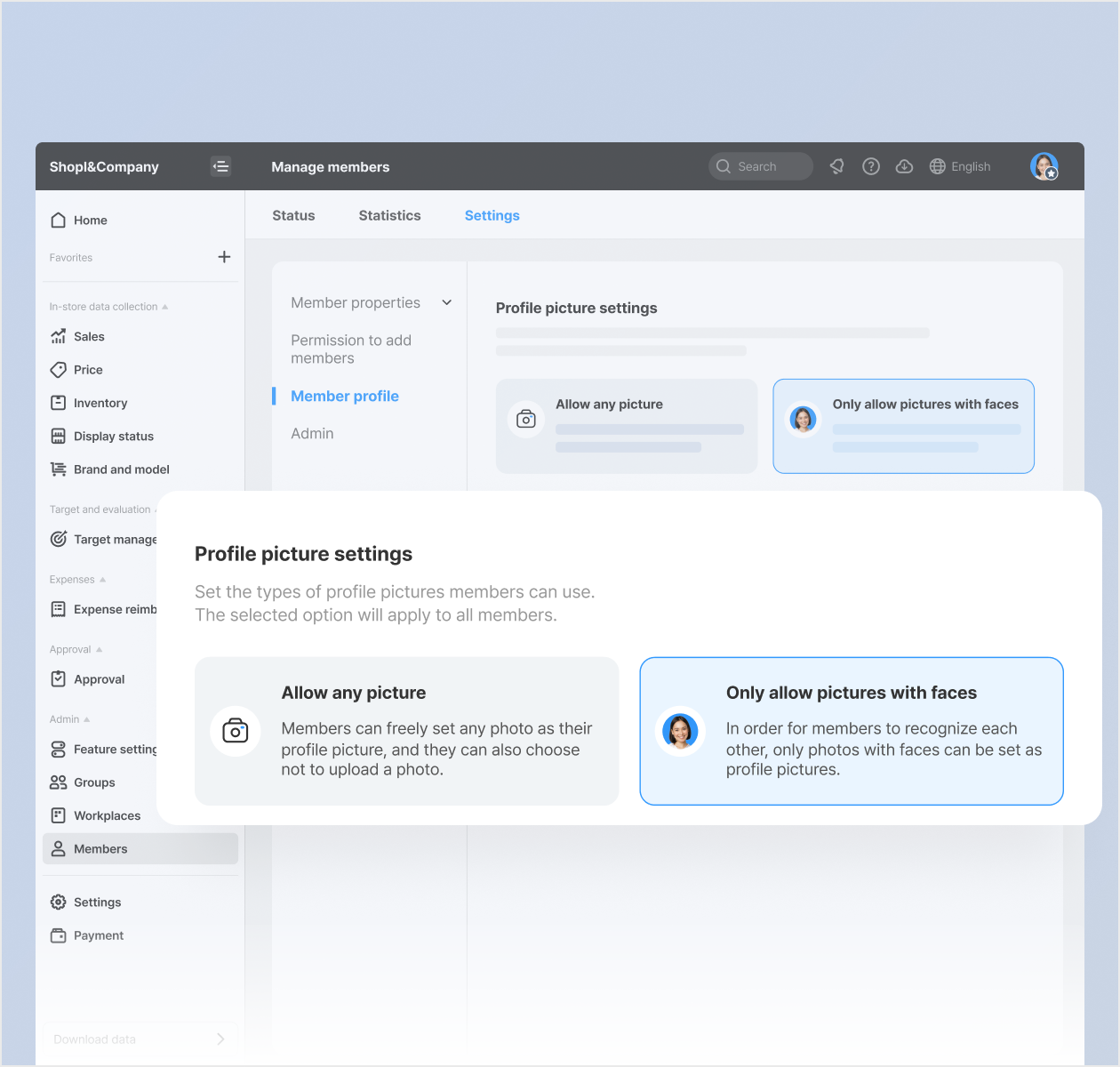
We've added a new profile picture setting that lets you upload any photo as your profile picture! Of course, you can still choose to allow only photos with your face visible, as before.
* Dashboard > Members > Manage members > Settings > Member profile |
|
|
Change Your Profile Picture Freely
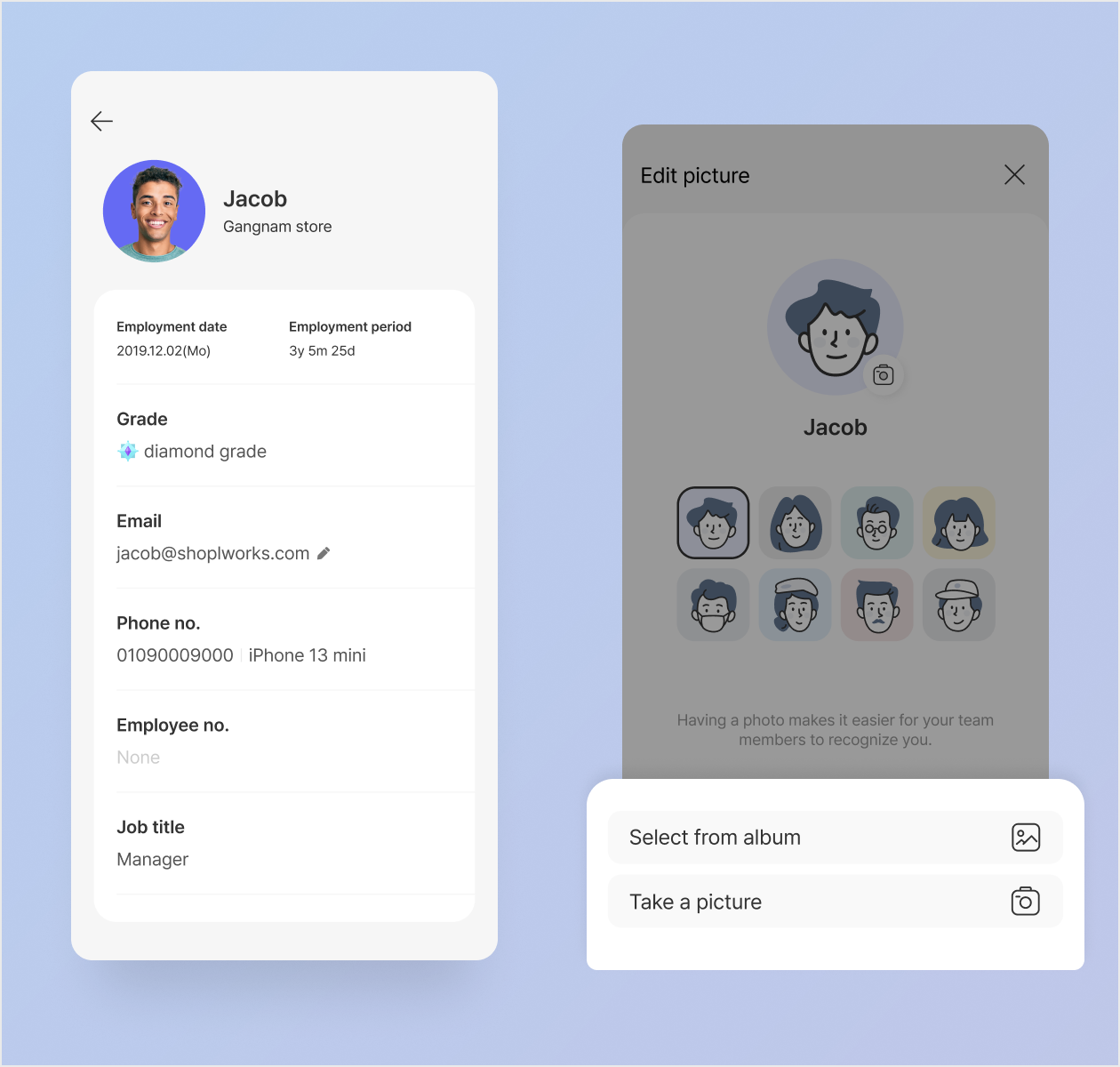
Update your profile picture anytime from your profile page. You have the option to either take photos or select pictures from your album, and you can also choose from character illustrations.
* App > Menu > Profile > Profile picture > Edit picture
* Characters are only available when your admin allows any photo as a profile picture.
* App update required |
|
|
Add and Edit Menus in the Posting Board/Report Navigation
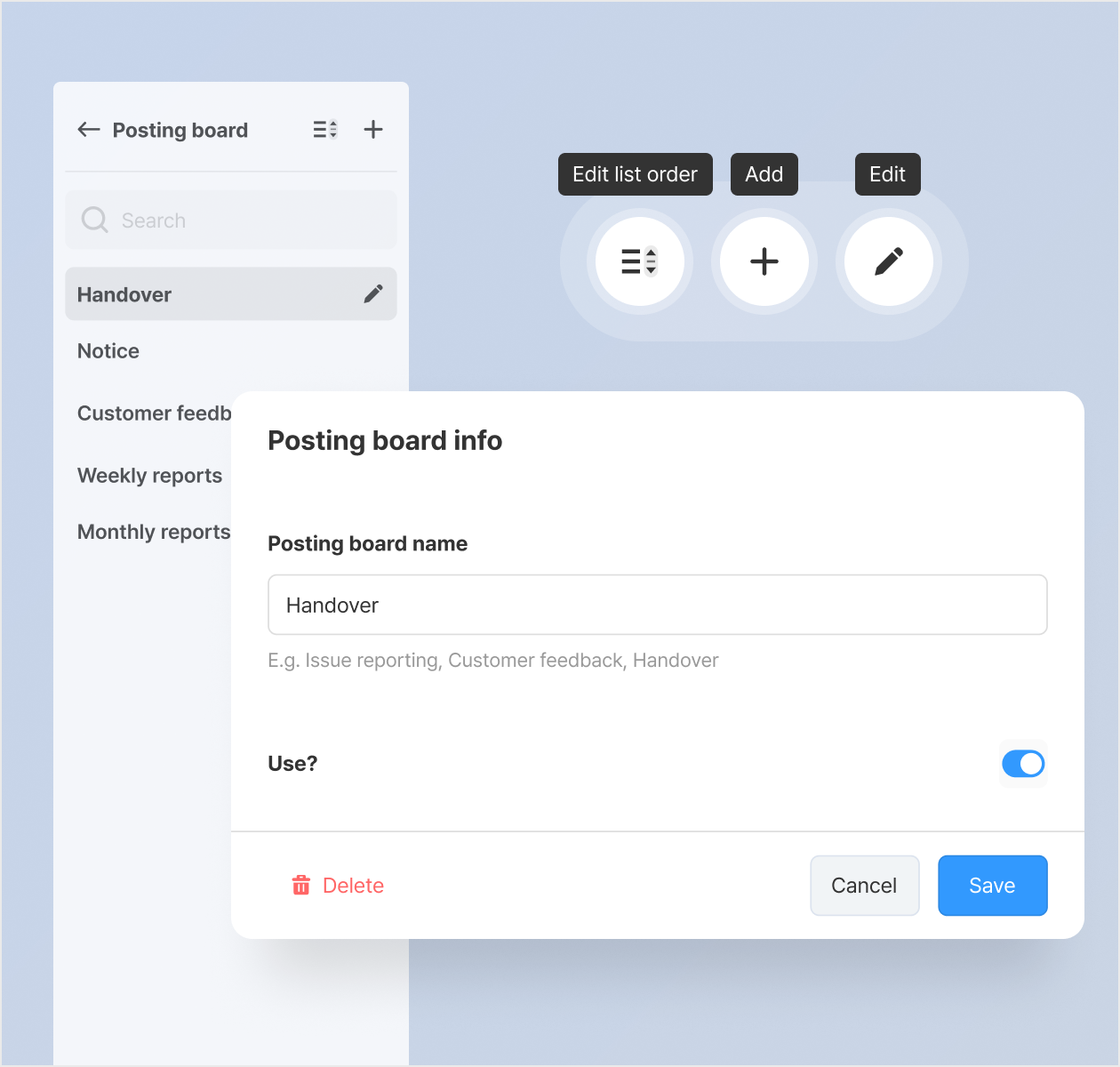
You can now add or edit menus directly from the Posting Board/Report navigation on the dashboard, without having to go to the Feature settings page.
* This feature is available to admins only. |
|
|
Revamp of Automatic Schedule Generation
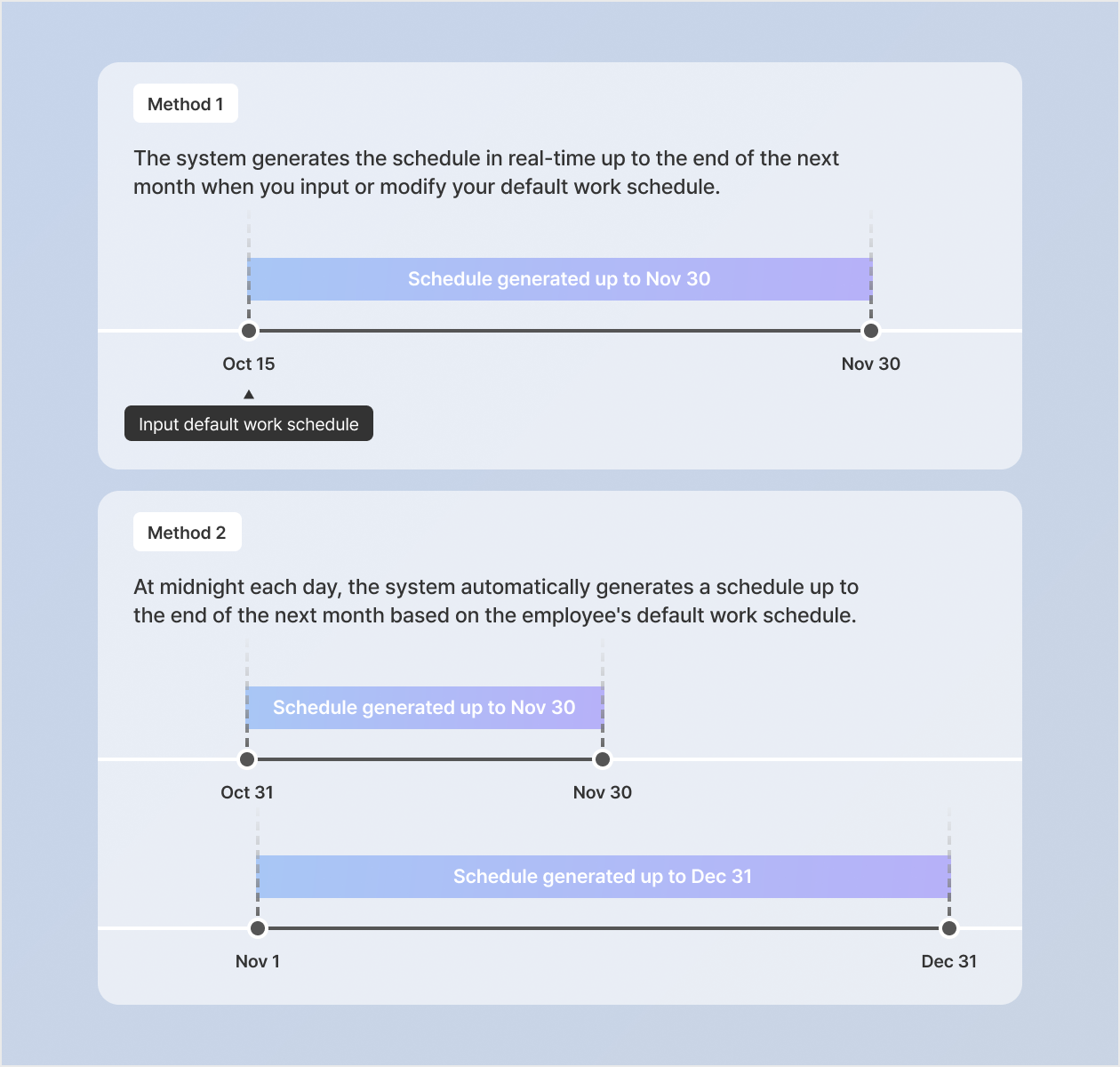
If the work schedule is fixed, enter a 'default work schedule' for each employee.
Example) Monday to Friday: Work from 09:00 to 18:00 (with a 1-hour break) / Saturday & Sunday: Day off
The system will automatically create a schedule based on the employee's default work schedule. |
|
|
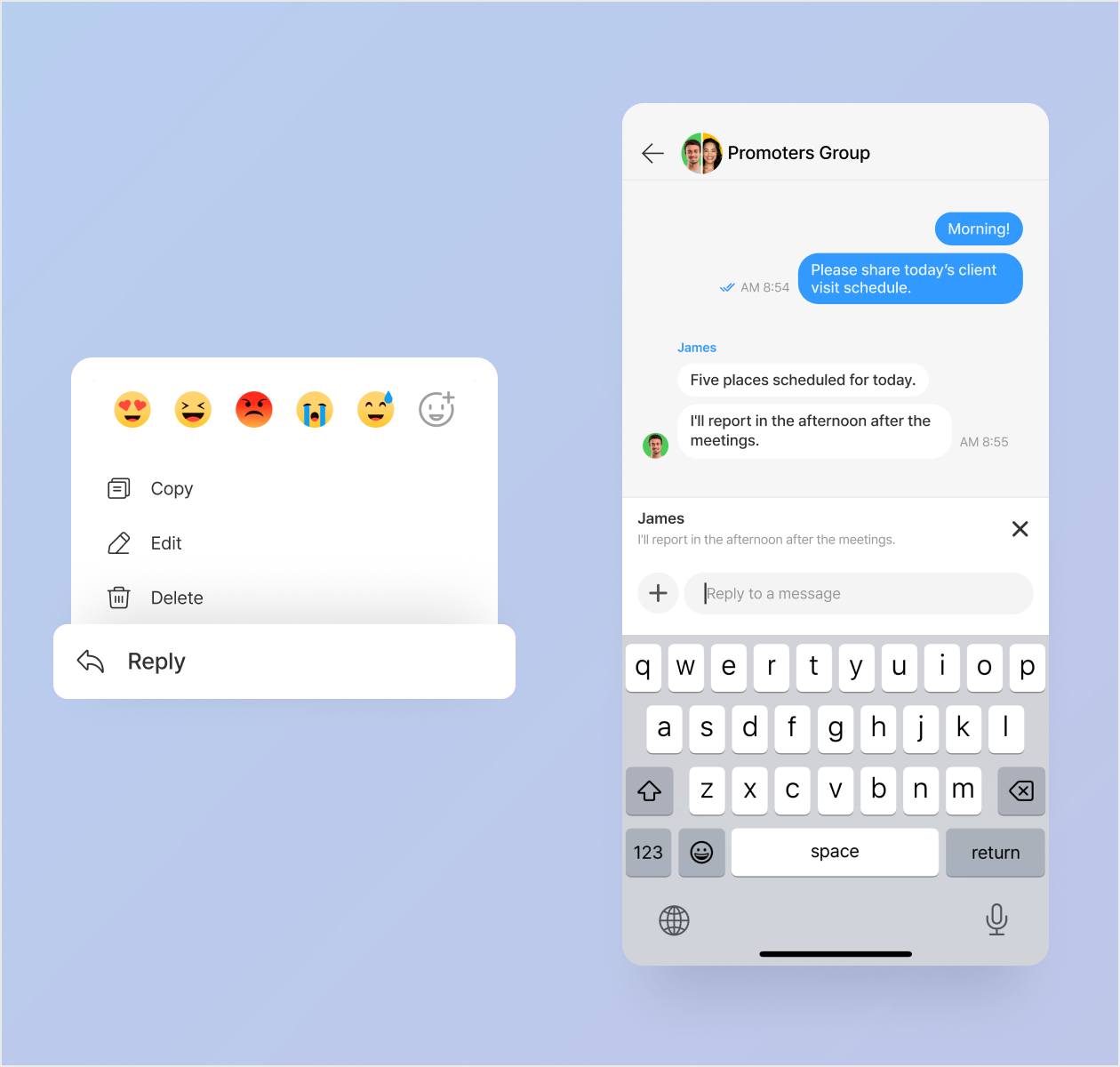
Chat Reply Feature Added
Reply to messages from other members! This feature is accessible in both the app and web chat.
* App update required |
|
|
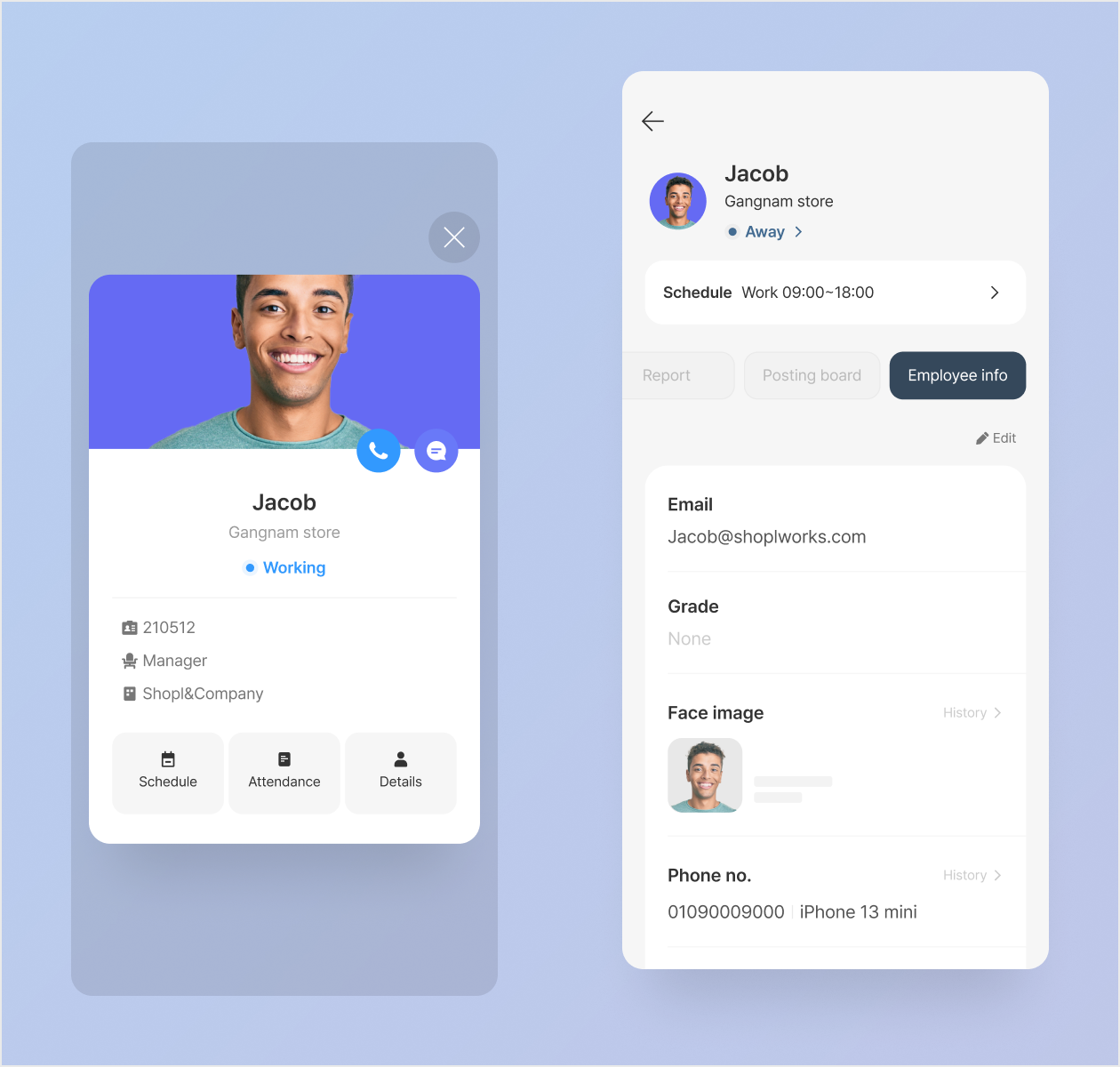
Quickly Check Employees' Work Status
Now, you can conveniently check employees' real-time work status (Working, Away, Punched out, etc.) directly from the profile dialog and the employee's detailed page.
* The work status is displayed only when the 'Attendance' feature is enabled.
* App update required |
|
|
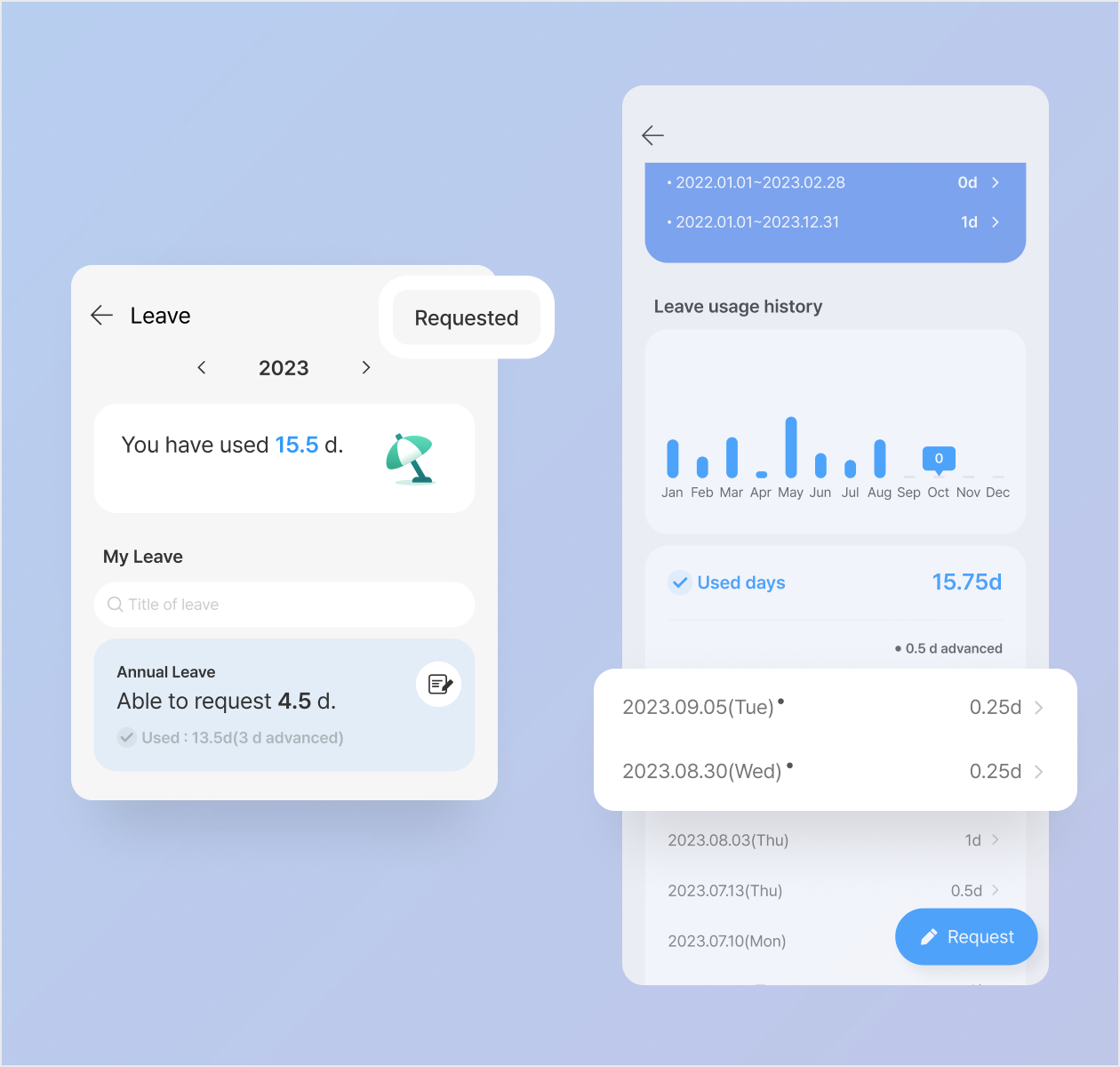
View My Leave Request History
We've improved the app's user interface to make it quick and easy for you to check the leave requests you've made.
- View all your leave requests by selecting [Requested] at the top of the Leave main page.
- On the detailed page for each type of leave, you can tap on the dates to view request details related to that leave schedule.
* App update required |
|
|
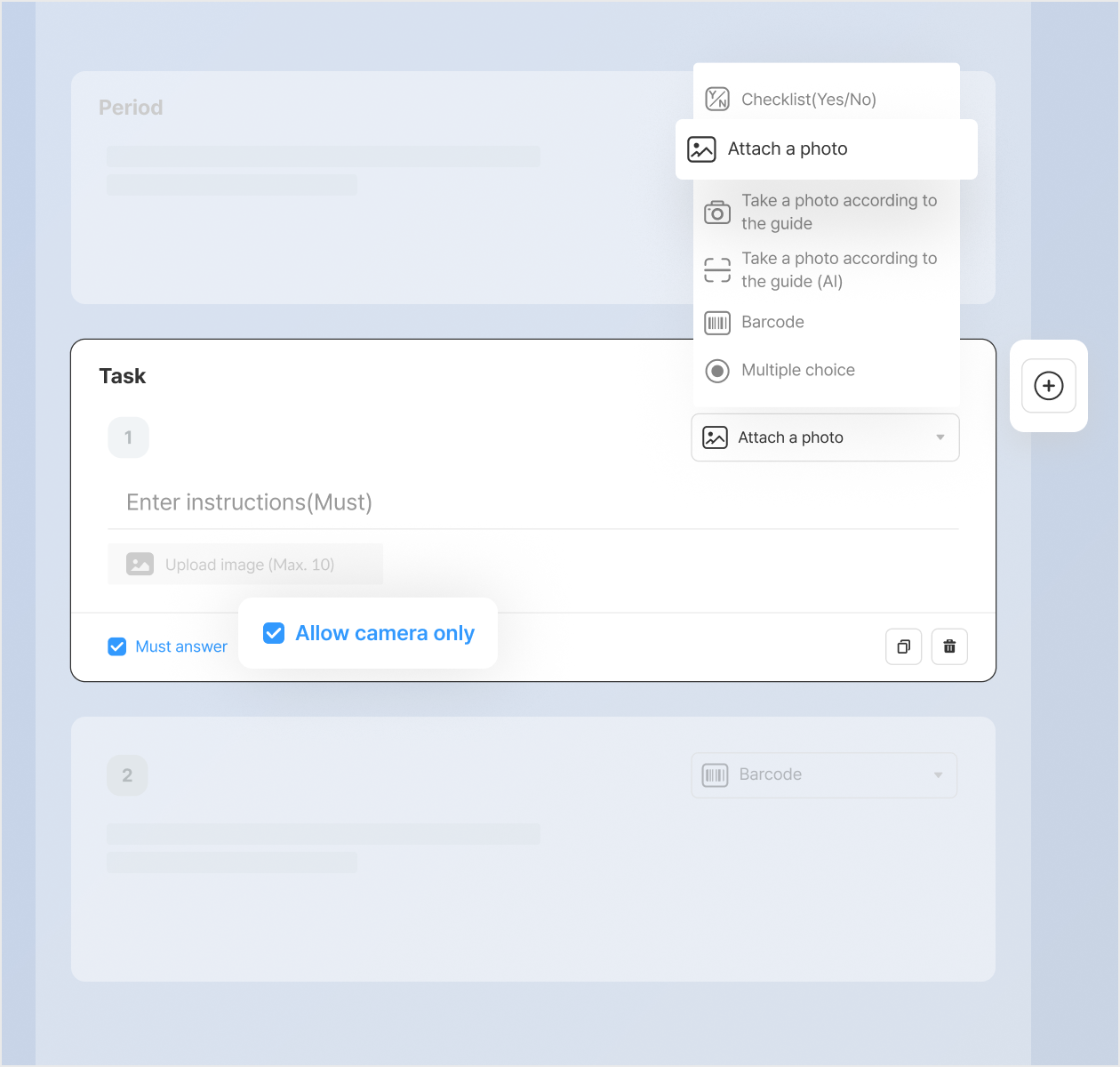
Added 'Camera-Only' Option for Attaching Photos in To-Do Feature
Looking to restrict employees from choosing photos from their albums and allow only direct camera shots? Try enabling the 'Allow camera only' option in the 「Attach a photo」 component.
* Setup guide: Dashboard & App Leader Mode > To-do menu > Create To-do > Select 'Attach a photo' component in Task section > Enable 'Allow camera only' option
* App update required |
|
|
Other Improvements:
- Renamed the 'Default Workplace' to 'Fixed Workplace'
- Enhanced To-do list sorting on the [Task] tab of the Employee Mode main page.
- When creating a report, the 'Time' component automatically shows the duration between the end time and the start time.
- Example) If you input 10:00~12:30, the screen will show 10:00~12:30 (2h 30m)
|
|
|
That's it for the upcoming updates!
Stay up to date with the latest releases and features. 😀 |
|
|
Shopl - Streamline management of teams and tasks
All-in-one solution for
time & attendance, task management
|
|
|
|