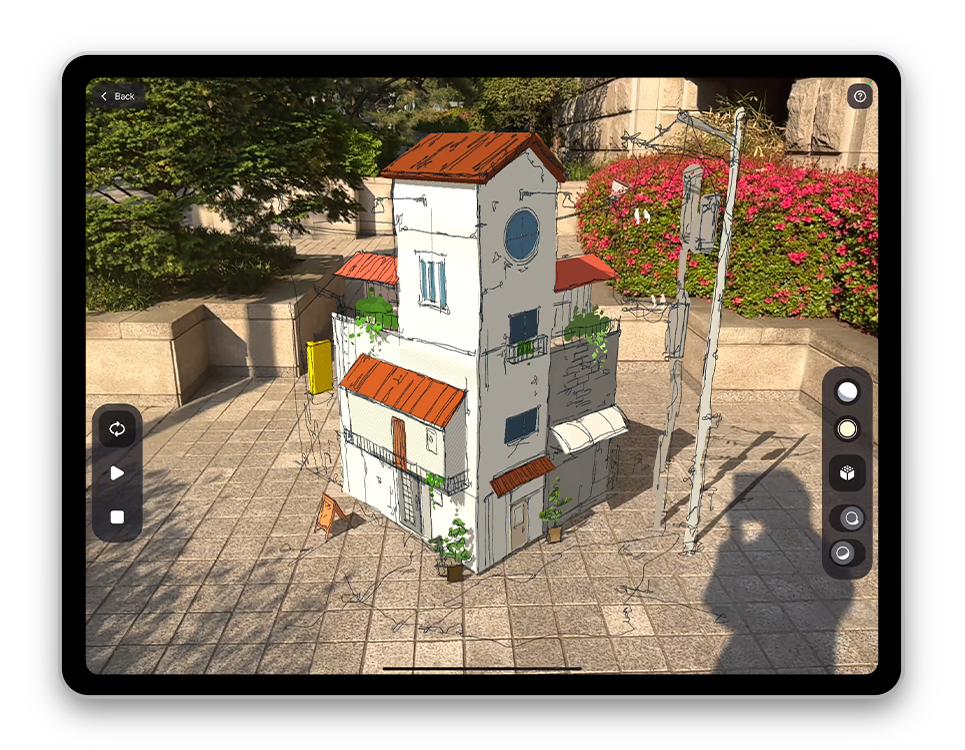
Take your iPad outside. Every place becomes a canvas with Feather. The upgraded AR Viewer lets you control lighting and shadows, and add simple animations to bring your drawing to life.
Update now to try it out! |
아이패드를 들고 밖으로 나가보세요. 이제부터 모든 곳이 Feather의 캔버스입니다! 더 강력해져서 돌아온 AR뷰어는 조명과 그림자를 설정해줄 수 있을 뿐만 아니라 간단한 애니메이션으로 내 드로잉에 활기를 불어넣을 수 있습니다. 지금 당장 업데이트해보세요! |
|
|
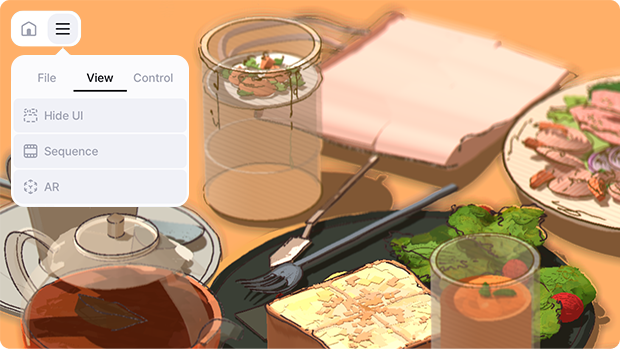
Any drawing can be viewed in AR with the AR Viewer. Try it from System Menu → View → AR. With simple gestures, place your drawing in any space and explore it freely!
|
|
|
어떤 드로잉이든 AR 뷰어로 감상할 수 있습니다. 시스템 메뉴 → 보기 → AR 에서 사용해보세요. 간단한 제스쳐를 통해 드로잉을 내가 원하는 공간에 배치하고 자유롭게 둘러보세요!
|
|
|
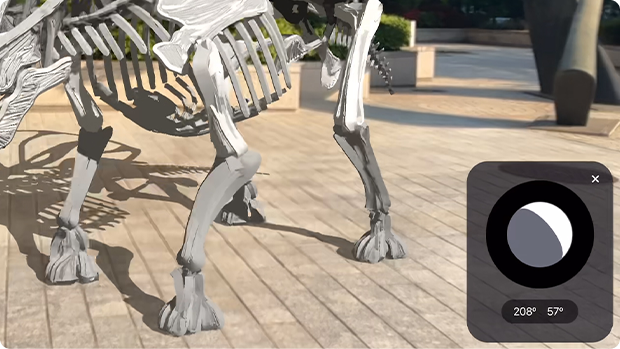
Adjust the lighting, change colors, and set the intensity. You can also toggle shadows on and off, or enable toon shading. |
|
|
조명을 설정하고, 색을 바꾸고, 세기를 설정하세요. 그림자를 끄고 켜거나 툰 셰이딩을 활성화 할 수도 있습니다. |
|
|
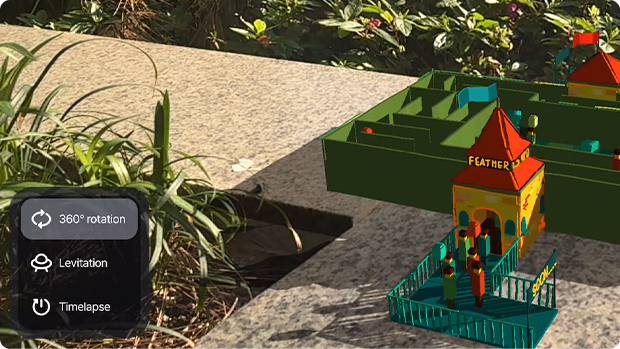
From turntables to timelapse — add simple animations that bring your drawing to life. Just choose the one that fits your work and tap play.
|
|
|
턴테이블부터 타임랩스까지. 당신의 드로잉에 생명을 불어넣어줄 애니메이션을 추가해보세요. 내 드로잉에 어울리는 애니메이션을 선택하고 재생을 누르기만 하면 됩니다. |
|
|
It’s already the third episode of the Practice series! In this episode, you’ll learn how to create a stylized architecture sketch. Explore various features of Feather as you enhance your skills and unleash your imagination!
|
|
|
프랙티스 시리즈가 벌써 세 번째입니다! 이번 에피소드에서는 스타일리쉬한 건축 스케치를 그리는 방법에 대해 배워봅니다. Feather의 다양한 기능을 탐색하며 실력을 키우고 상상력을 마음껏 펼쳐보세요! |
|
|
See how others use, share experiences, get tips and inspiration, or discuss with us.
Tips, Artworks, Events...and more!
Tag your work with #feather_3d and share it with us. We'll feature your creations!
|
|
|
Sketchsoft Inc. | 주식회사 스케치소프트support@sketchsoft3d.com
3F,415,Eonju-ro,Gangnam-gu,Seoul,Republic of Korea,06222 | 서울특별시 강남구 언주로 415, 3층
|
|
|
|
|