Coming in the Last Week of October 2026
Improved work policy management.
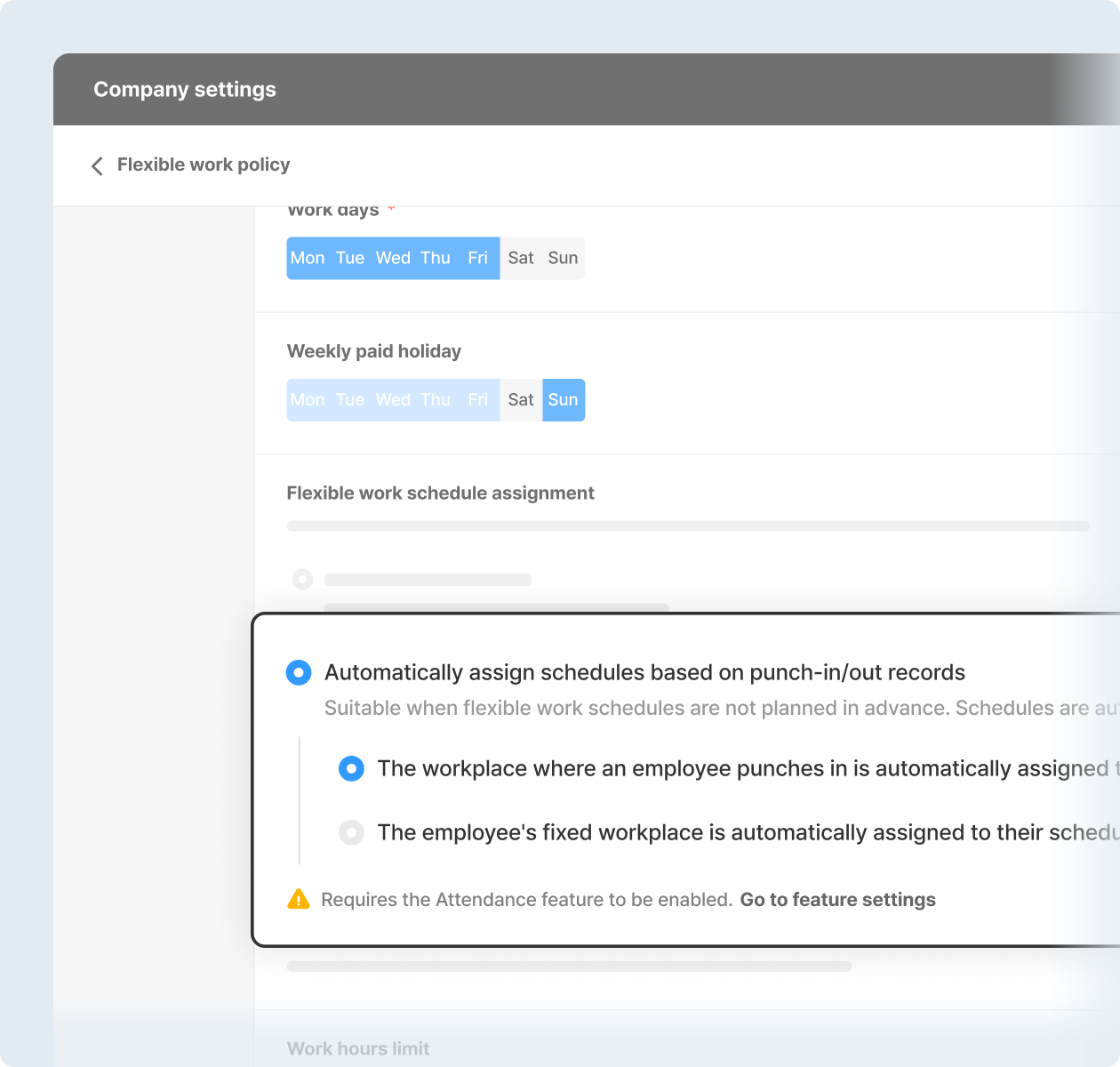
Flexible work scheduling, made easier.
- [Automatically assign schedules based on punch-in/out records] option: Schedules are automatically assigned based on actual punch-in and punch-out records, without needing to be assigned in advance. This allows working hours to be recognized automatically.
- [Employees can change their schedules without approval] option: When schedules need to be planned and shared in advance, employees can edit their own schedules without going through the approval process, making work planning easier and faster.
* Dashboard (PC) > Company Settings > Work Policies > Flexible Working Hours > Work Policy Settings > Flexible Work Schedule Assignment
* Requires app update.
|
|
|
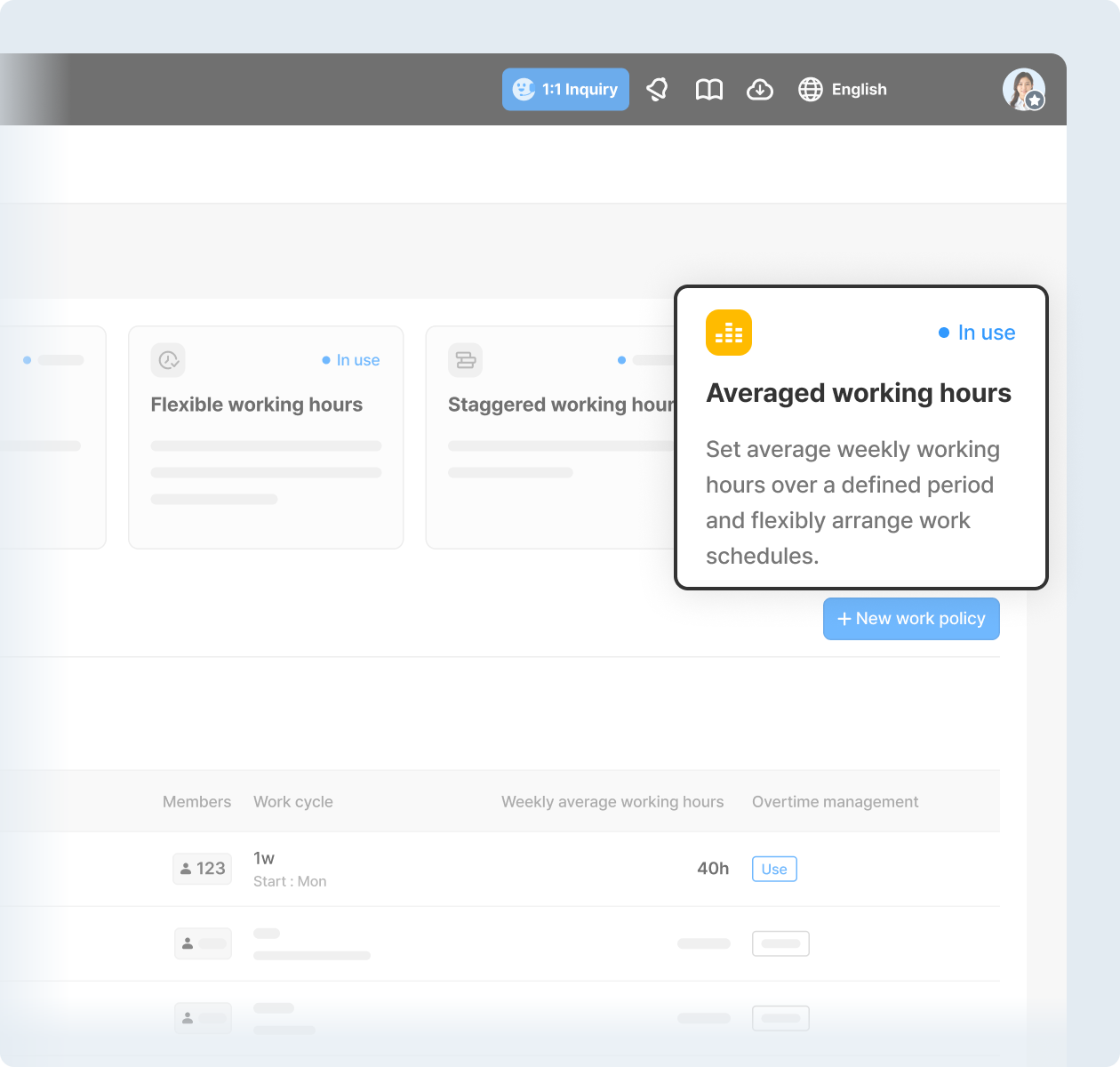
Introducing averaged working hours.
Ideal for employees who follow assigned schedules but have varying daily working hours. You can set a work cycle from 1 week to 6 months. Simply set the average weekly working hours, and the total scheduled working hours for each cycle will be automatically calculated and tracked.
* Requires app update.
|
|
|
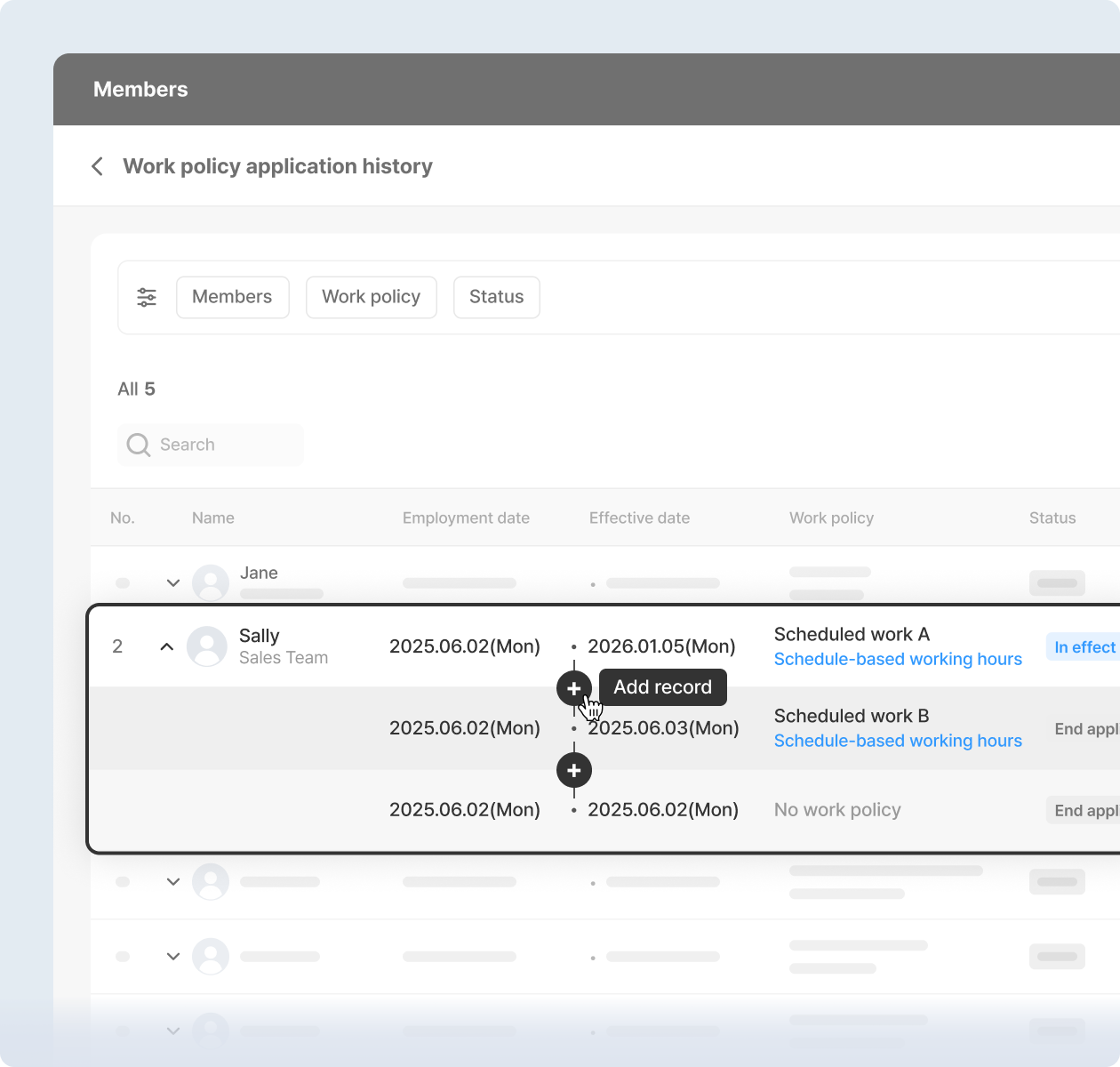
Easier work policy assignment tracking.
Admins can now easily view and manage work policy assignment history for each employee on the dashboard (PC). Bulk updates are also available via Excel through the [Bulk edit] menu under Employee Information.
* Dashboard (PC) > Employees > Work Policy Assignment History (or Work Policy Assignment History under [Edit in bulk])
|
|
|
Coming in the Last Week of October 2026
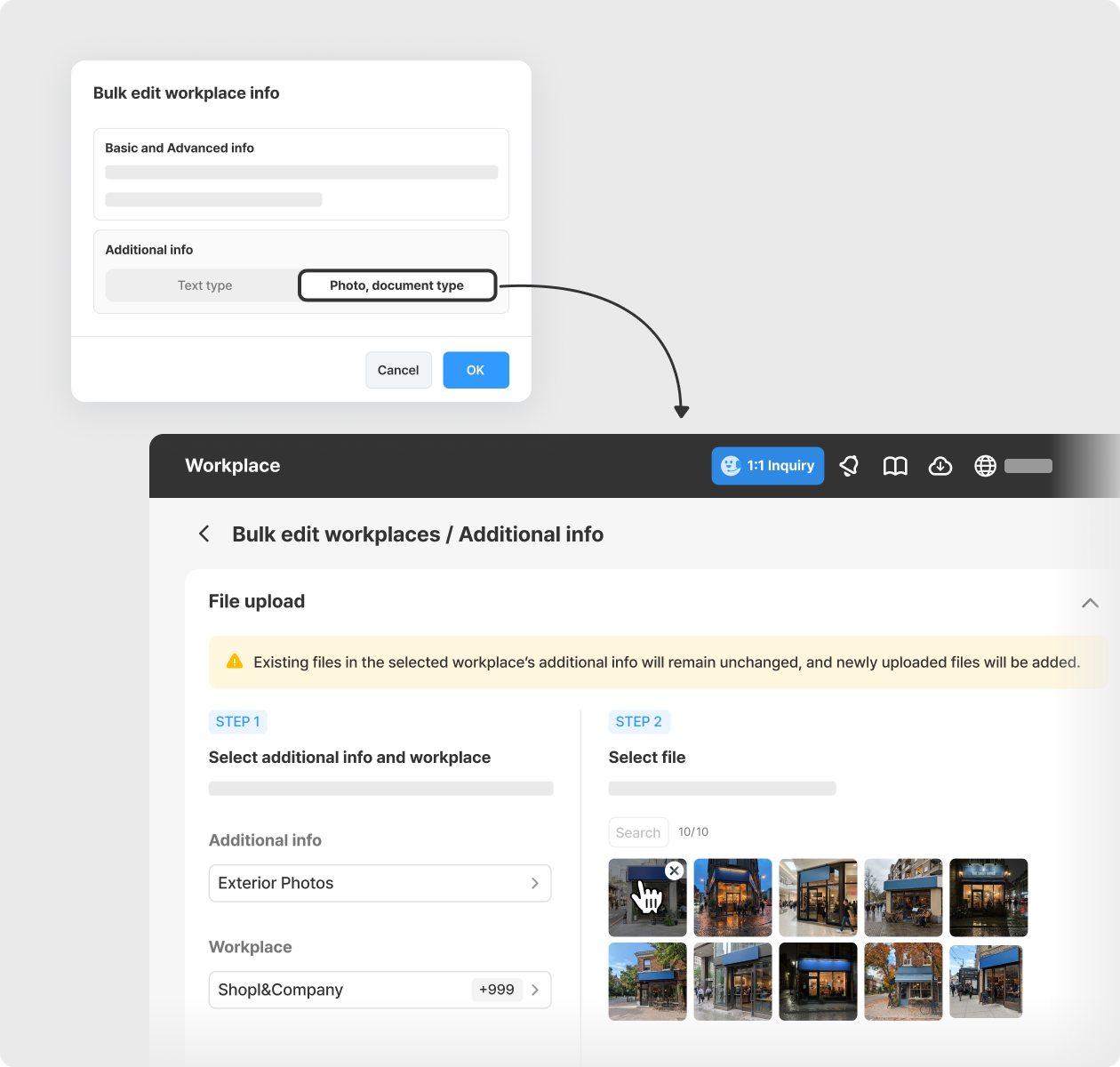
Upload photos and documents across multiple workplaces at once.
You can now upload photos and documents to multiple workplaces in one go, instead of adding them individually. Simply select the workplaces, upload your files, and the same files will be added to the Additional Information section of each selected workplace.
* Dashboard (PC) > Workplaces > Status > Bulk actions > Edit in bulk > Additional Information (Photos, Documents)
|
|
|
Released
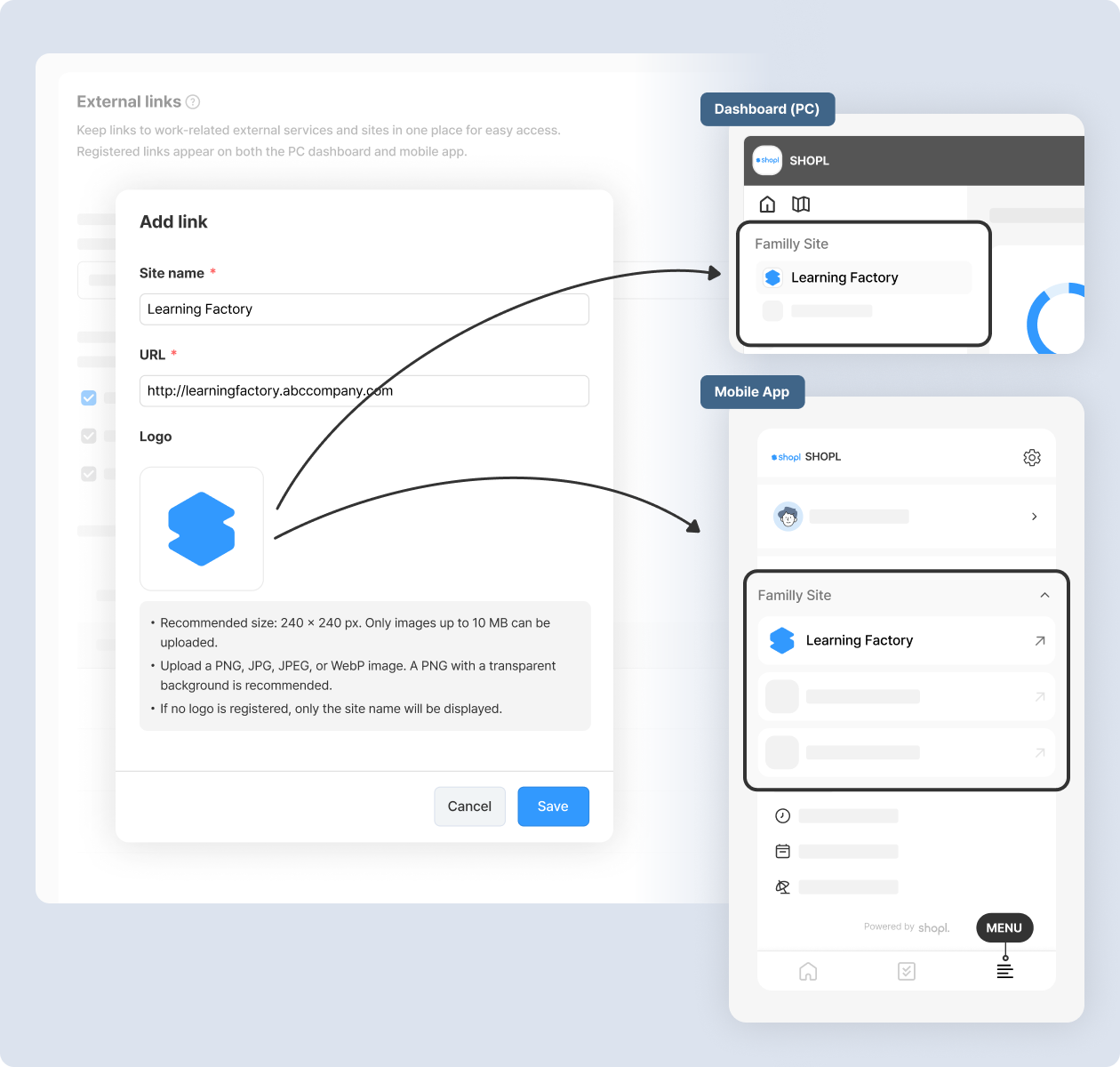
Keep your team's go-to websites in one place.
Add frequently used sites, such as company portals, training platforms, and affiliated websites, as External Links. Members can access these sites directly from Shopl, without searching through announcements or chat messages for links.
Links added by admins appear on the PC dashboard or mobile app, depending on the selected display locations. When a website URL changes, simply update the link once, without having to notify each member individually.
* Dashboard (PC) > Company settings > External links (Admins only)
* Requires app update.
|
|
|
📌 Other Improvements:
- [Leave] Set leave hours for days with flexible or averaged working hours.
|
|
|
That's it for the upcoming updates!
Stay up to date with the latest releases and features. 😀 |
|
|
Shopl - Streamline management of teams and tasks
All-in-one solution for
time & attendance, task management
|
|
|
|