Shopl Highlights
Upcoming Release: Third Week of January 2025
|
|
|
[Attendance] Improved record management features
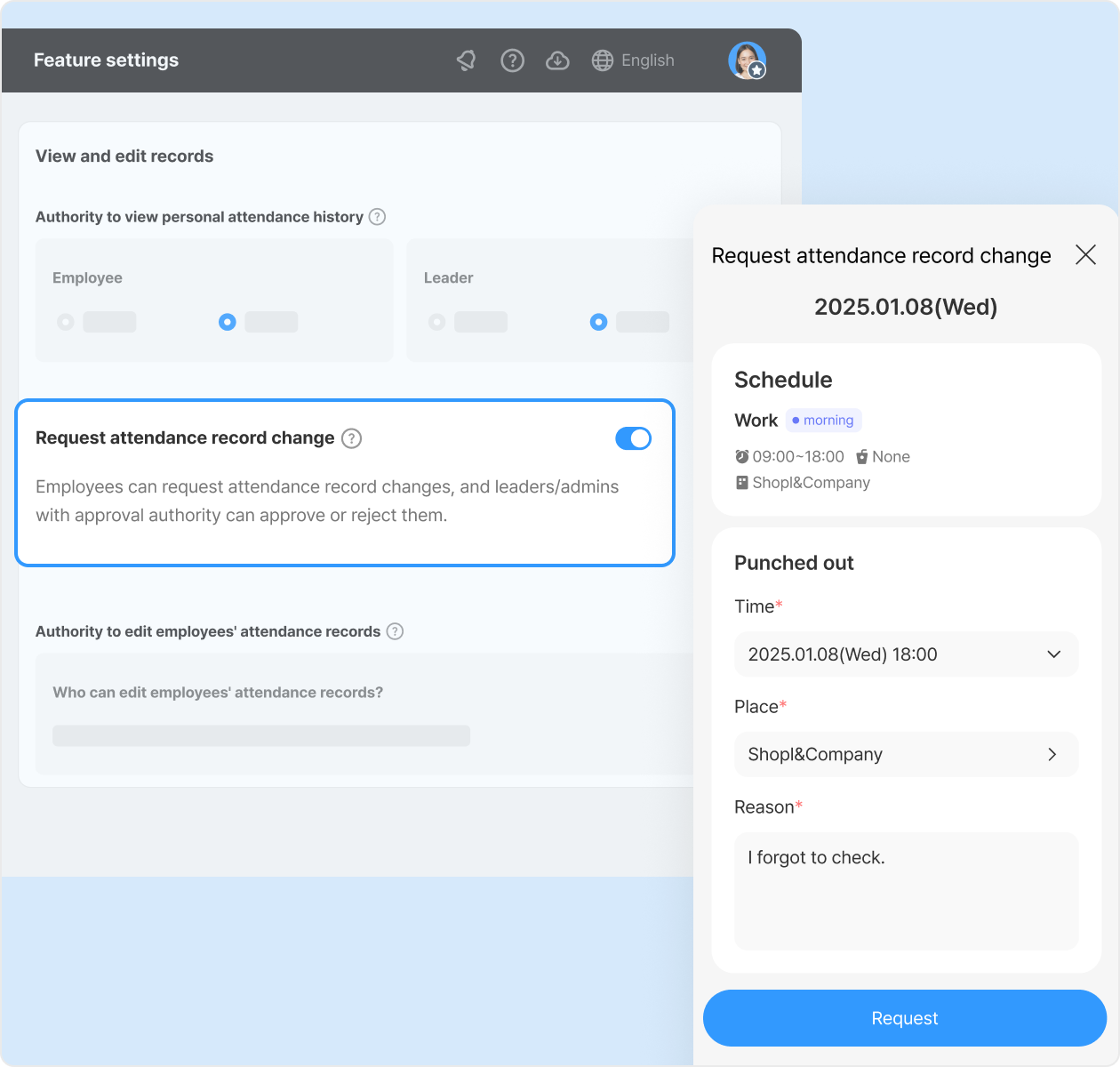
Request and approve edits to punch-in/out records
Employees can now submit punch-in/out record edit requests to their leader. Employees provide the time, location, and reason, and leaders can review and approve or reject requests.
* Enable this feature under: Dashboard > Feature settings > Attendance > View and edit records > Request to modify attendance records
* In the [Approval] section, the [Punch-out time] has been consolidated into [Attendance records].
|
|
|
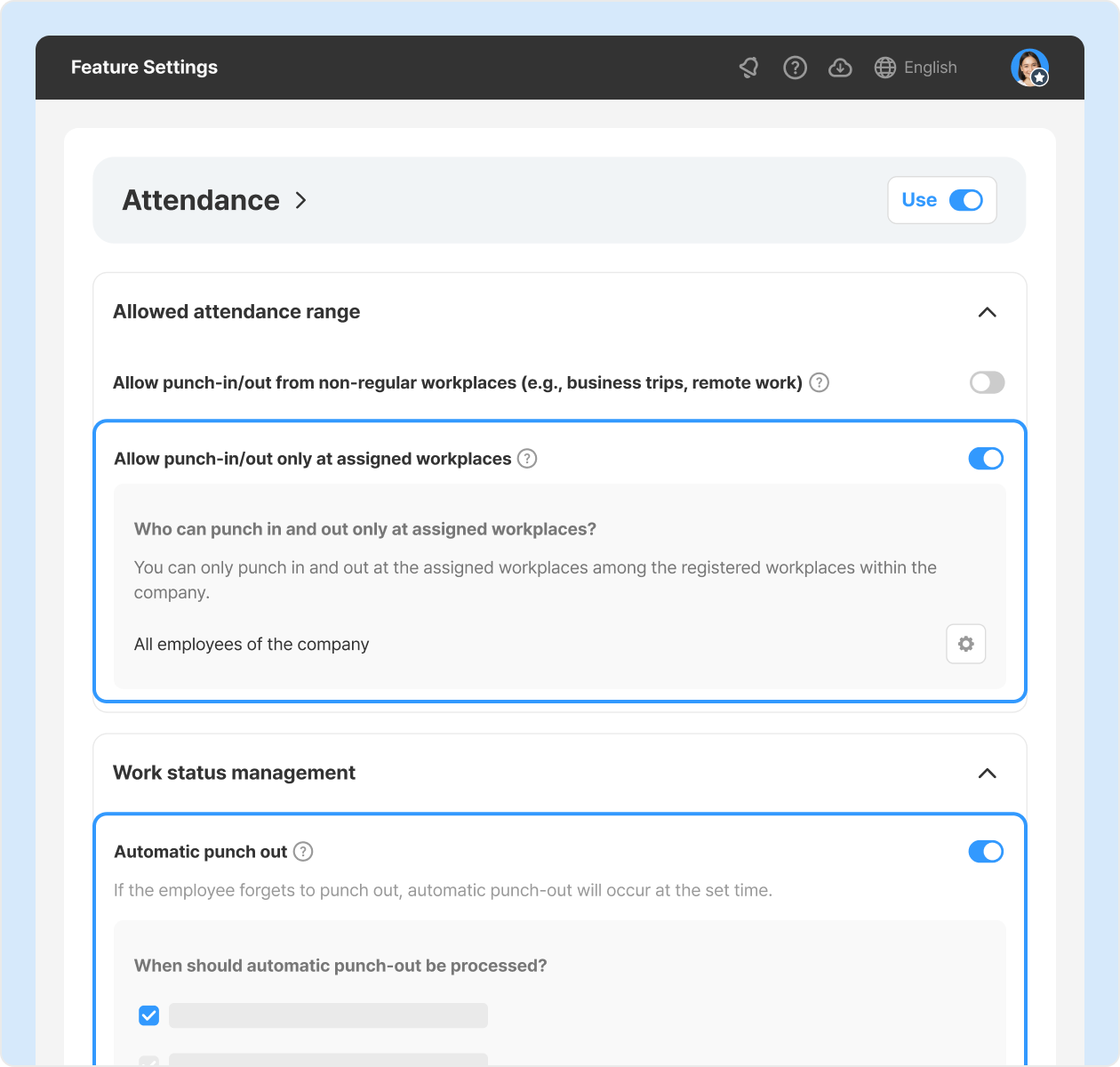
Automatic punch-out settings diversified, option to allow punch-in/out only at assigned workplaces added
The [Automatic punch-out] feature, which records punch-out automatically when an employee forgets, now offers more settings. Additionally, you can set punch-in/out to be allowed only at fixed or scheduled workplaces.
* Enable this feature under: Dashboard > Feature settings > Attendance > [Automatic punch-out] and [Allow punch-in/out only at assigned workplaces] |
|
|
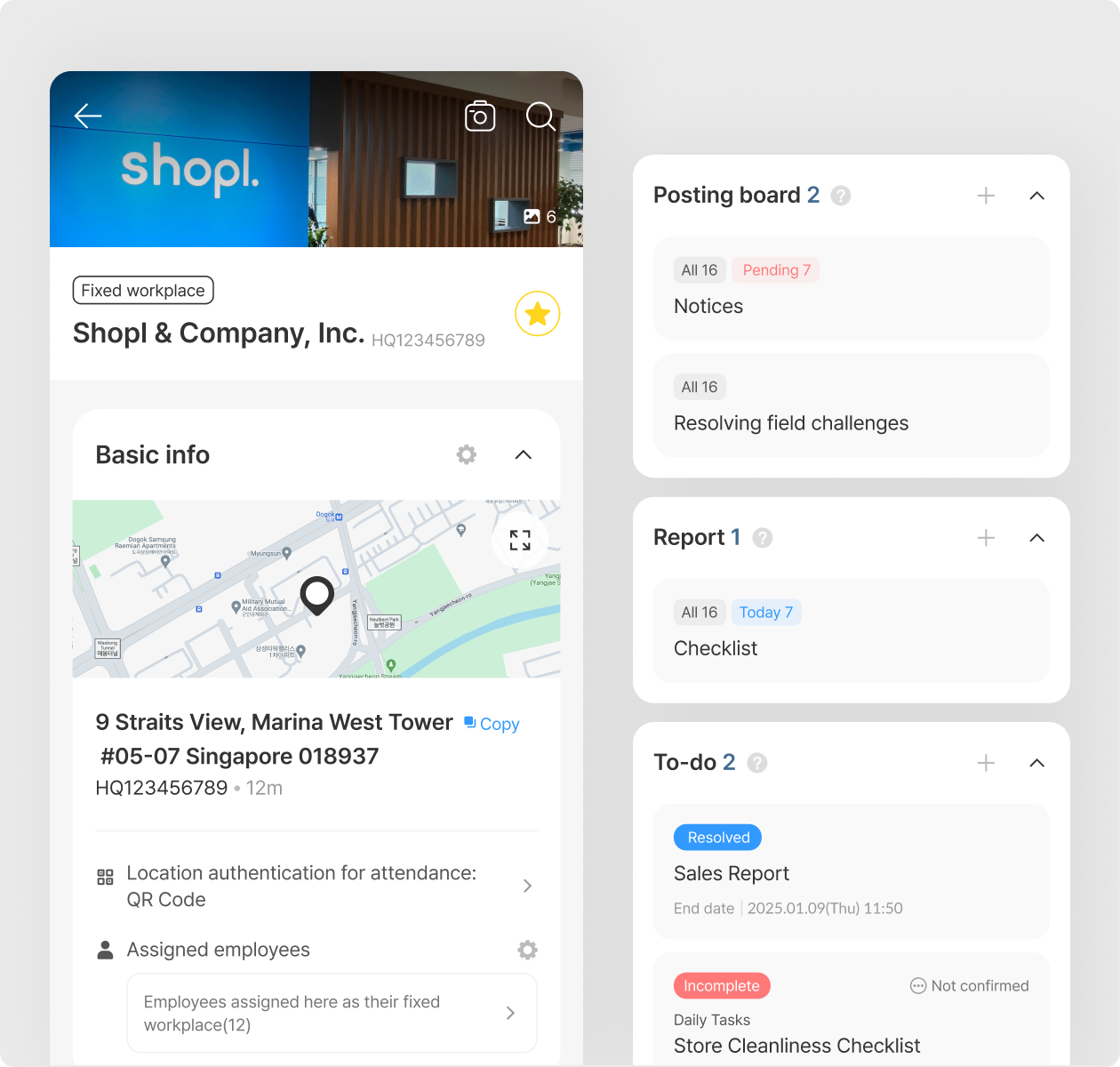
[Workplace] Check tasks by workplace (App)
Quickly view workplace details and assigned tasks to get started immediately. Leaders can effectively monitor employees' task progress and manage accordingly.
*Easily access assigned tasks and status, including To-do, Report, Posting board, Sales target, Sales/Price/Inventory/Display status collection, by workplace.
|
|
|
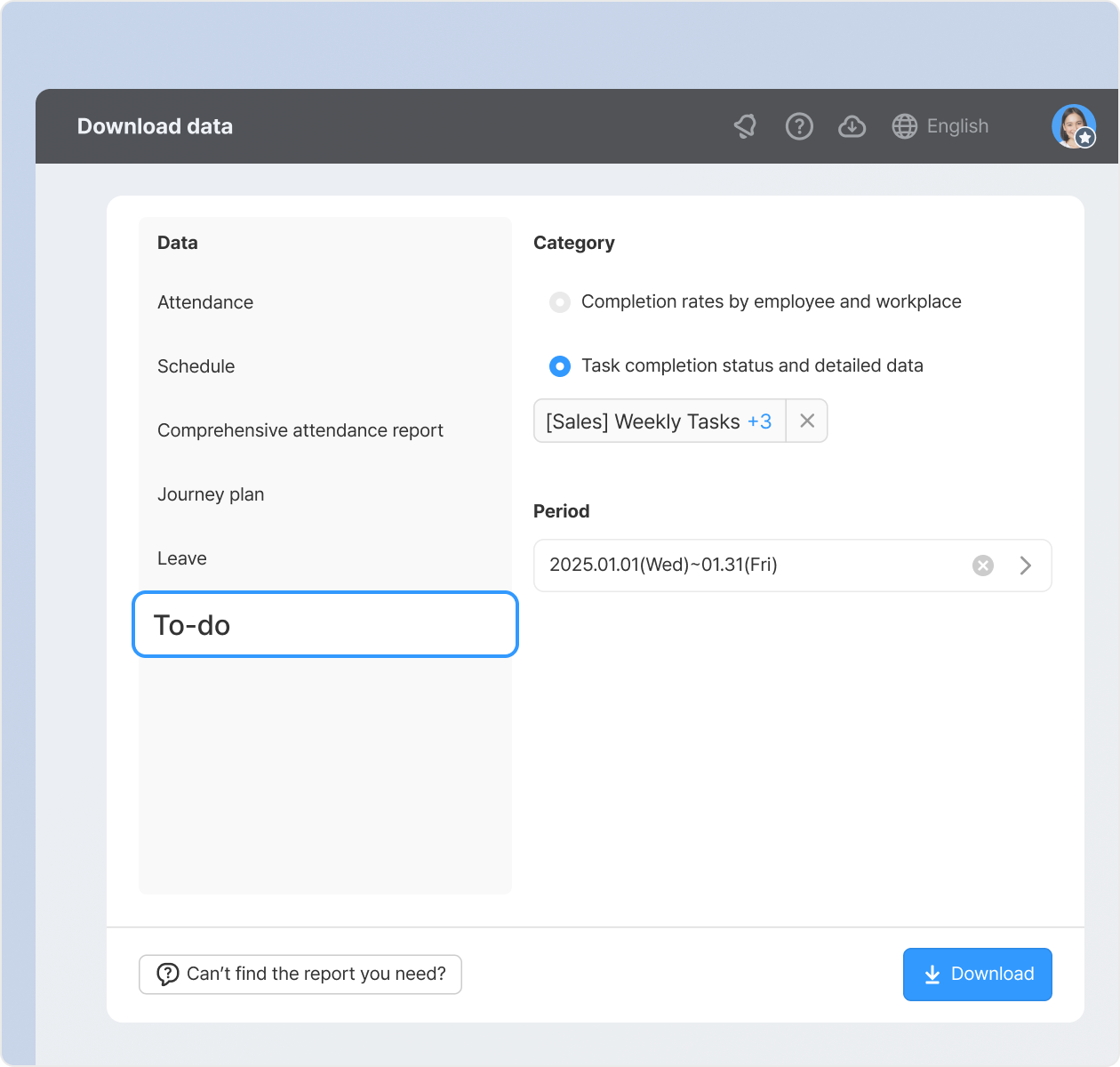
[To-do] Bulk download of detailed data submitted for each task
Download task completion statuses and detailed data submitted for each task assigned over a selected period in Excel, all at once.
* How to download: Dashboard > Download data > To-do > Select 'Task completion status and detailed data,' choose the tasks and period, and click [Download].
* Available to administrators only
|
|
|
그 밖의 개선 사항
- [Approval] Added option to deactivate self-approval
* How to set: Dashboard > Approval > Approval settings > Deactivate self-approval option
- [Attendance] GPS attendance radius changed: can be set from 40m
- [App > Home] Button to toggle between Employee and Leader mode provided at the top of the screen
- [App > Home] 'Workplace' and 'Member' cards provided on the Employee mode home (Visible only for Admins & Leaders)
|
|
|
That's it for the upcoming updates!
Stay up to date with the latest releases and features. 😀 |
|
|
Shopl - Streamline management of teams and tasks
All-in-one solution for
time & attendance, task management
|
|
|
|