We bring you news from Hive! 👋
Greetings!
[2025.07.04] Please read the newsletter from Hive below! |
|
|
☑️ Hive Chat Dashboard and Channel Management Feature Added |
|
|
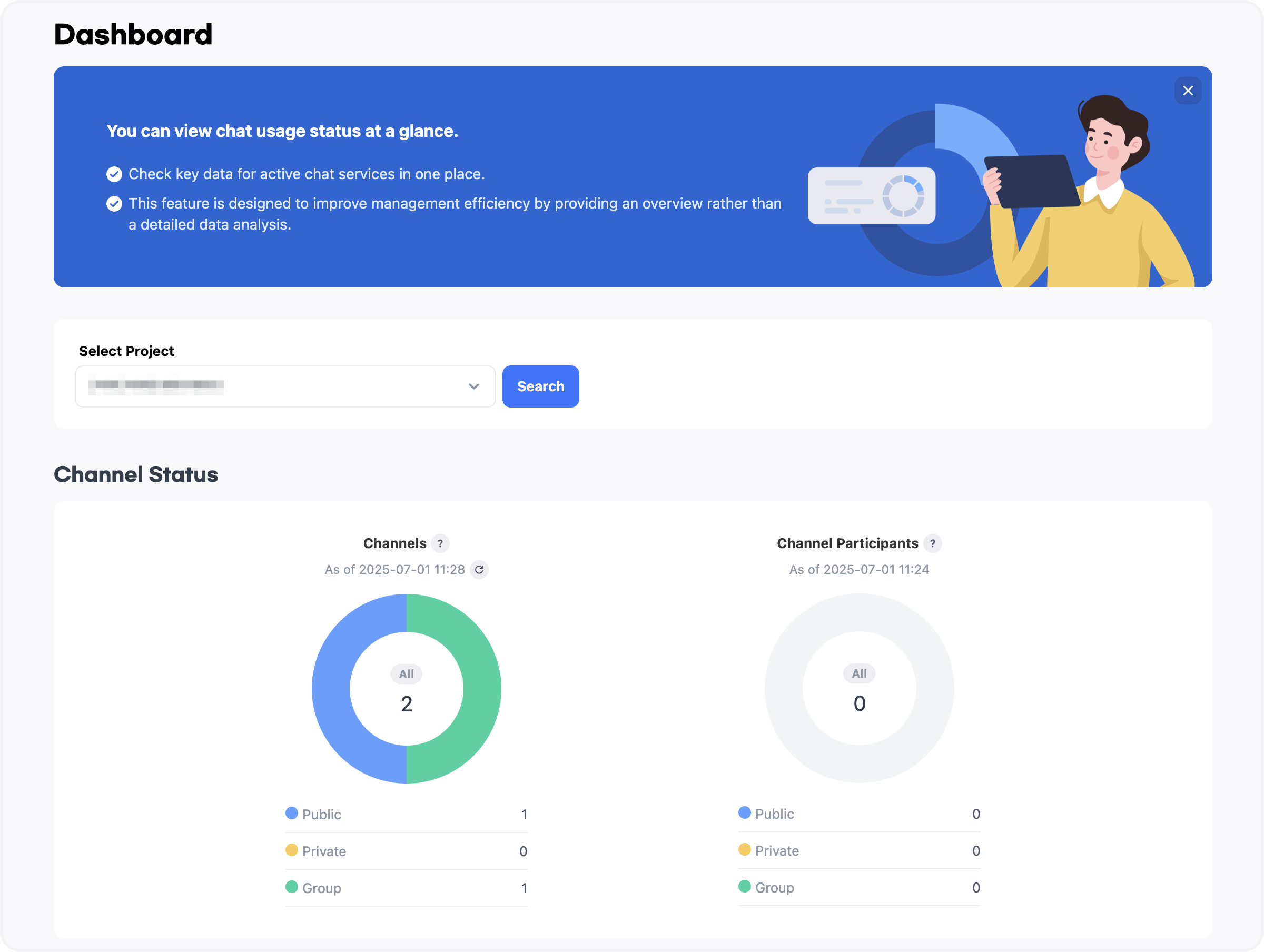
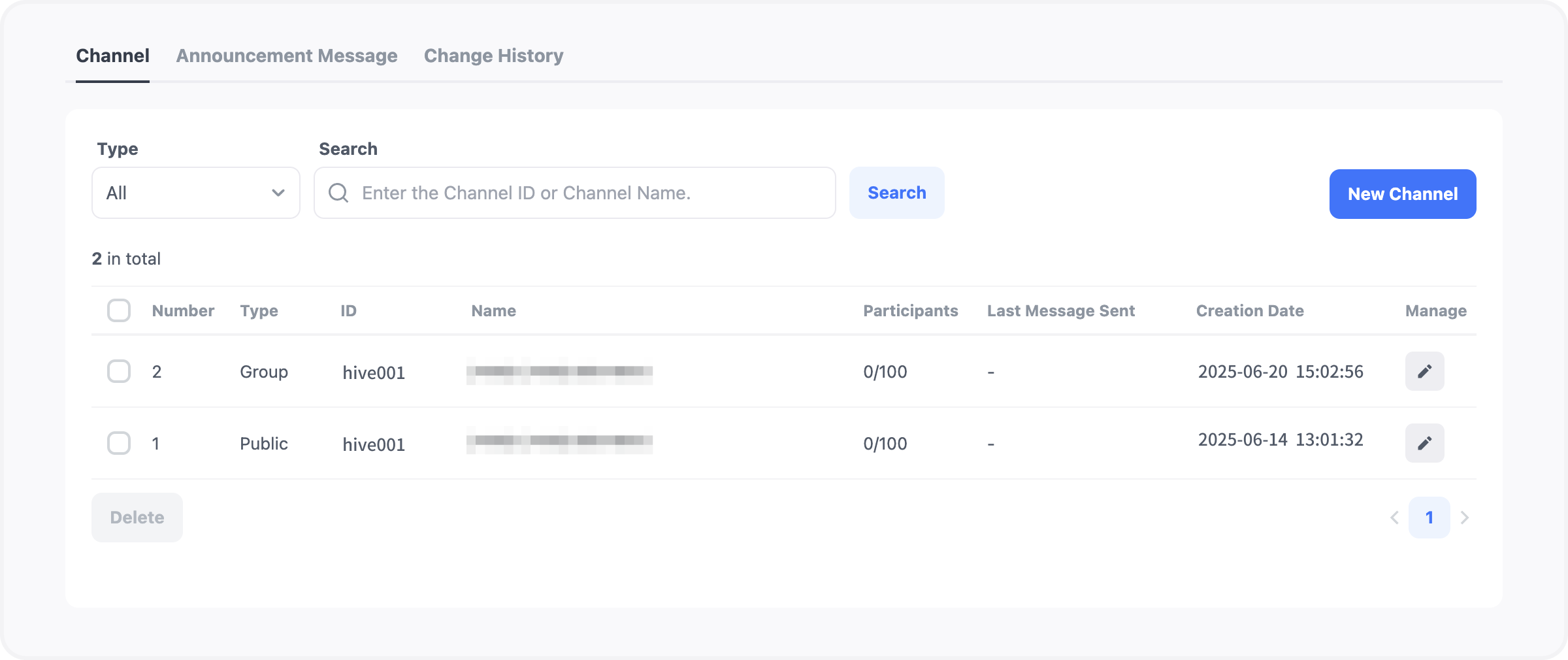
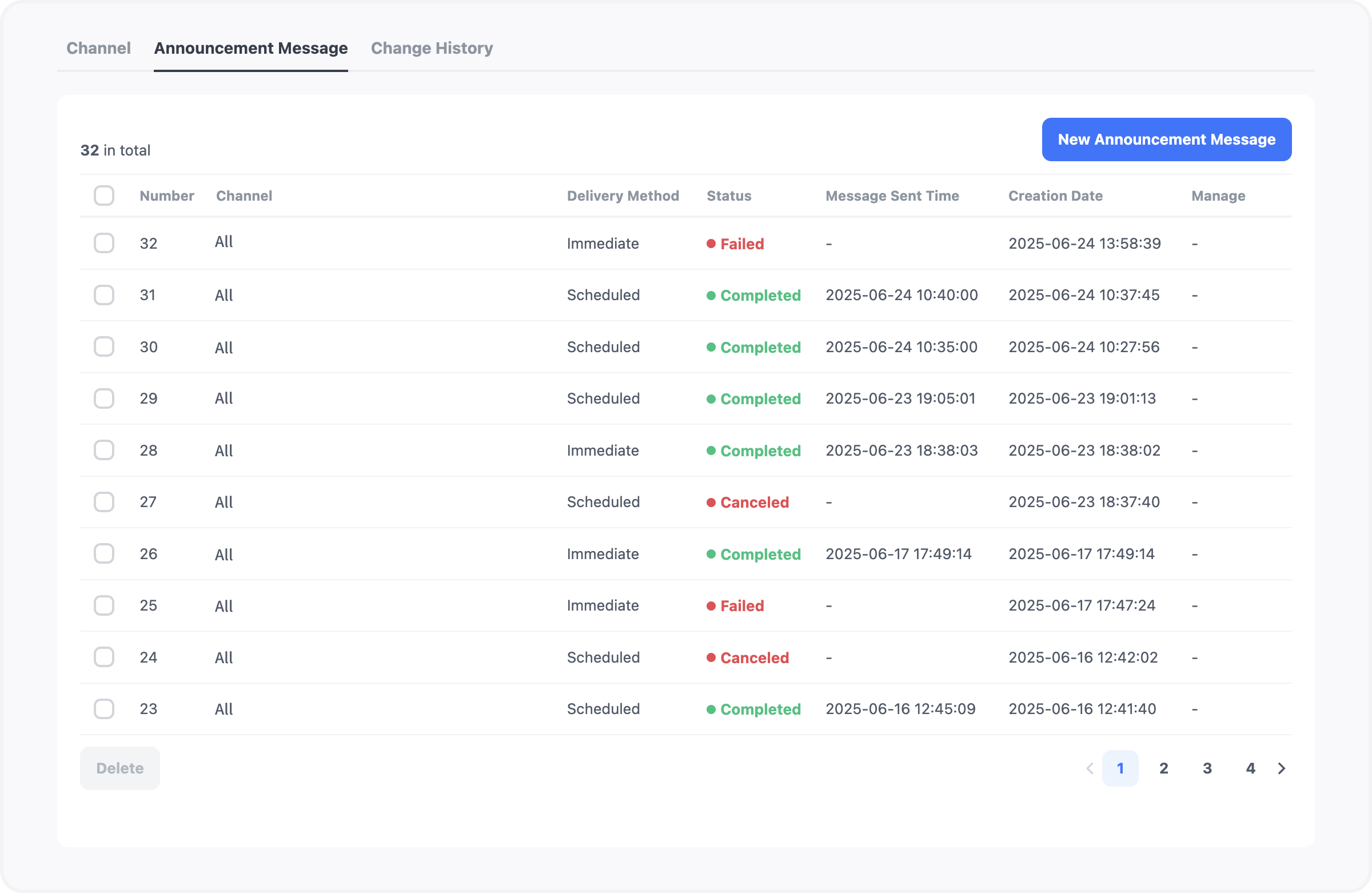
The chat menu in Hive Console now includes a dashboard and channel management feature. The dashboard provides a high-level overview of usage data by project. It is designed to support efficient management through quick status checks rather than detailed analysis. The channel management menu allows you to directly create and manage in-game chat channels, and schedule notice messages to specific or all channels within the game. |
|
|
[Figure 1: Dashboard Menu] |
|
|
[Figure 2: Channel Management Menu] |
|
|
[Figure 3: In-Game Notice Message Sender View] |
|
|
☑️ Hive App Center Security Key Test IP Settings Feature Added |
|
|
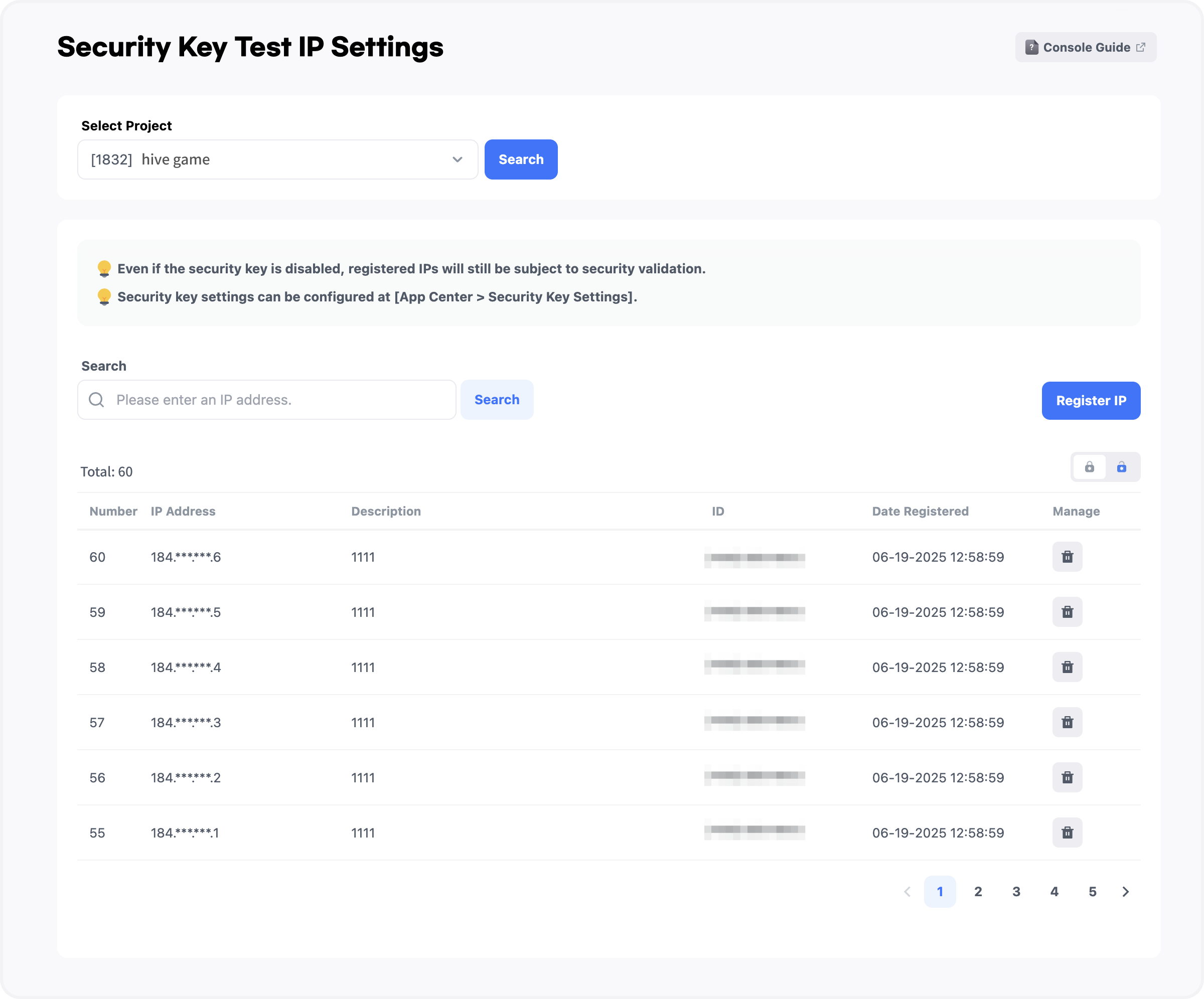
You can now configure test IPs for security keys in the Hive Console App Center. After generating a security key in the Secure Key Settings menu, you can register test IPs to allow communication via the key even while it is disabled. Registered IPs are managed per project. Please refer to the Hive Console guide for details. |
|
|
[Figure 1: Security Key Test IP Settings] |
|
|
☑️ Hive Promotion Custom Board Feature Added |
|
|
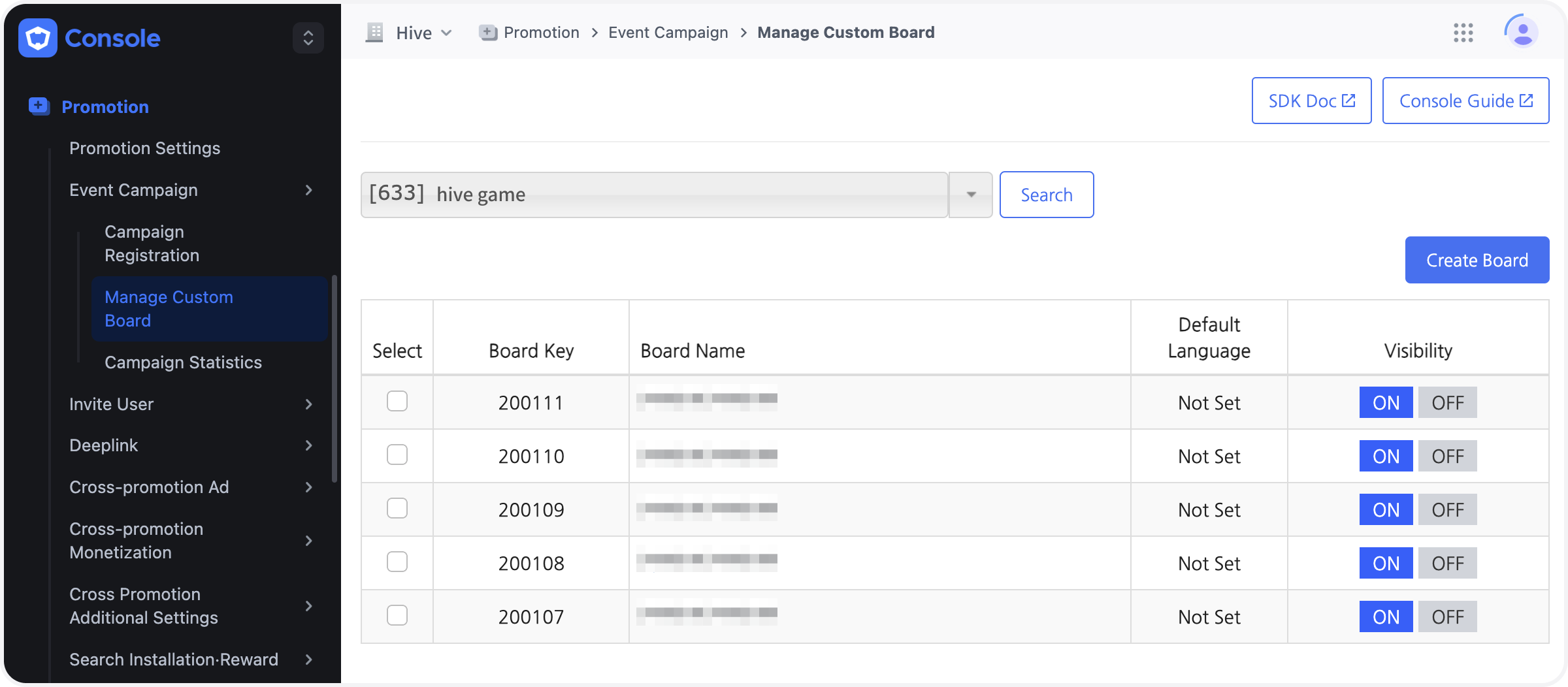
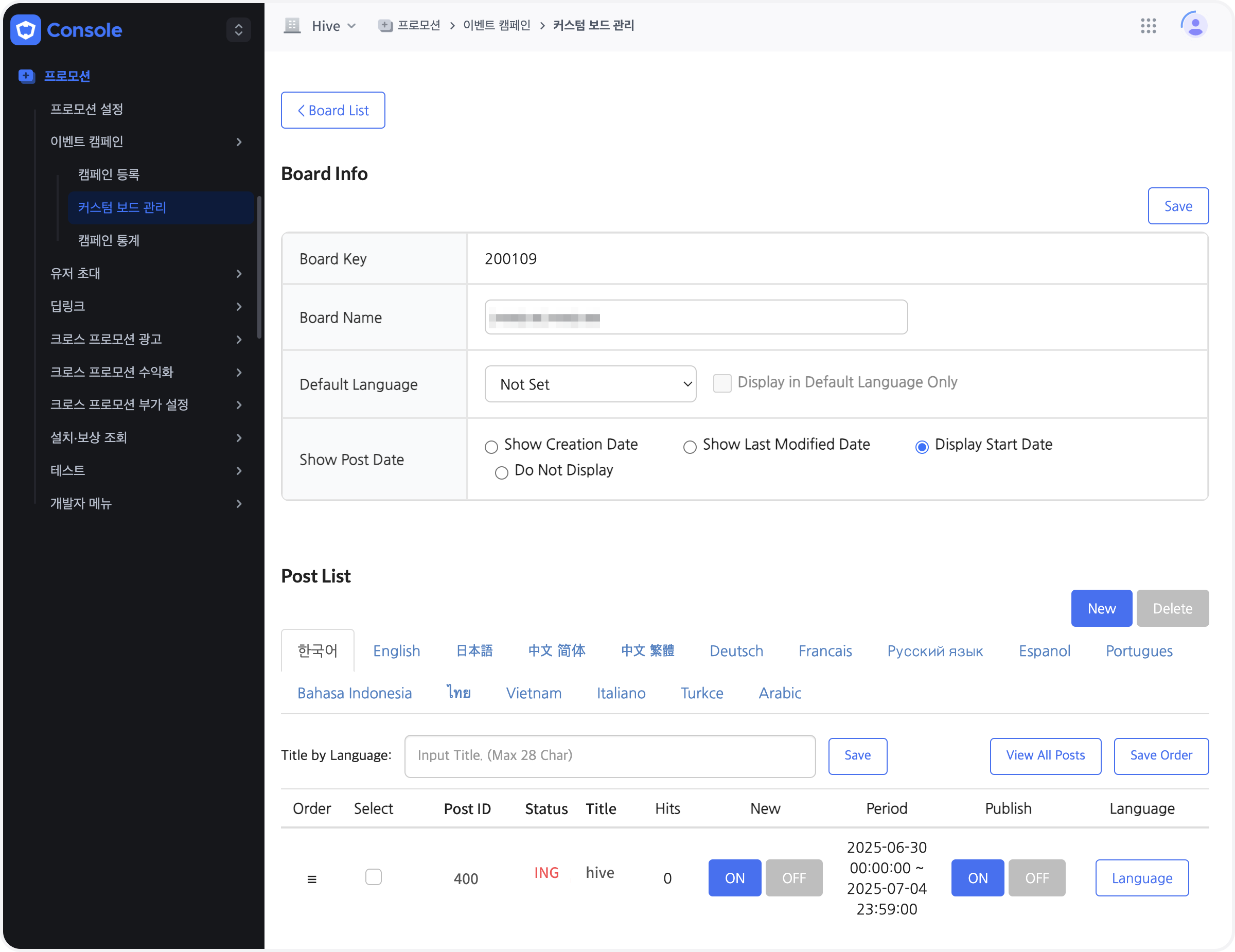
The custom board feature in the Hive Console’s Promotion menu will be updated on Jul. 3. Previously, only one board could be created and managed. Now, you can create and manage multiple boards as needed. This update also includes improvements such as the ability to change the display order of posts, allowing you to arrange them as desired. Additionally, you can now set a default language value when displaying posts in all supported languages. The update also allows you to hide date labels or choose between Creation Date, Last Modified Date, and Display Date as the date display standard for each post. |
|
|
[Figure 1: Custom Board List] |
|
|
[Figure 2: Post List within Board] |
|
|
☑️ Hive Analytics Indicator Segment Filter Feature Added |
|
|
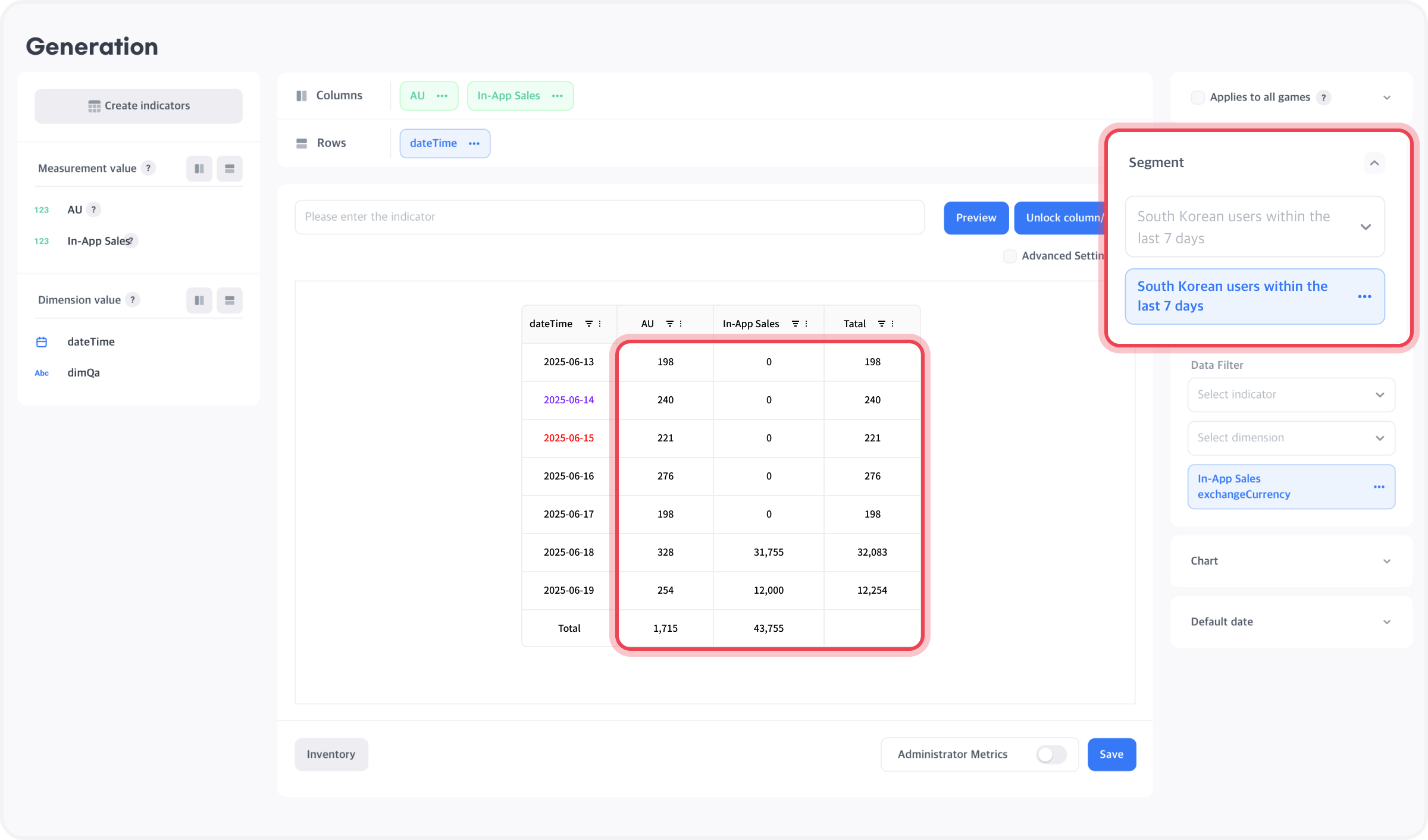
A new segment filter option has been added to the Indicator Creation menu in Hive Console Analytics. This allows you to apply segment-based filters, enabling analysis of metrics created from various segment attribute combinations and snapshots from the Analytics > Segment menu. For more details, refer to the Hive Console guide. |
|
|
[Figure 1] Indicator Creation with Segment Filter Option
|
|
|
📌 Looking for more detailed update news? |
|
|
Missed our last newsletter? |
|
|
Com2us Platform
131, Gasan digital 1-ro, Geumcheon-gu, Seoul, Korea
© Com2uS Platform Corp. All Rights Reserved.
|
|
|
- This e-mail is a send-only e-mail that is sent without displaying (advertisements).
- Please contact our customer support or email us at (cs-platform@com2us.com) if you have any inquiries.
- If you no longer wish to receive emails, please click here to unsubscribe.
- To view the Hive Platform Privacy Policy, please click here.
|
|
|
|