Upcoming Release: Third Week of December 2025
Member Management 2.0 is here!
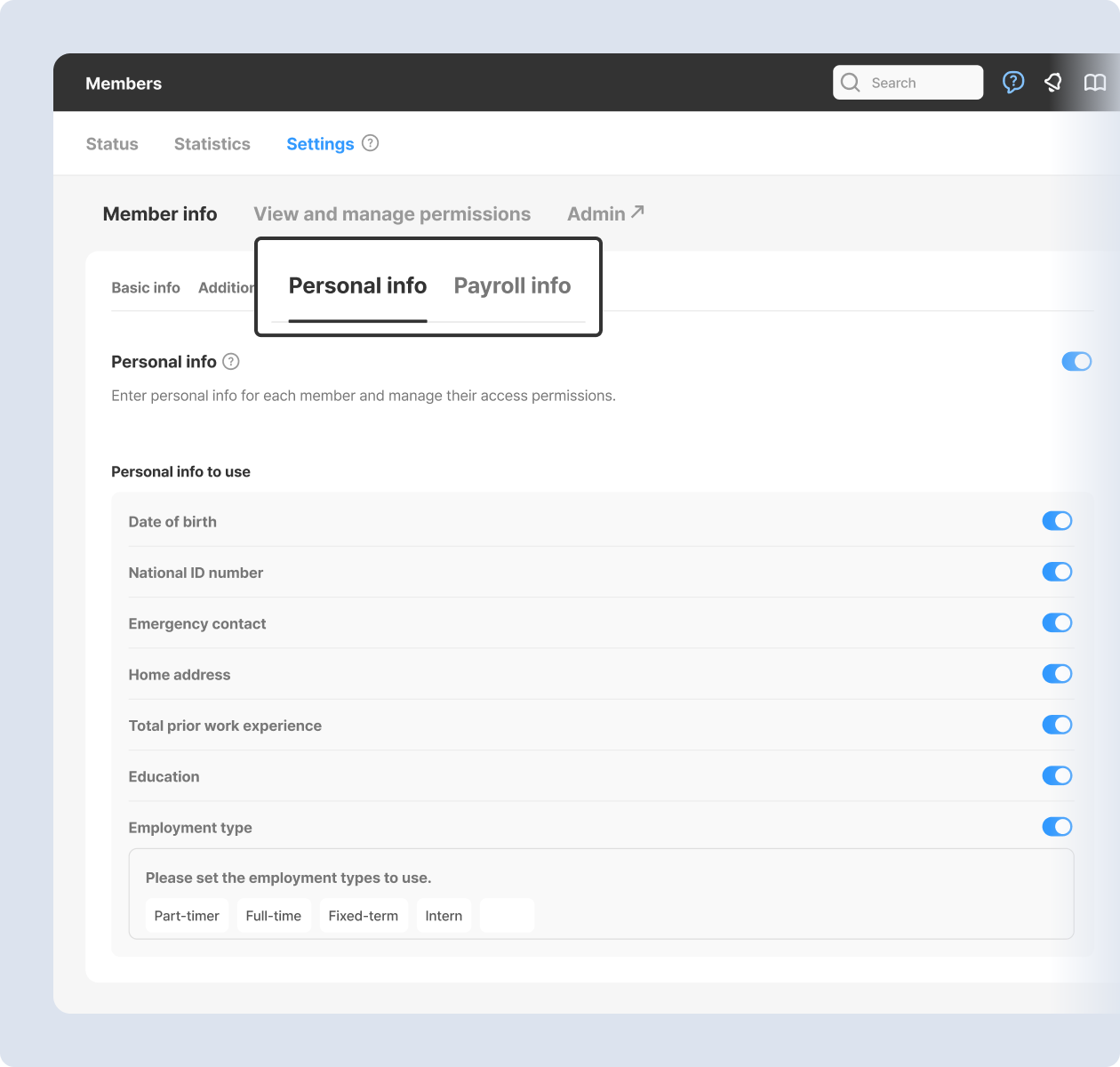
Manage personal and payroll information for each employee.
- Manage personal information for each member, including date of birth, ID number, emergency contact, home address, education, and employment type.
- Payroll information, including pay type, amount, and effective date, can also be managed, even for previous jobs.
- Only admins and leaders with access permissions can view and edit personal and payroll information.
|
|
|
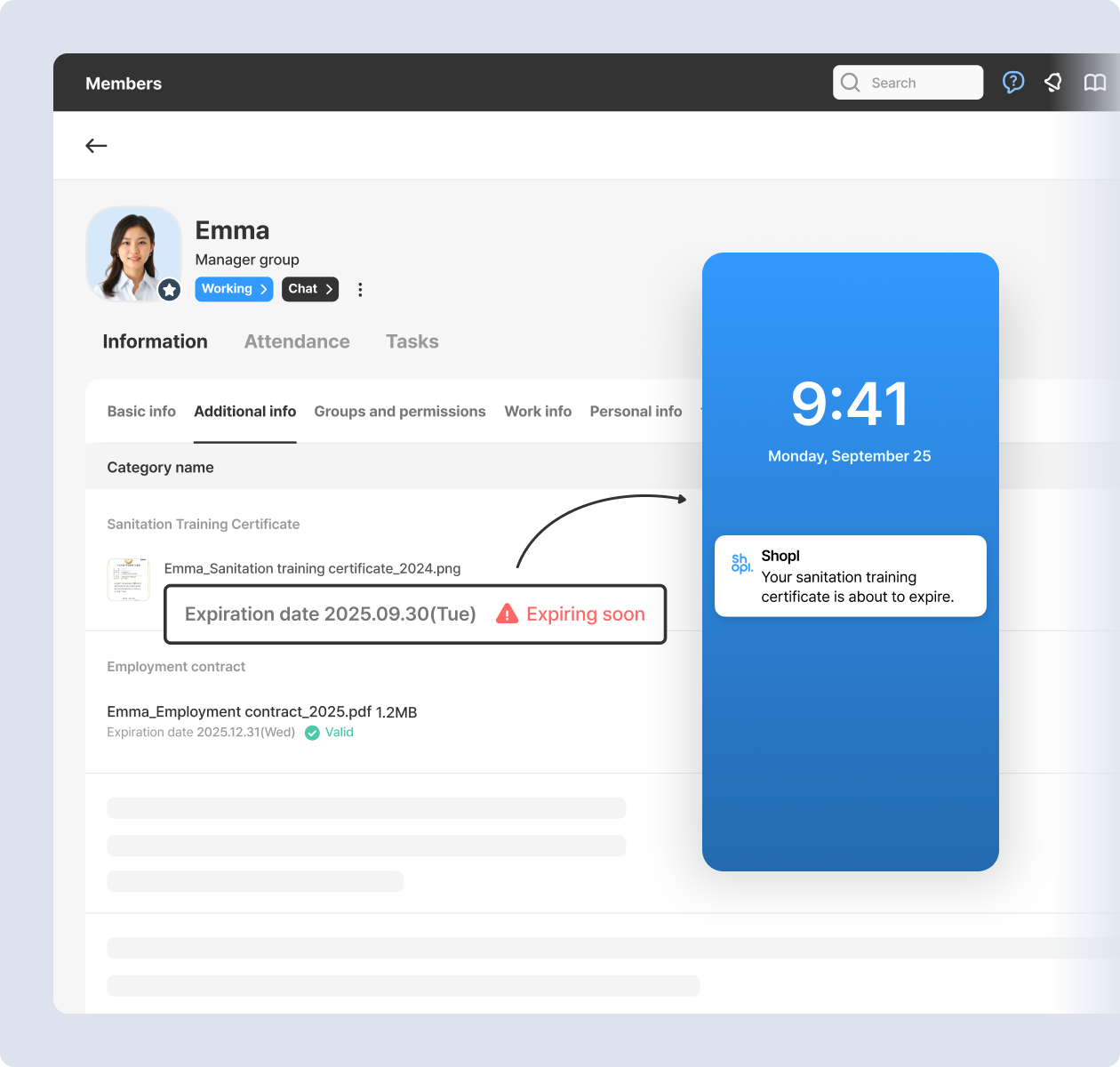
Register company-managed information as [Additional Info], with optional expiration dates and reminders.
-
If your company manages information beyond what Shopl provides by default, you can register it as [Additional Info]. (e.g., hygiene training certificates, employment contracts)
-
Set expiration dates for each item to automatically notify assigned recipients when they’re about to expire.
-
Categorize different types of additional info for easier access.
*App update required
|
|
|
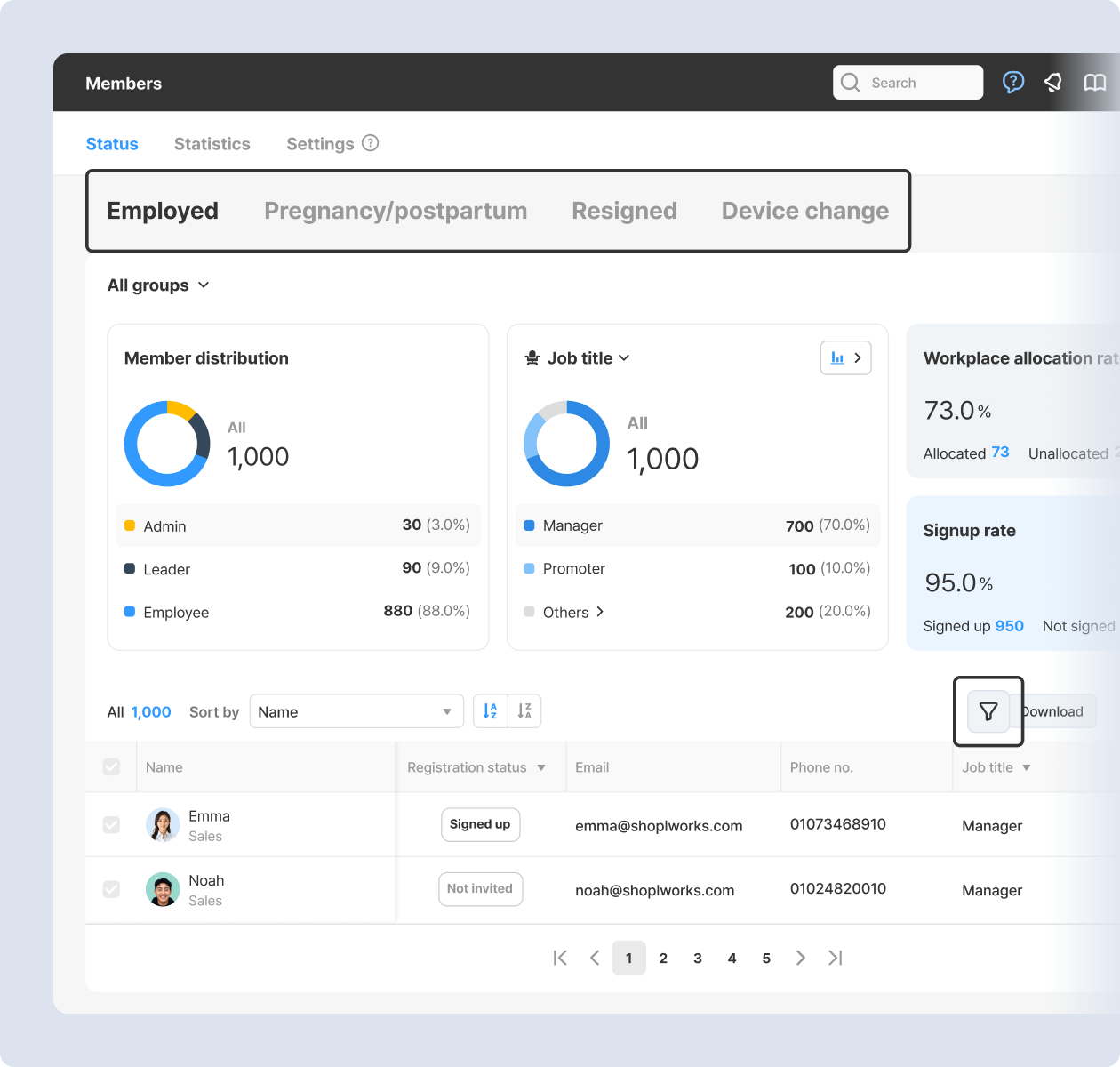
The member status page is now easier to view and navigate.
-
The member status page on the dashboard is now divided into [Employed], [Pregnancy/postpartum], and [Resigned] tabs.
-
In the employed members table, you can display not only basic info, but also additional, personal, and payroll data.
-
Filter resigned employees by resignation date and group.
|
|
|
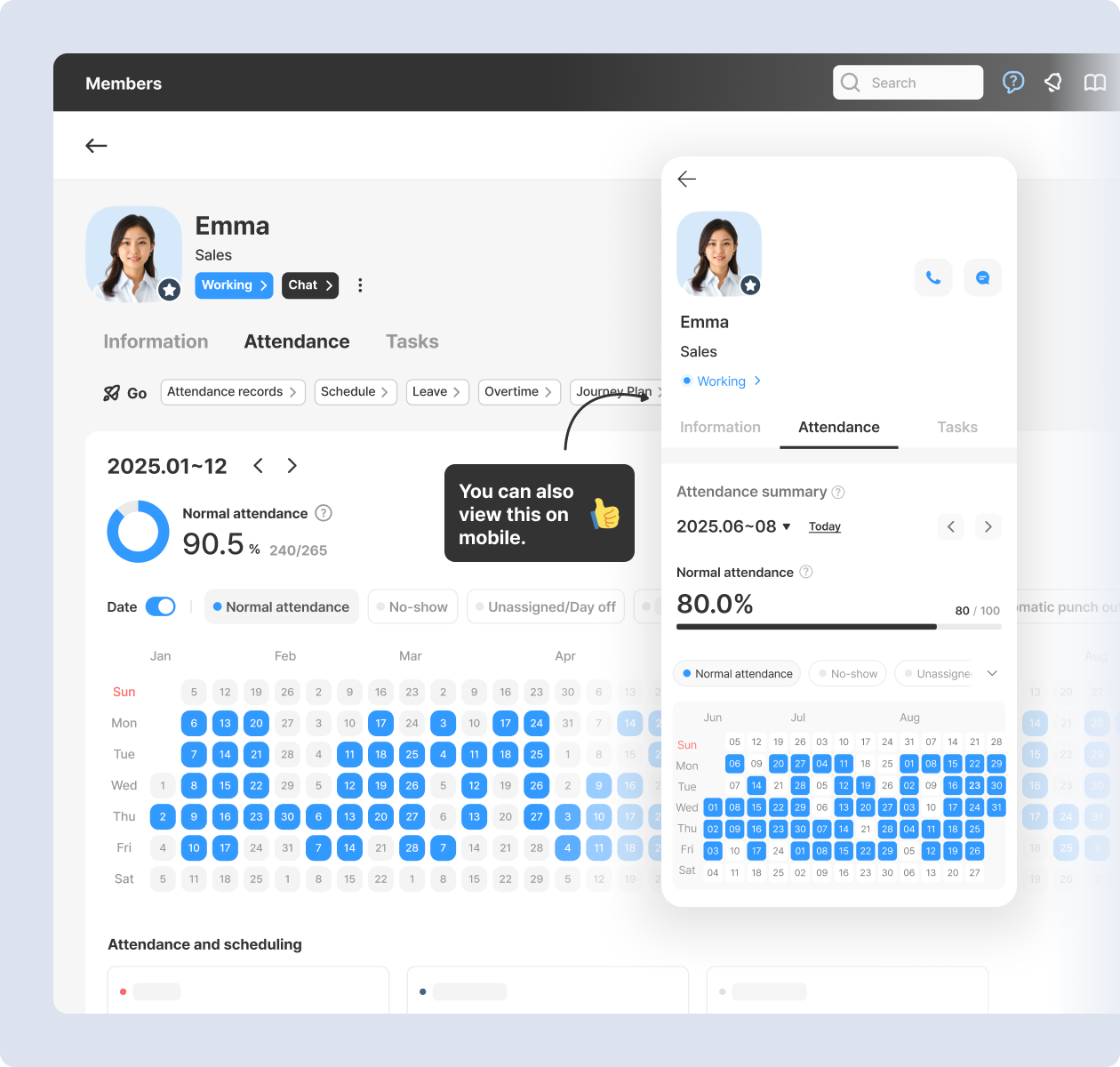
View each member’s attendance and notes at a glance on the calendar.
-
The member detail page is now divided into [Information], [Attendance], and [Tasks] tabs.
-
A calendar-style heatmap has been added for a quick view of attendance and exceptions.
-
The attendance calendar is available on both the dashboard and the mobile app.
*App update required
|
|
|
Other Improvements:
- [Schedule] From 'Today’s schedule' on the employee-mode home screen in the app, you can now open coworker schedules directly.
- [Schedule] You can set a preferred coworker in the coworker schedule view, and their schedule will appear by default.
- [Schedule] In the dashboard’s Calendar View, you can check employees on leave by leave unit (full‑day, half‑day, quarter‑day, or hourly).
- [Work Policy] Work policy names can now be up to 50 characters long (previously limited to 12).
- [Workplace] You can now request a location update from the workplace detail page in the app.
|
|
|
That's it for the upcoming updates!
Stay up to date with the latest releases and features. 😀 |
|
|
Shopl - Streamline management of teams and tasks
All-in-one solution for
time & attendance, task management
|
|
|
|