We bring you new news from Hive! 👋
Greetings!
[2024.01.23] Please read the newsletter from Hive below! |
|
|
☑️ Hive console promotion UA test function added |
|
|
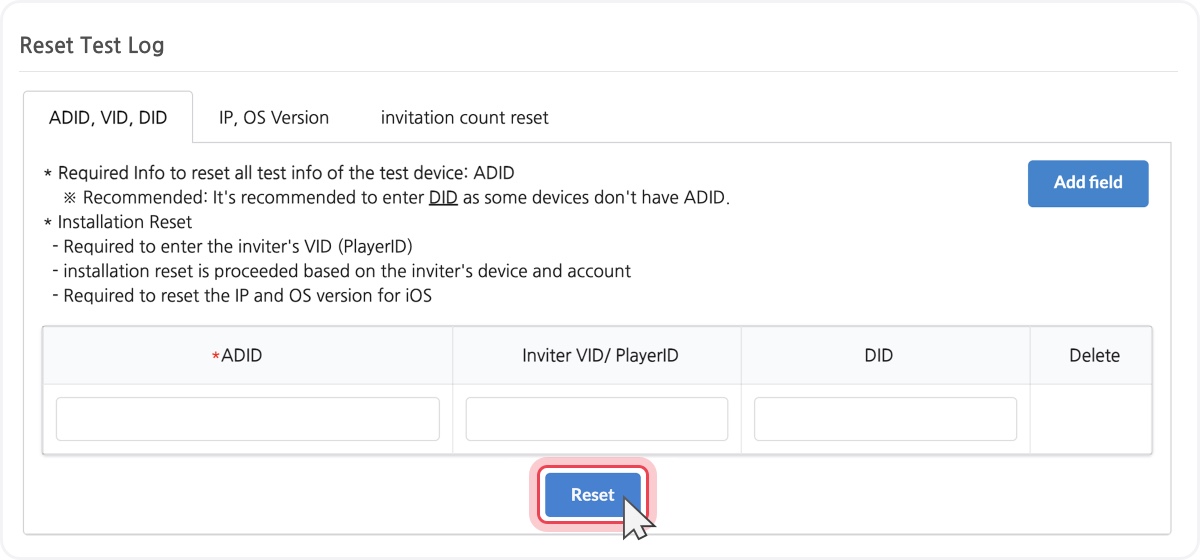
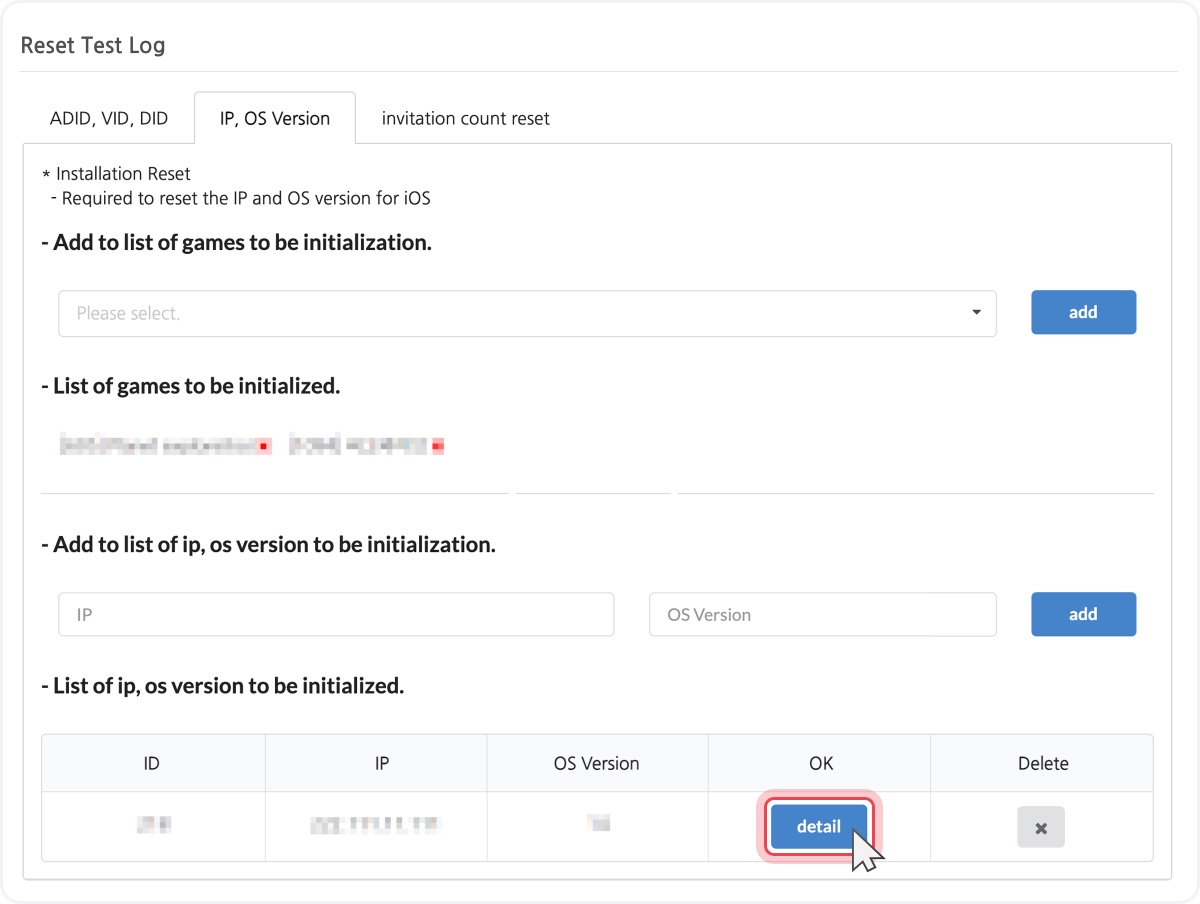
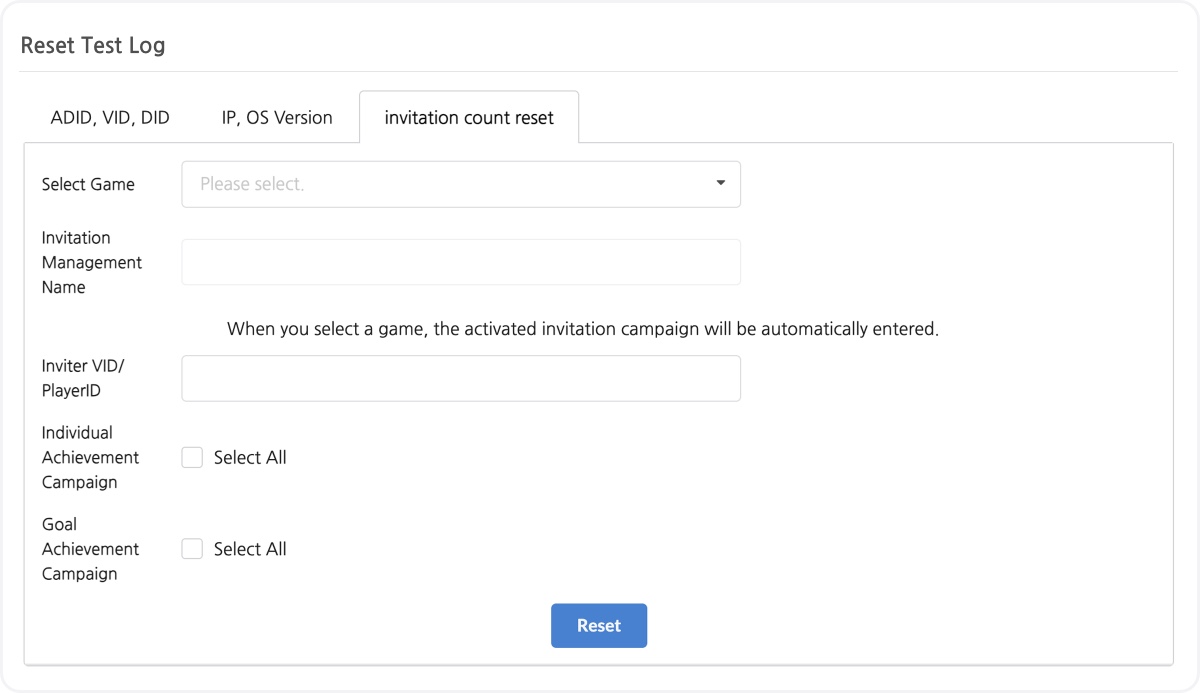
Test log reset function for testing UA features has been added to the Hive console promotion. To conduct smooth reward testing, you can batch reset all test information, such as clicks, matching, and reward of the test device.
It consists of a total of three tabs, and it is recommended to use all three tabs when resetting the log. Deleting logs related to cross promotions is not supported.
Please refer to the Hive developer's site for more info. |
|
|
[Figure 1] Provides reset function by entering ADID, VID, and DID |
|
|
[Figure 2] Provides reset function by entering IP and OS version |
|
|
[Figure 3] Provides reset function for invitation count |
|
|
☑️ Hive Console AI Service Hive Community Analysis UI and Function Improvements |
|
|
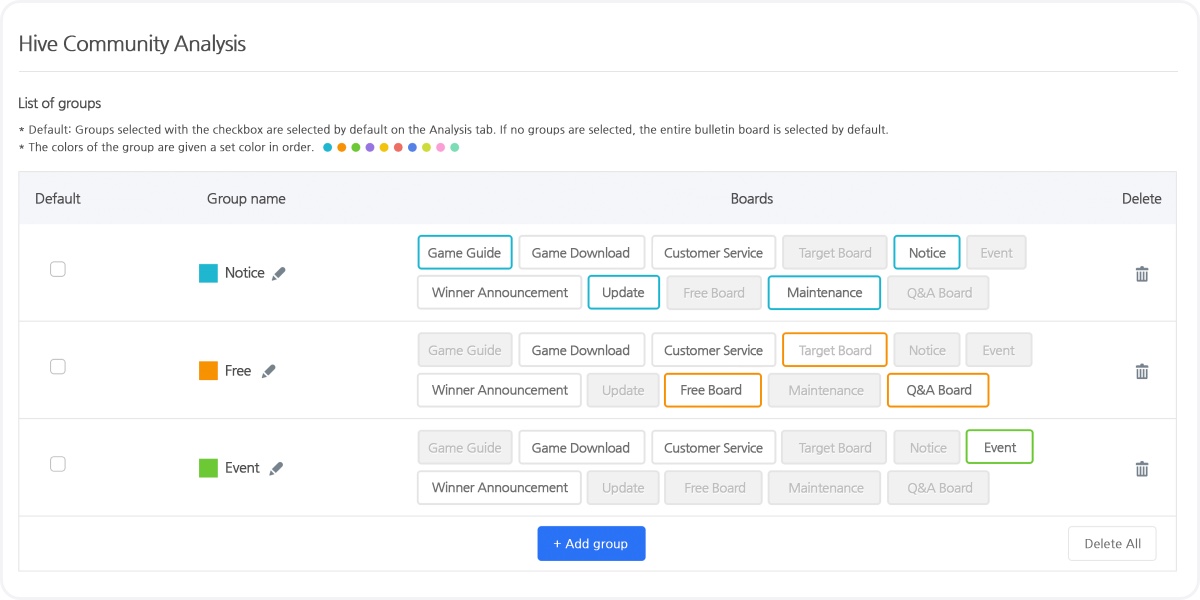
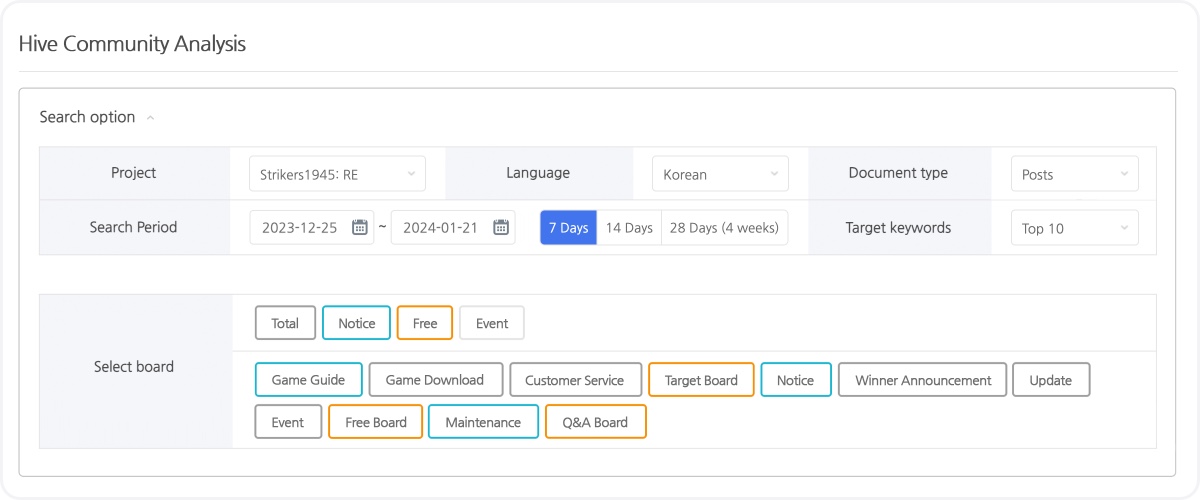
Hive Console AI Service Hive Community Analysis UI and Function have been improved. The UI of the bulletin board group settings screen has been changed to a table layout. You can use different colors for each group and also select multiple groups as default.
The bulletin board selection screen on the dashboard provides color coding between groups, multiple group selection, and the ability to cancel all.
Please refer to the Hive developer's site for more info. |
|
|
[Figure 1] Improved UI of bulletin board group setting screen, function to distinguish groups with color provided |
|
|
[Figure 2] Multi-group selection and cancel all functions provided |
|
|
☑️ Hive console analytics UI improved |
|
|
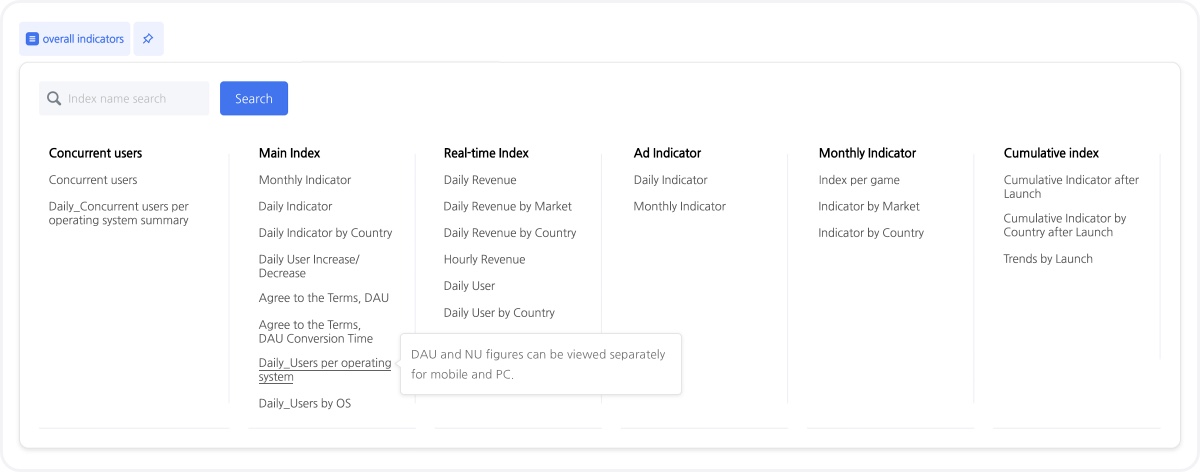
Hive console analytics comprehensive indicators and game-specific indicator menu UI have been improved. The content of the indicator provided has been improved to be displayed through a tooltip when the mouse is hovered over the indicator page name.
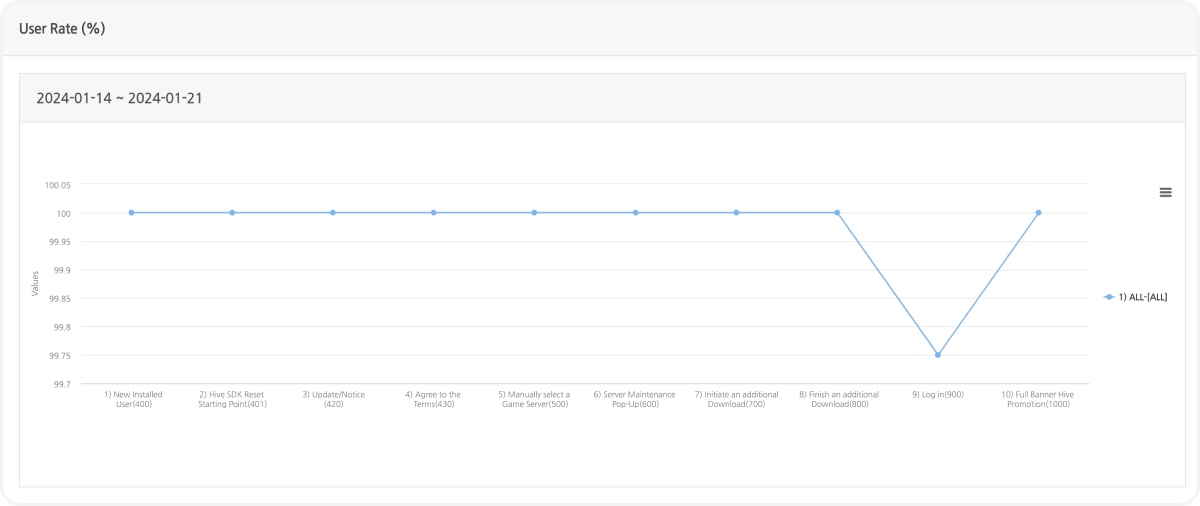
In order to resolve the issue of not being able to identify easily when multiple countries are exposed in the graph of the 'Period Game Entry Section Funnel (Country)' indicator menu, the graph of all countries is provided as a line, and the graph will be displayed for a country when a country is selected.
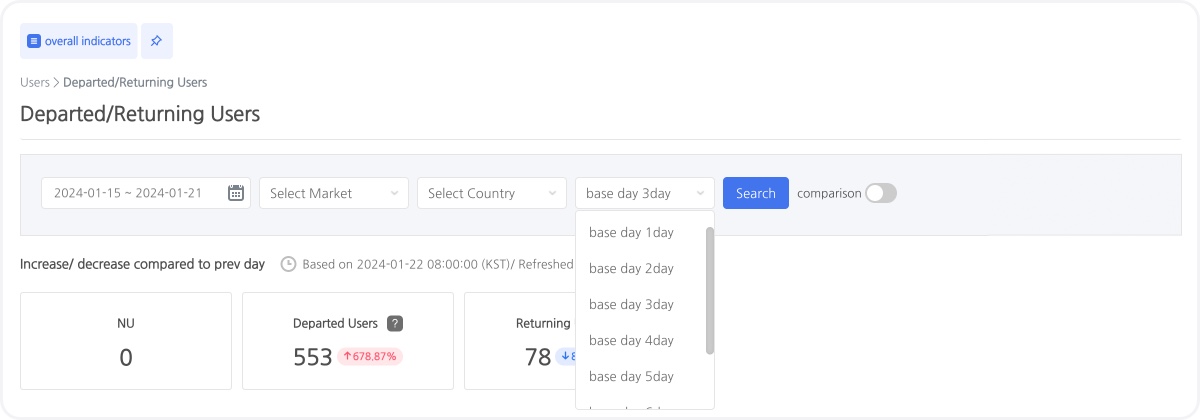
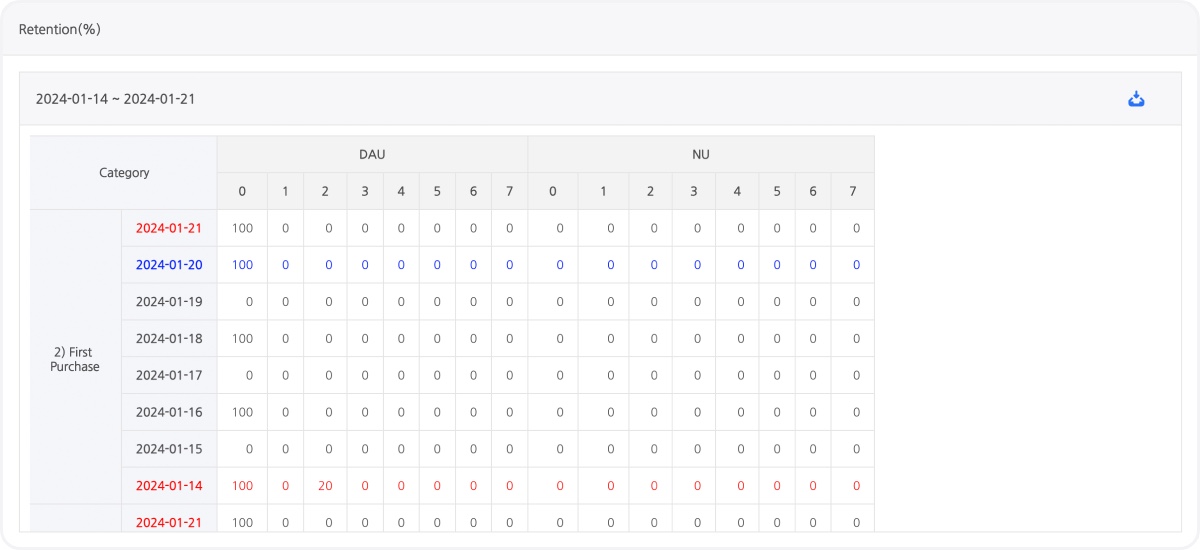
The timing of the ‘withdrawal/return’ indicator has been changed from the default 7 days to 3 days, and you can now select between 1 and 7 days to view it on the page. The first purchase indicator has been provided in the ‘Daily Purchase User Connection Retention’ indicator. |
|
|
[Figure 1] When hovering over the indicator page name, the content of the indicator provided is displayed through a tooltip |
|
|
[Figure 2] ‘Period game entry section funnel (country)’ indicator menu provides graph lines for all countries |
|
|
[Figure 3] Base date for ‘withdrawal/return’ indicator changed to 3 days |
|
|
[Figure 4] ‘Sales/Daily Purchasing User Connection Retention’ indicator provides first purchase indicator |
|
|
☑️ Hive console billing refund repayment view menu Excel download function added |
|
|
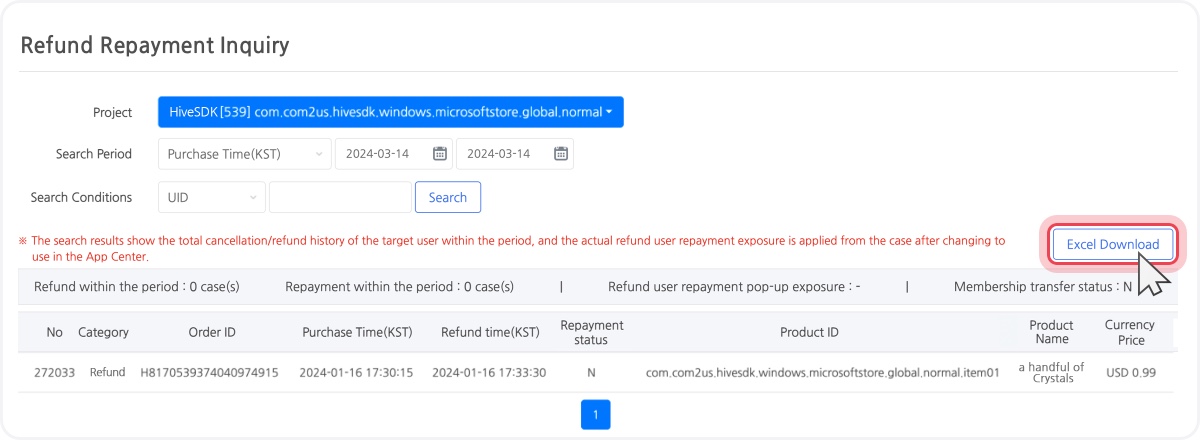
The ability to download as an Excel file has been added to the refund/repayment view menu in Hive console billing. You can download the searched refund list as an Excel file. |
|
|
[Figure 1] Excel download function provided in the refund repayment view menu |
|
|
☑️ Hive console sandbox/commercial console account password sync |
|
|
You can now sync the Hive console sandbox/commercial console account password. The password registered/changed at the commercial console will be synced to the sandbox console to be used. |
|
|
☑️ Unity script debugging guide updated
|
|
|
The Unity script debugging guide has been updated on the Hive developer site. If you build an app by enabling the Script Debugging option in Unity, you can check and debug the app operation in IDE with a mobile device connected.
Unity script debugging has different application methods depending on the Unity version and IDE type. Be sure to check with the Unity official guide before proceeding. |
|
|
☑️ Hive AdKit 1.4.5 AD(X) Unity released
|
|
|
Hive AdKit 1.4.5 AD(X) Unity version has been released. Google UMP has been used to provide GDPR consent pop-ups, and you can test GDPR consent pop-up exposure by setting up a test device.
Please refer to the Hive developer's site for more info. |
|
|
Missed our last newsletter? |
|
|
Com2us Platform
131, Gasan digital 1-ro, Geumcheon-gu, Seoul, Korea
© Com2uS Platform Corp. All Rights Reserved.
|
|
|
- This e-mail is a send-only e-mail that is sent without displaying (advertisements).
- Please contact our customer support or email us at (cs-platform@com2us.com) if you have any inquiries.
- If you no longer wish to receive emails, please click here to unsubscribe.
- To view the Hive Platform Privacy Policy, please click here.
|
|
|
|