We prepared an update by gathering necessary fuctions in the field. This update is to use Shopl more effectively. Here is the step by step!
2022.06.28 Updates
What's new?
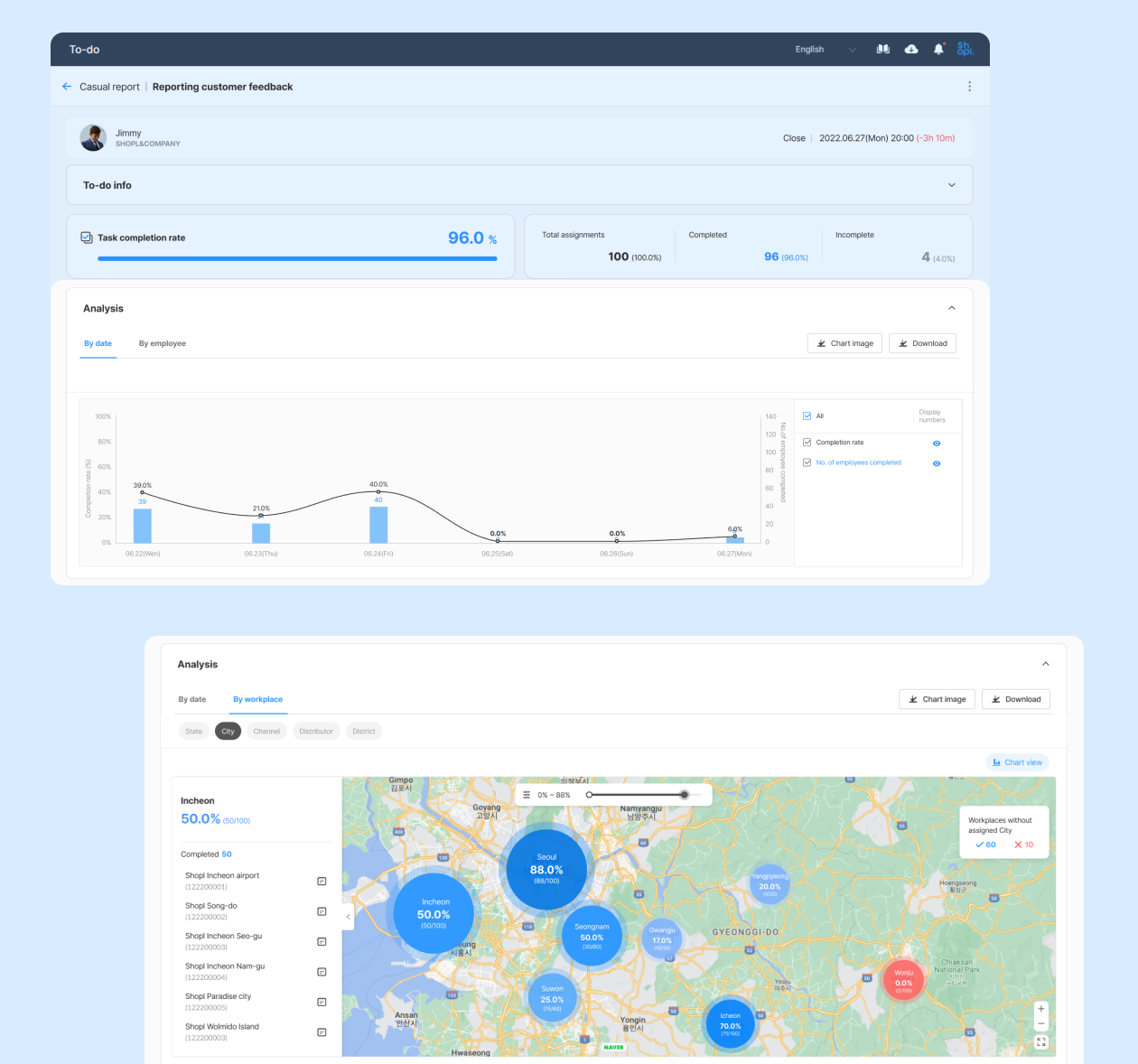
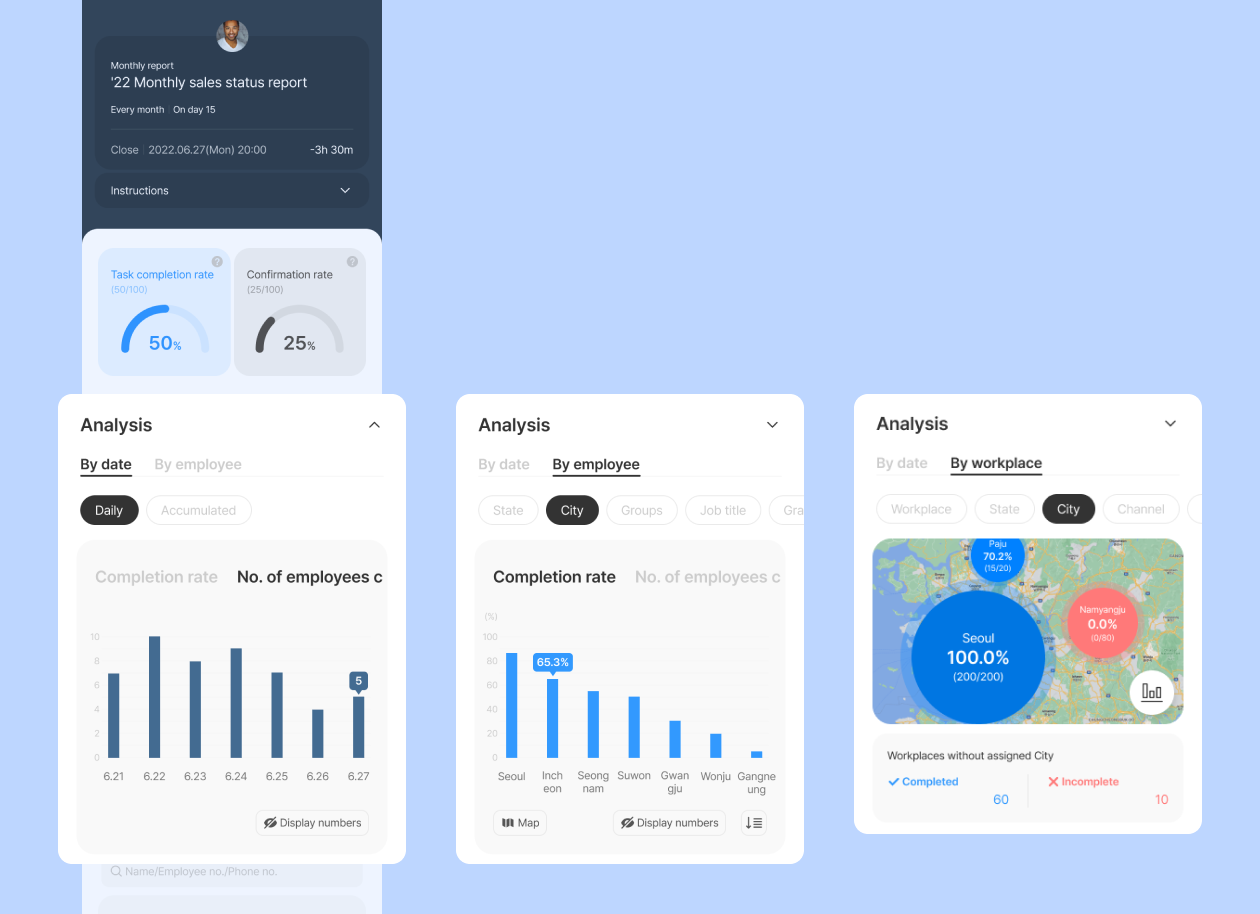
Enhanced analysis of To-do results
Chart and map-based analysis have been added so that you can see the results of assigned tasks at a glance and gain insights. Check the below data in the [Analysis] section of To-do status page.
Trend of completed tasks by date(Daily/Accumulated)
Analysis of completion rate by employee(group/job title, etc.)
Analysis of completion rate by workplace(state/city/distributor, etc.)
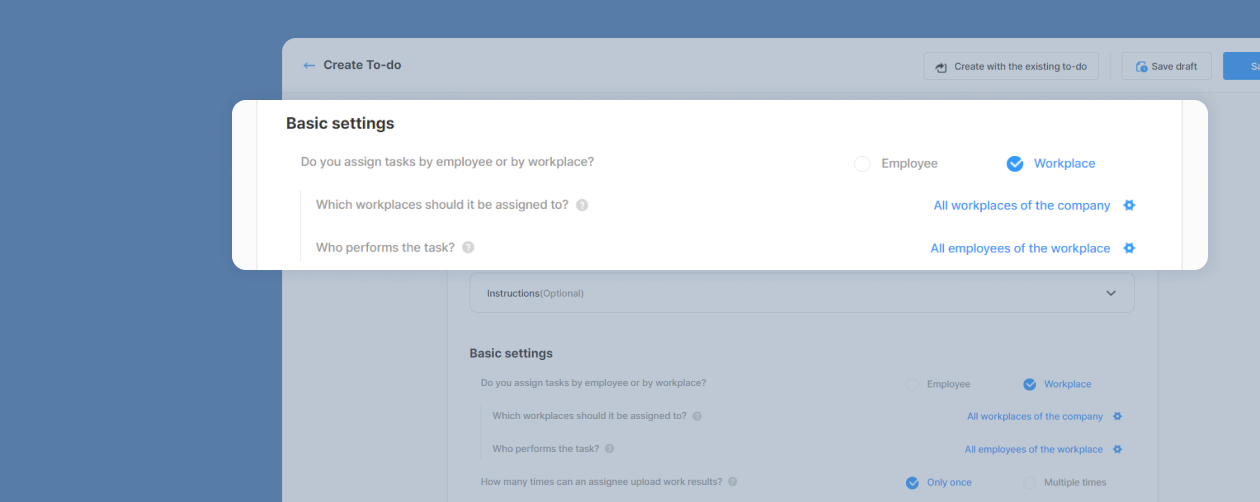
Added a function to select 'Assignees' when assigning To-do tasks by workplace
Previously, To-do tasks were assigned to all employees of the selected workplace when assigned by workplace. You can now select specific employees and assign tasks(e.g., Group - TV sales & Job title - Promoters) with the added 'Assignee' settings interface. Select assignees along with the workplace when assigning To-do by workplace.
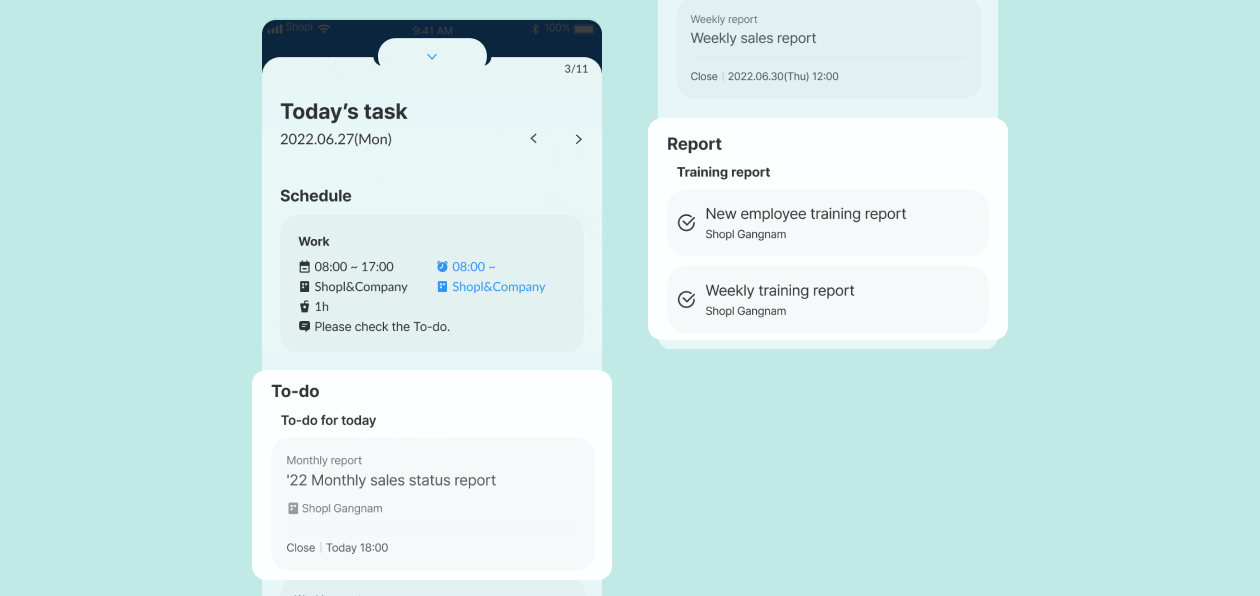
Changes in [Today's Task] policy when tasks are 'Assigned by workplace' from Report/To-do features
We have changed the policy to show tasks on [Today's Task] for the following employees.
Employees who are assigned to the selected workplace as their 'default workplace'
Employees who checked-in(punch in/return/arrive) at the selected workplace on that day
Employees who have schedules assigned to the selected workplace on that day
Employees who have journey plans assigned to the selected workplace on that day
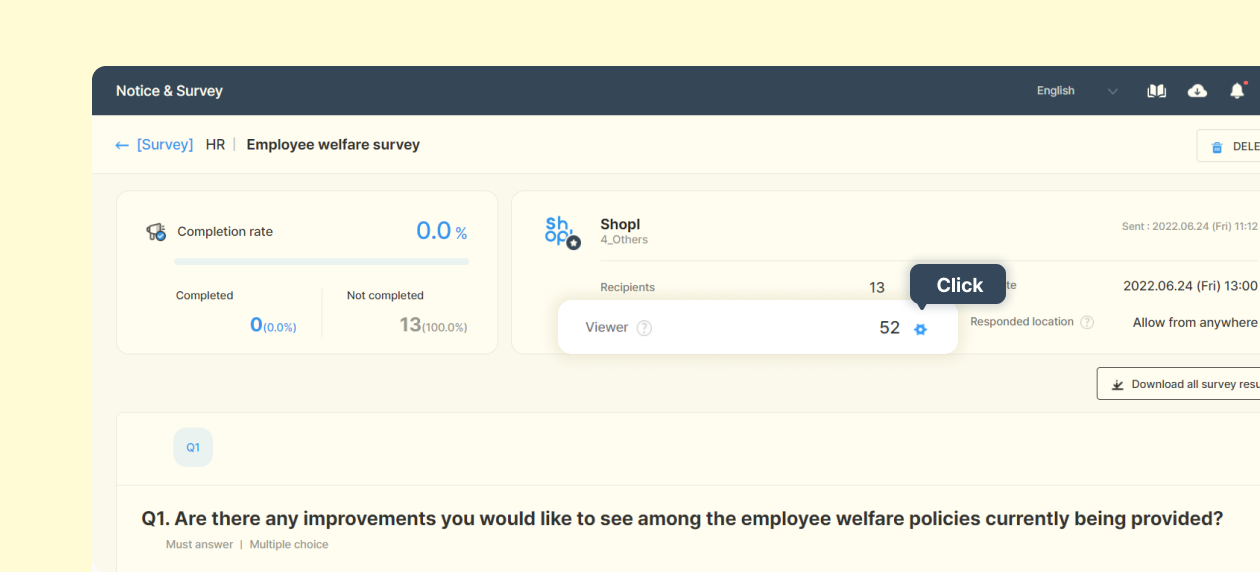
Allowing to edit 'Permission to view' for expired surveys
Admins/leaders who created the survey can now add or delete employees who have permission to view even when the survey has expired. Click the 'Edit permission to view' button on the dashboard survey page.
That's it for today's updates!
Stay up to date with the latest releases and features. 😀