We bring you news from Hive! 👋
Greetings!
[2026.10.02] Please read the newsletter from Hive below! |
|
|
☑️ Hive Personal Information DB Version Upgrade Maintenance Notice |
|
|
A Hive personal information DB version upgrade is scheduled from Oct. 6, 3:30 PM to 4:30 PM. Service availability may be temporarily limited during the maintenance. For details, see the notice in Hive Console. |
|
|
☑️ Whitelist Feature Added to Hive AI Text Abuse Detection |
|
|
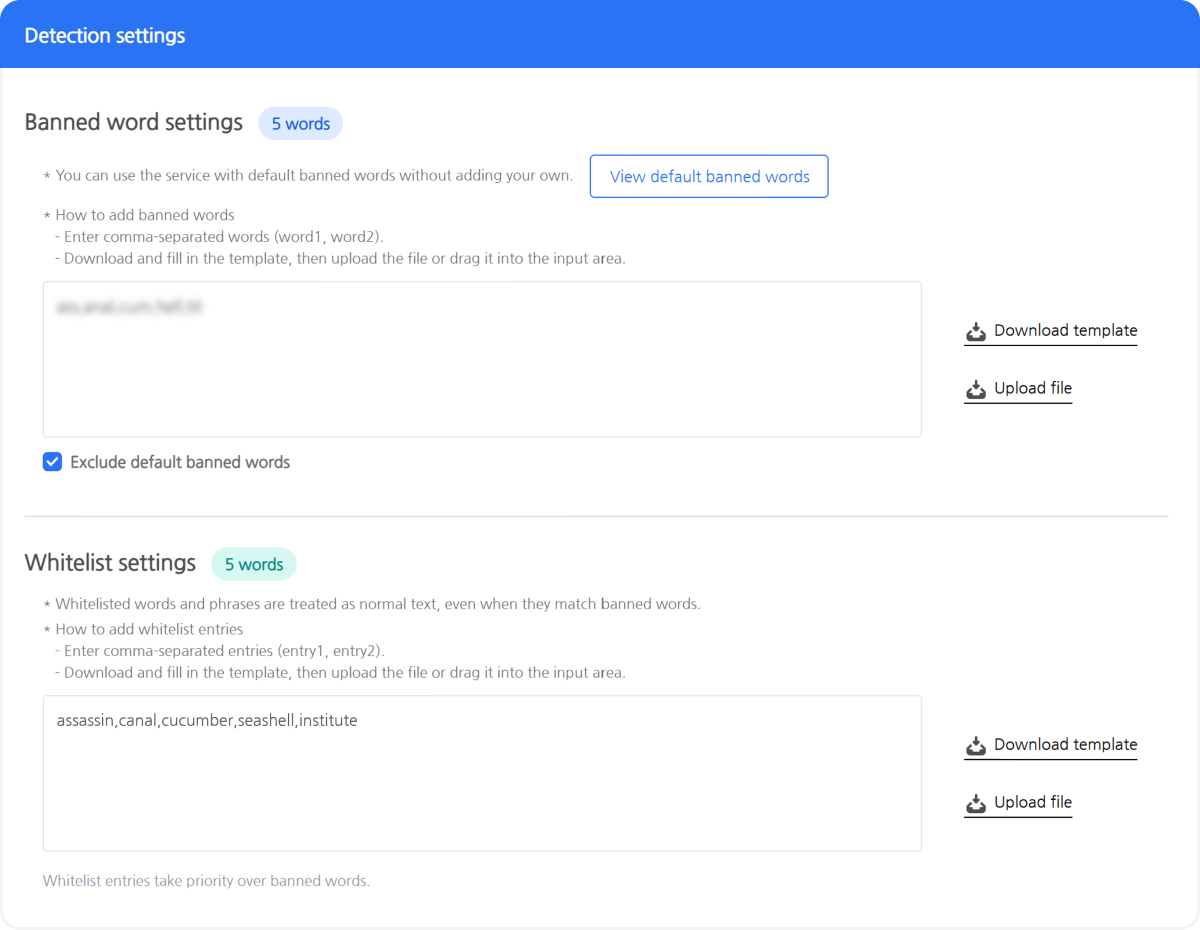
A whitelist feature has been added to the Hive AI Text Abuse Detection service. Words that should be excluded from detection even if they contain prohibited words can now be registered and managed directly in the back office, using the same simple process as the existing prohibited word registration feature.
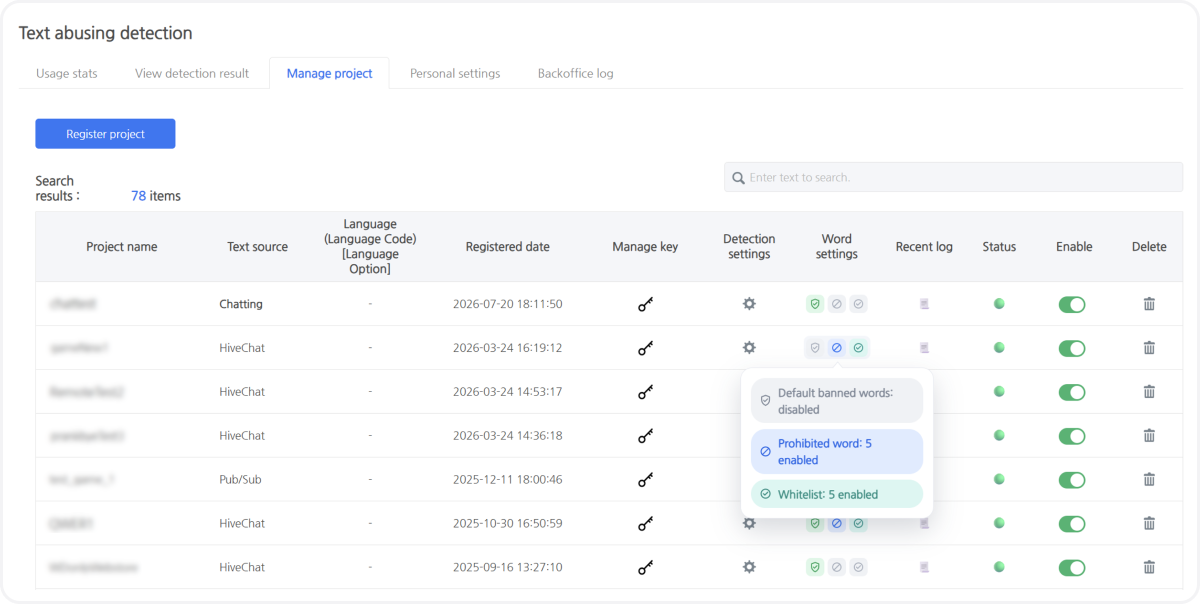
A new Word Settings column has been added to the Project Management list. You can now check whether default prohibited words are enabled for each project, as well as the number of user-registered prohibited words and whitelist words, directly from the list without opening the project details page.
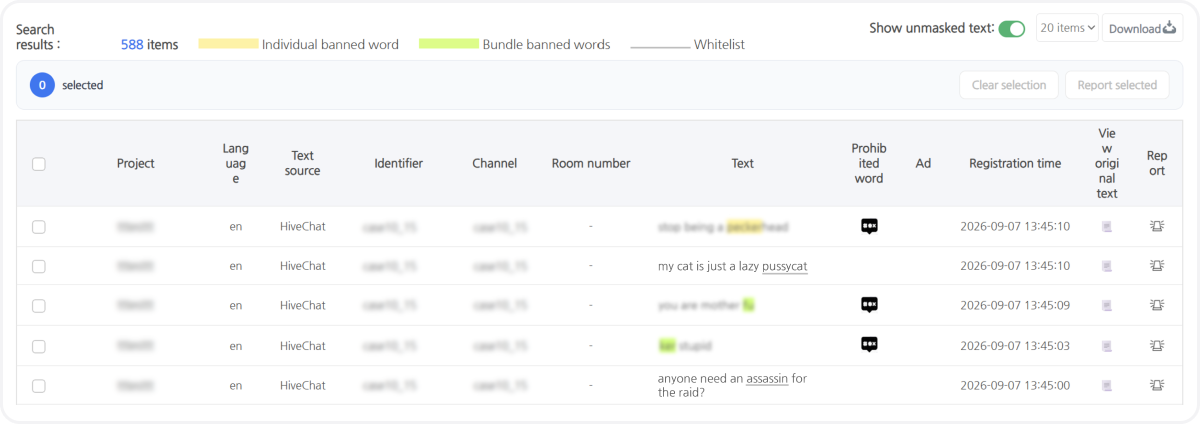
Whitelists are also reflected on the detection results screen. Previously, only prohibited words were highlighted with a background color. Whitelisted words are now indicated separately with a gray underline, making it easy to identify which words were applied in the original text at a glance.
You can access this feature in Hive Console under AI Service > Abuse Detection > Text Abuse Detection. For more information, see the Hive Developer Guide. |
|
|
[Figure 1] Example of Project Management > Detection Settings |
|
|
[Figure 2] Example of Project Management > Word Settings |
|
|
[Figure 3] Example of Detection Results > Original Text View |
|
|
☑️ Detection Test Feature Added to Hive AI Service Text Abuse Detection |
|
|
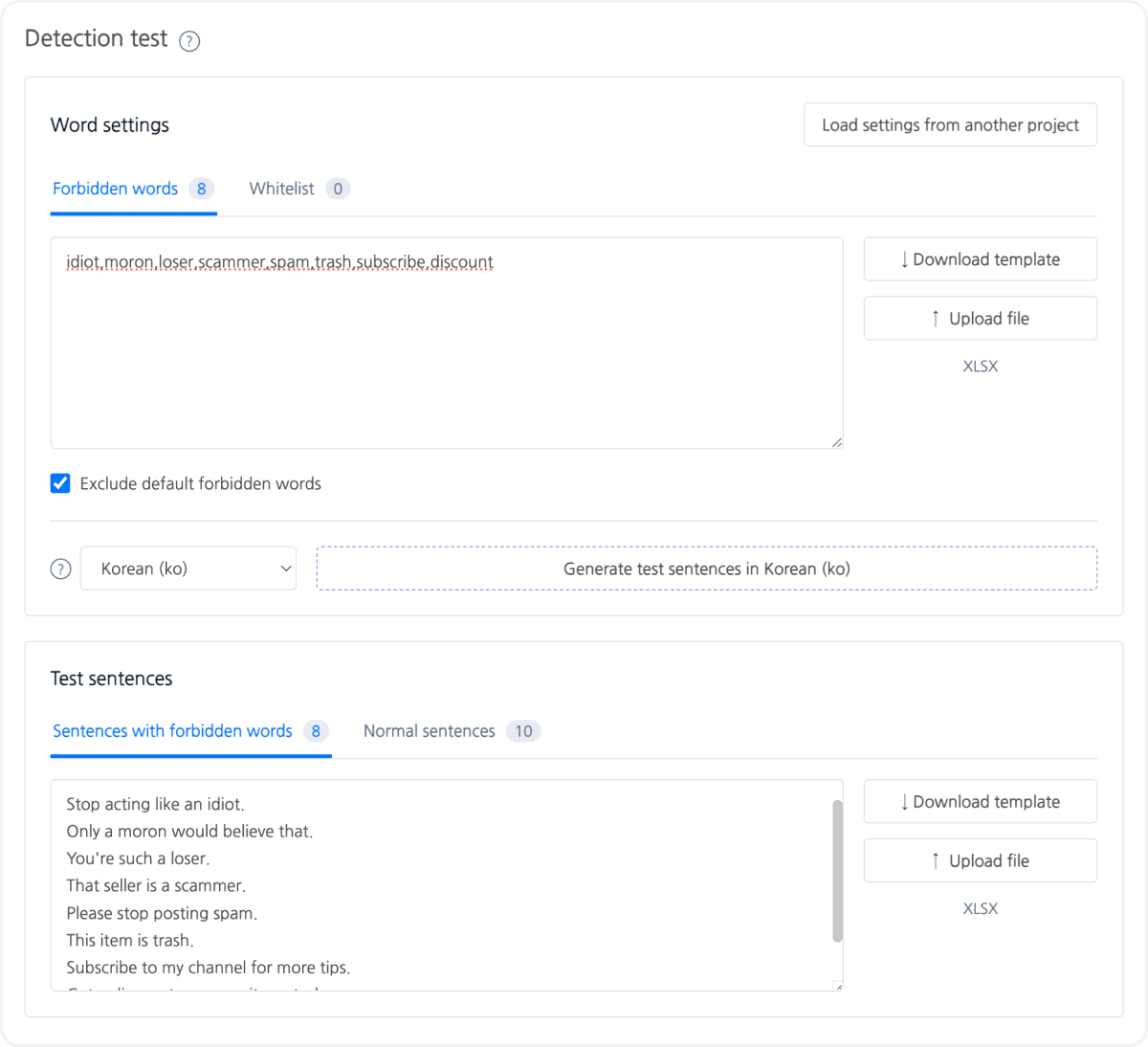
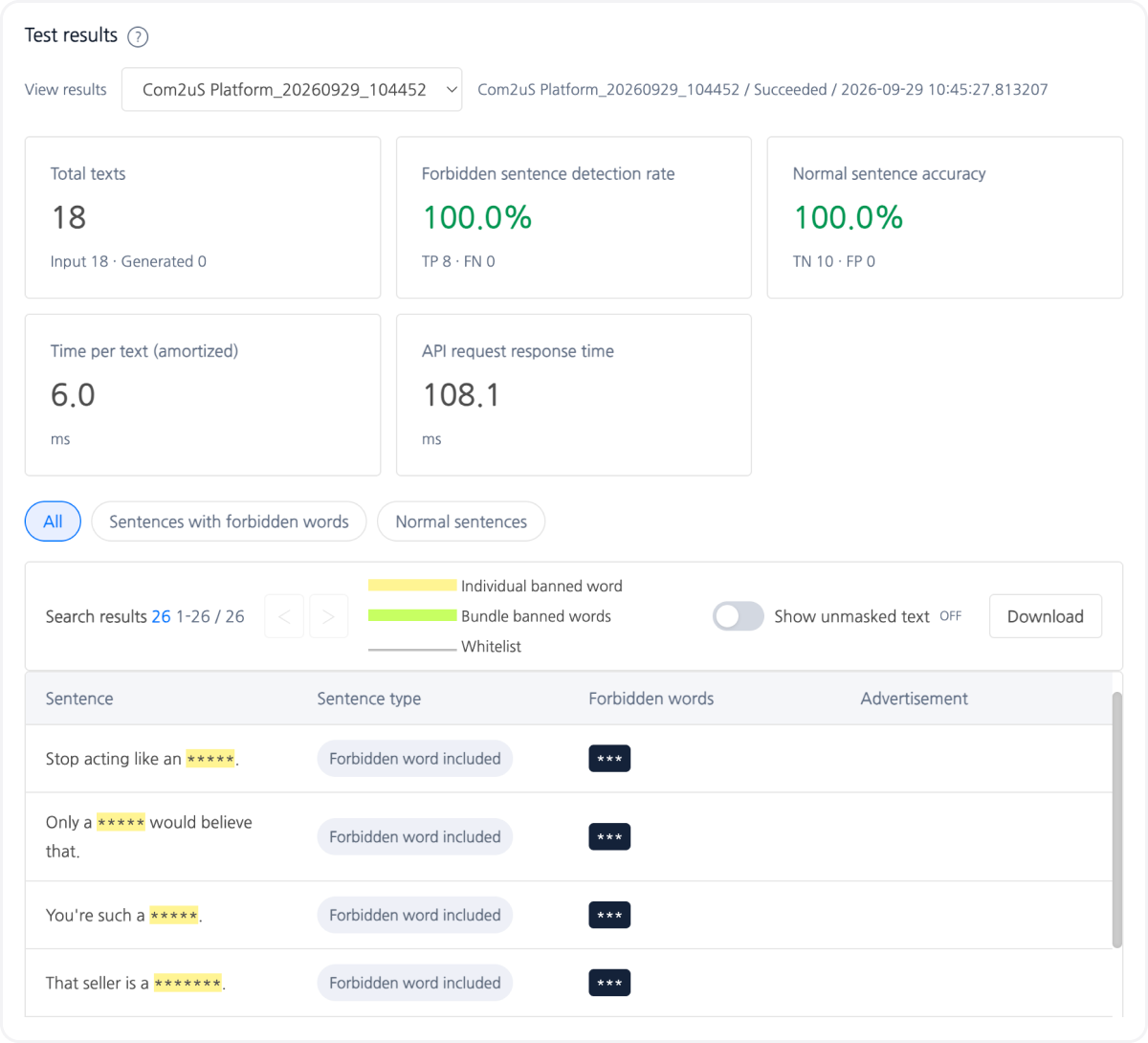
A Detection Test feature has been added to the Text Abuse Detection feature of Hive AI Service. Without registering a project, you can enter prohibited words, whitelist terms, and sentences to inspect and review the detection results. You can also identify which words are masked and where they are located within each sentence on the screen.
Test results are provided in the following two formats.
Summary cards: Detection rate, true positive rate
Results table by sentence: Input sentence and masked result
If the results match your intent, you can register the entered settings as a new project or apply them to an existing project. The detection results from the Detection Test are identical to the original text results shown on the Detection Results page, and the settings verified in the test are applied in the same way in the production environment. You can access this feature from AI Service > Abuse Detection > Text Abuse Detection > Detection Test in Hive Console. |
|
|
[Figure 1] Example of Detection Test > Detection Settings screen |
|
|
[Figure 2] Example of Detection Test > Detection Results |
|
|
☑️ Hive Billing Support for Google Play Consumption Information API |
|
|
Hive Billing now supports the Consumption Information API for Google Play, following its existing support for the Apple App Store. This feature was introduced in response to a Google policy change effective August 3 that requires developers to share the cost of chargebacks, helping them respond effectively to illegitimate chargebacks and abuse.When this API is integrated, each time a refund review notification occurs, the Hive server sends a POST request to the API endpoint and collects the required consumption data from the app server. The Hive server then compiles the data and submits the final refund review information to Google on behalf of the app developer. As a result, Google Play can use the submitted consumption data to determine the user's actual service usage history, helping prevent unjustified automatic refund approvals. For more information, see the Hive Developer Guide. |
|
|
☑️ Hive Authentication Login Information Download Feature |
|
|
A feature has been added to the Authentication > User Management menu in Hive Console that allows you to directly download user login authentication information for a specified period. You can select the App ID and period (start date and end date) to retrieve the data. The following items are included in the export.
- Log Type, Game Player ID, IdP User ID, IP, IdP, Device ID, Country, OS, Date
|
|
|
☑️ Hive SDK v4 Unity/UE4/UE5/Native/Cocos2d-x Android & iOS 26.7.0 Release |
|
|
This release adds GameStat integration as part of the Google Level Up program for Android and updates Google Age-Signal to version 0.0.4. It also improves Android game controller usability and UI focus behavior. For details, see the release notes.
|
|
|
☑️ Hive SDK Manager 2.1.0 Release |
|
|
In this version, you can receive new Hive SDK release information and related updates based on the Hive SDK version currently applied to the project. For details, see the release notes. |
|
|
✨ Check out the Hive platform stories here![Update News] – Check Hive Developers updates directly 💻 |
|
|
Missed our last newsletter? |
|
|
Com2us Platform131, Gasan digital 1-ro, Geumcheon-gu, Seoul, Koreacs-platform@com2us.com© Com2uS Platform Corp. All Rights Reserved. |
|
|
- This e-mail is a send-only e-mail that is sent without displaying (advertisements).
- Please contact our customer support or email us at (cs-platform@com2us.com) if you have any inquiries.
- If you no longer wish to receive emails, please click here to unsubscribe.
- To view the Hive Platform Privacy Policy, please click here.
|
|
|
|