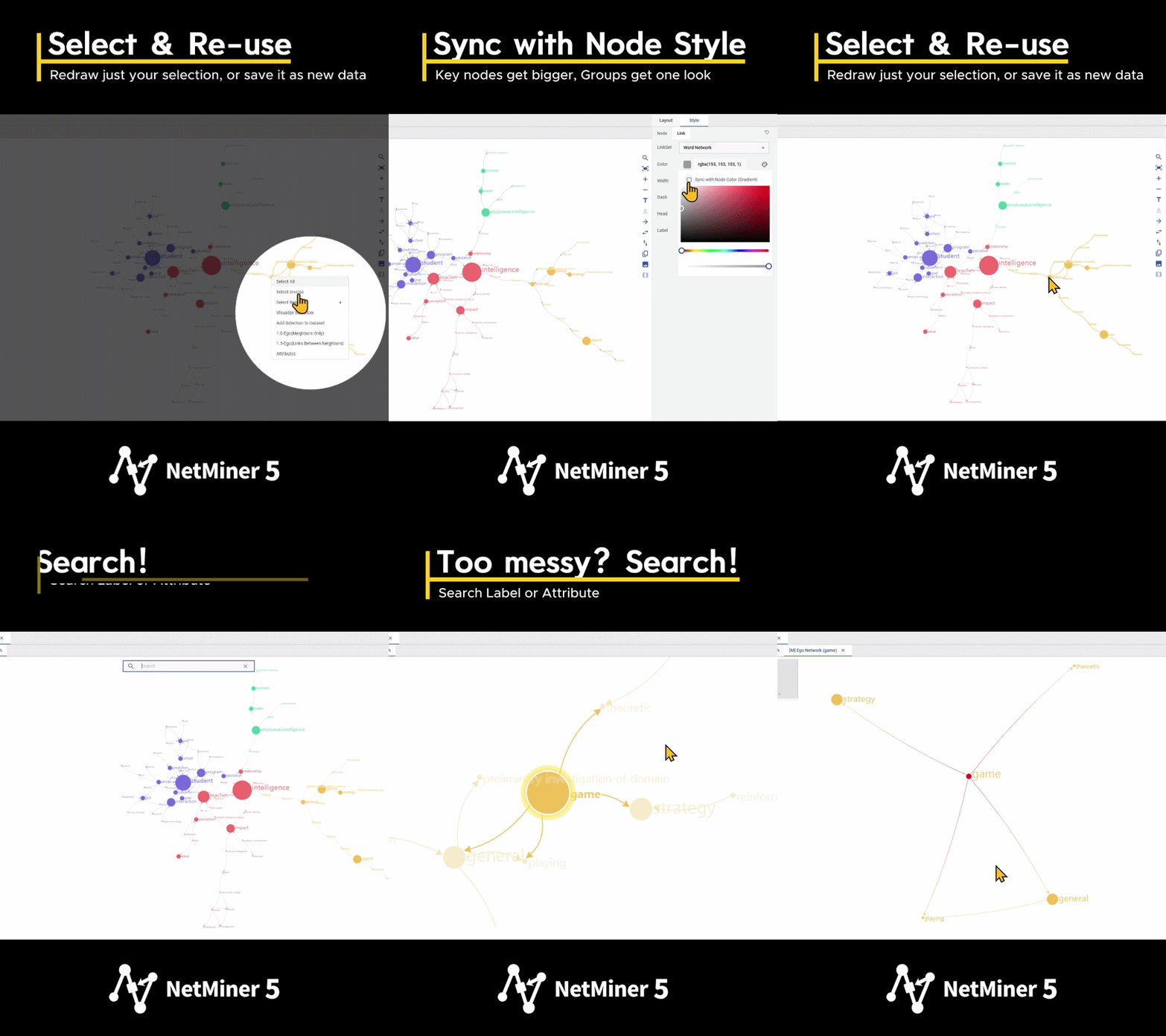
Automatic style sync · Node search · Multi-mode network map
Make your network maps more beautiful,
and exploring your data easier
📌 What's new
- Style sync: Node labels now automatically match node color and size, and link labels match link color and width. Link colors can also follow a gradient between the two connected nodes' colors.
- Node search: Find any node instantly by name or condition, even in complex networks.
- Right-click menu: Select All / Select Inverse / Select Neighbor, check node and link properties, view the ego network, focus on a single cluster, and save your selection as a new visualization tab or a dataset.
- Multi-mode visualization: Visualize networks with three or more node sets on a single map.
|
|
|
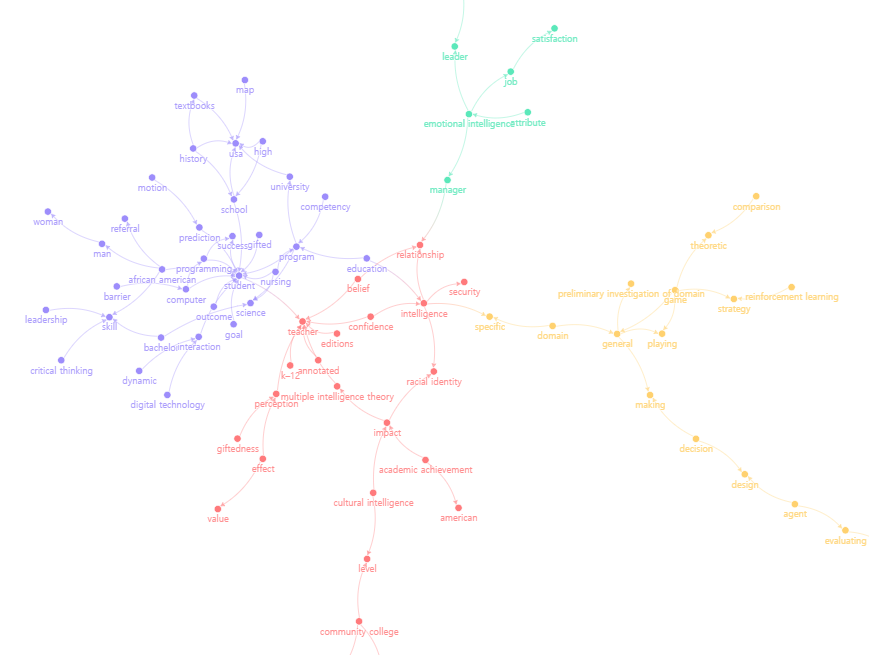
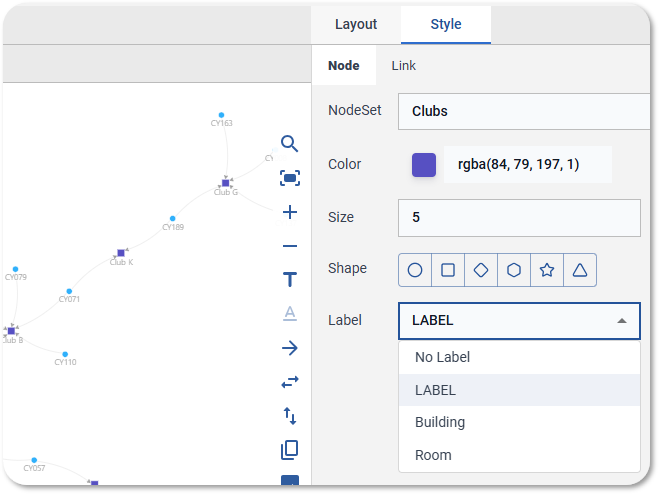
Give matching groups a matching look
- On the Style > Node tab, assign Color by group (🎨)
- Sync label color with node color (🔗)
- On the Style > Link tab, click the Color swatch and check Sync with Node Color
|
|
|
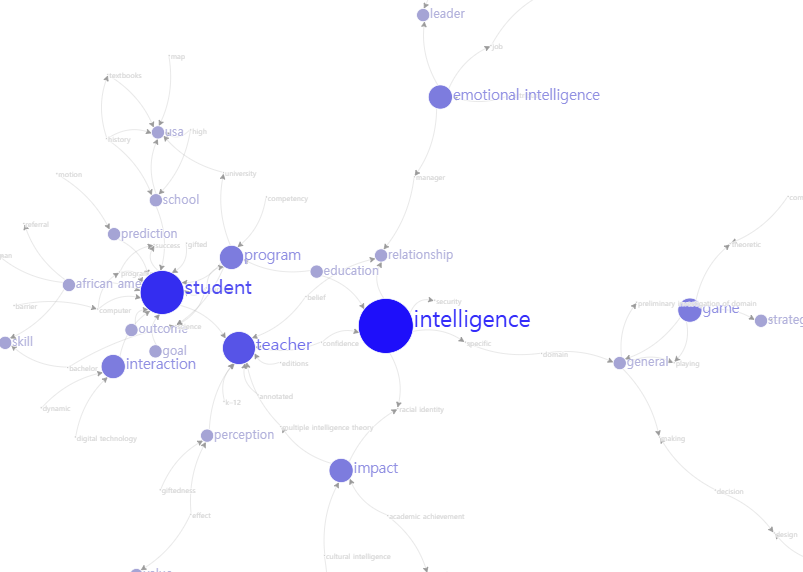
Make the keywords that matter, stand out
- On the Style > Node tab, assign Size by group
- Sync label color with node color(🔗 )
-
Sync label size with node size(🔗)
|
|
|
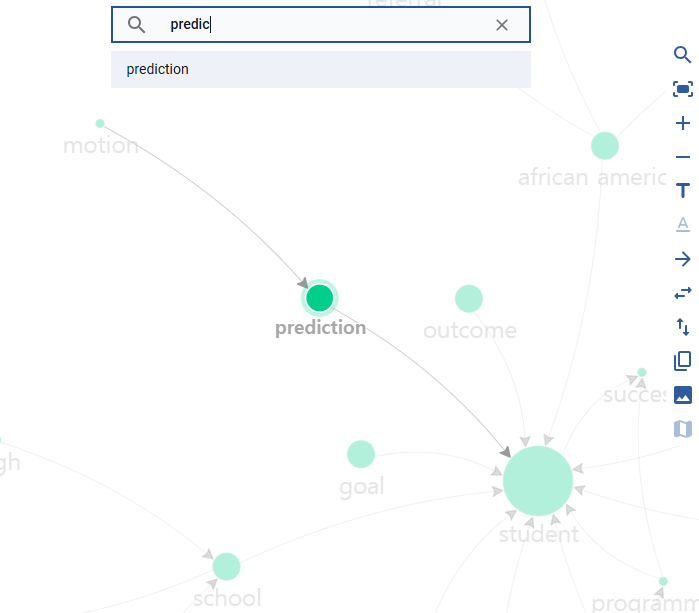
Lost in a complex network?
Find node(s)
- Click the search icon (🔍) in the right toolbar, or press Ctrl+F
- Type your search term and press Enter
- Search by node label (name, keyword, etc.) or by node attribute
- Matching node(s) are highlighted and selected
|
|
|
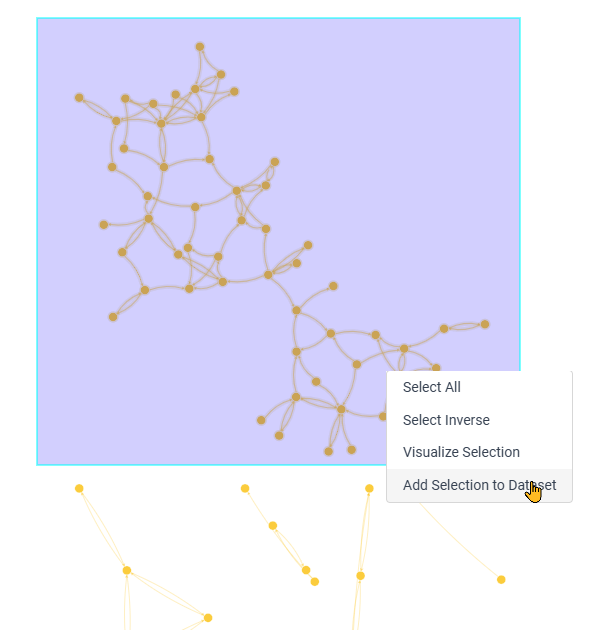
The biggest group for a closer look
- Ctrl + drag on the canvas to select your largest group
- Right-click and choose Add Selection to Dataset
- The selection appears as a new dataset in the data panel on the left
- Run any Network analysis using the selection as your input dataset
|
|
|
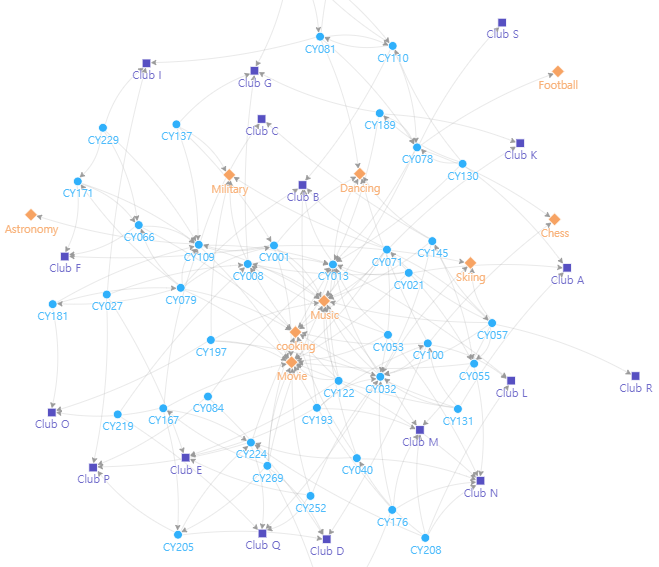
Map people, affiliations, and interests together
- Go to Visualize > Network > Multi-mode
- Select one or more node sets to visualize both within-set and between-set relationships at once
|
|
|
NetMiner 5 is available on both Windows and macOS.
Turn on automatic updates in Preferences to stay current.
|
|
|
Text analysis improvements and fixes
- English morphological analysis: Fixed an issue where compound words registered in the user dictionary were split and counted separately due to lemmatization.
- Korean morphological analysis
- Fixed an issue where words were incorrectly split during analysis when part of a word registered in the Thesaurus, Compound Words, or Inclusion Words dictionary also appeared in Exception Words.
※ Results may differ from previous versions in the following cases. We recommend noting the software version used or re-running the analysis:
- Analyzing English text together with a user dictionary
- Analyzing Korean text where the same word or part of a word appears in both Exception Words and another dictionary
|
|
|
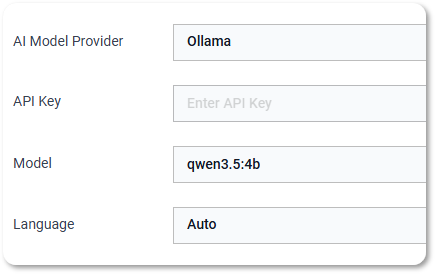
AI Tutor now supports local LLMs
You can now run AI Tutor using a free language model installed on your own computer. Select Ollama in Preferences to try it.
※ Ollama must be installed separately beforehand, and a high-performance environment and model are recommended for good results.
|
|
|
Renaming nodes in 2-mode visualization
Fixed an issue where node labels shown in 2-mode network visualization results could not be renamed. |
|
|
We’ve also fixed several known bugs. |
|
|
Technical support for NetMiner 4 will end on December 31, 2026.
However, you'll still be able to use and renew NetMiner 4 after that date, and our support team will still be there if you have questions. |
|
|
| Category |
NetMiner 4 |
NetMiner 5 |
| Result interpretation |
None |
AI Assistant
Helps interpret analysis results |
| Word extraction |
Rule/ML-based |
Latest deep learning models |
| Custom dictionary suggestions |
None |
Suggests synonyms, compound nouns, stopwords |
| Topic modeling |
LDA only |
LDA + BERTopic + BERTrend |
| Topic model evaluation |
Topic coherence |
Coherence + perplexity |
| Sentiment analysis |
None |
Deep learning-based positive/negative classification |
| Network formation testing (ERGM) |
Limited MLE |
Standard MCMLE estimation |
| Statistical significance testing |
Permutation-based only |
Permutation + rank-based nonparametric tests |
| Prediction & classification (ML) |
None |
Supported |
| Explainable AI (XAI) |
None |
Feature importance, per-observation contributions (SHAP) |
| Graph-based prediction (GNN) |
None |
Supported |
| Network visualization & charts |
Supported |
Supported |
| Supported OS |
Windows only |
Windows + macOS |
| System requirements & performance |
Requires high RAM |
Optimized RAM usage for large datasets, multiprocessing support |
|
|
-
Existing NetMiner 4 files are fully compatible with NetMiner 5, with the exception of process logs.
-
Even when a menu name stays the same, the underlying method behind it may have improved (for example, Text Analysis > Word Extraction or LDA) — in these cases, results can differ from what you got in NetMiner 4.
-
To check whether a NetMiner 4 feature you rely on is available in NetMiner 5, please see the online user manual. If you have questions about a specific menu or feature, feel free to reach out to us.
|
|
|
NetMiner is a social network analysis / graph analytics platform
and provides all the features to support your data analysis workflow
|
|
|
ⓒ CYRAM Inc. | 253, Pangyo-ro, Bundang-gu, Seongnam-si, Gyeonggi-do, Republic of Korea
|
|
|
|
|