This time, there are various updates including the Leader Mode home screen. Let's check it out!
2022.11.02 Updates
What's new?
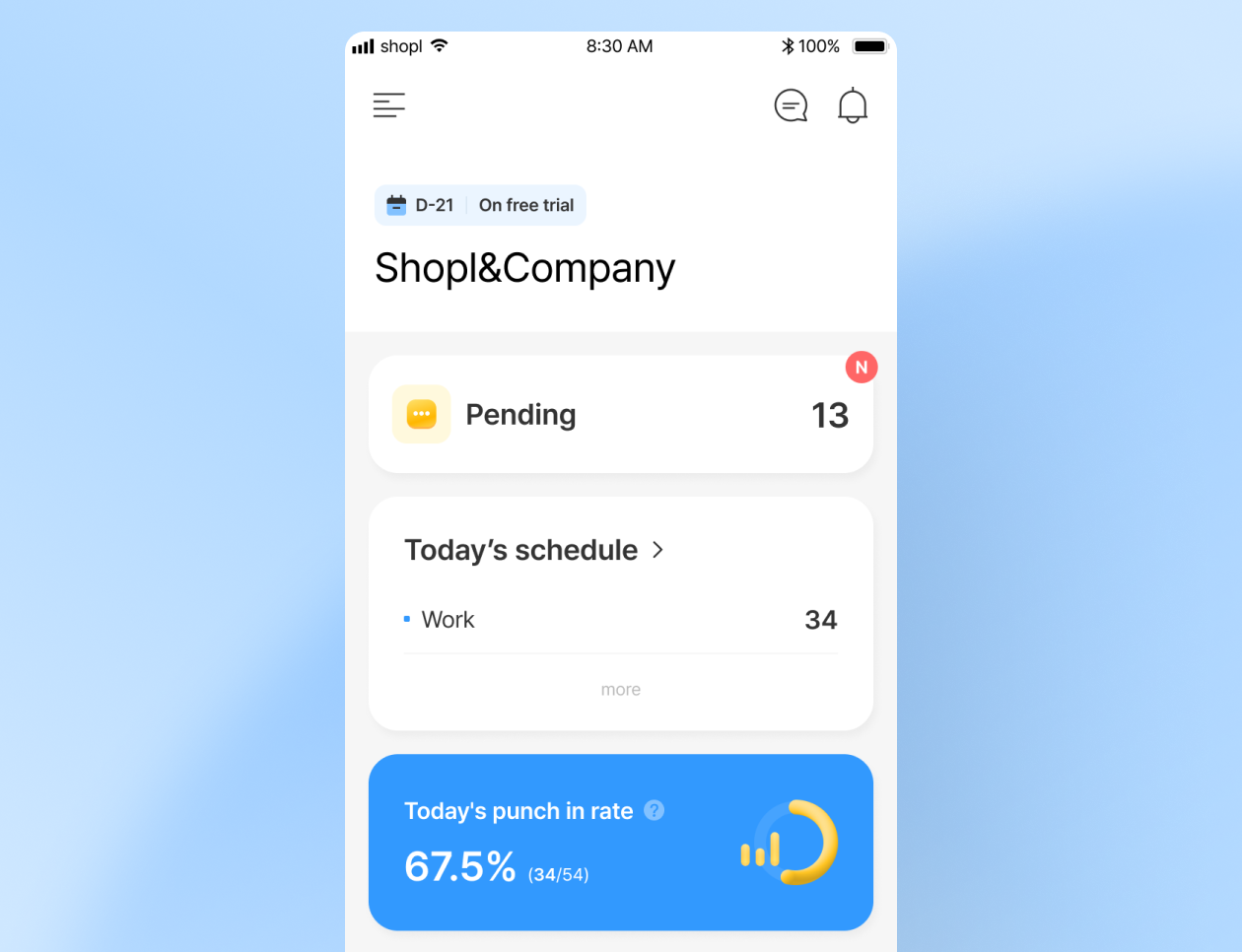
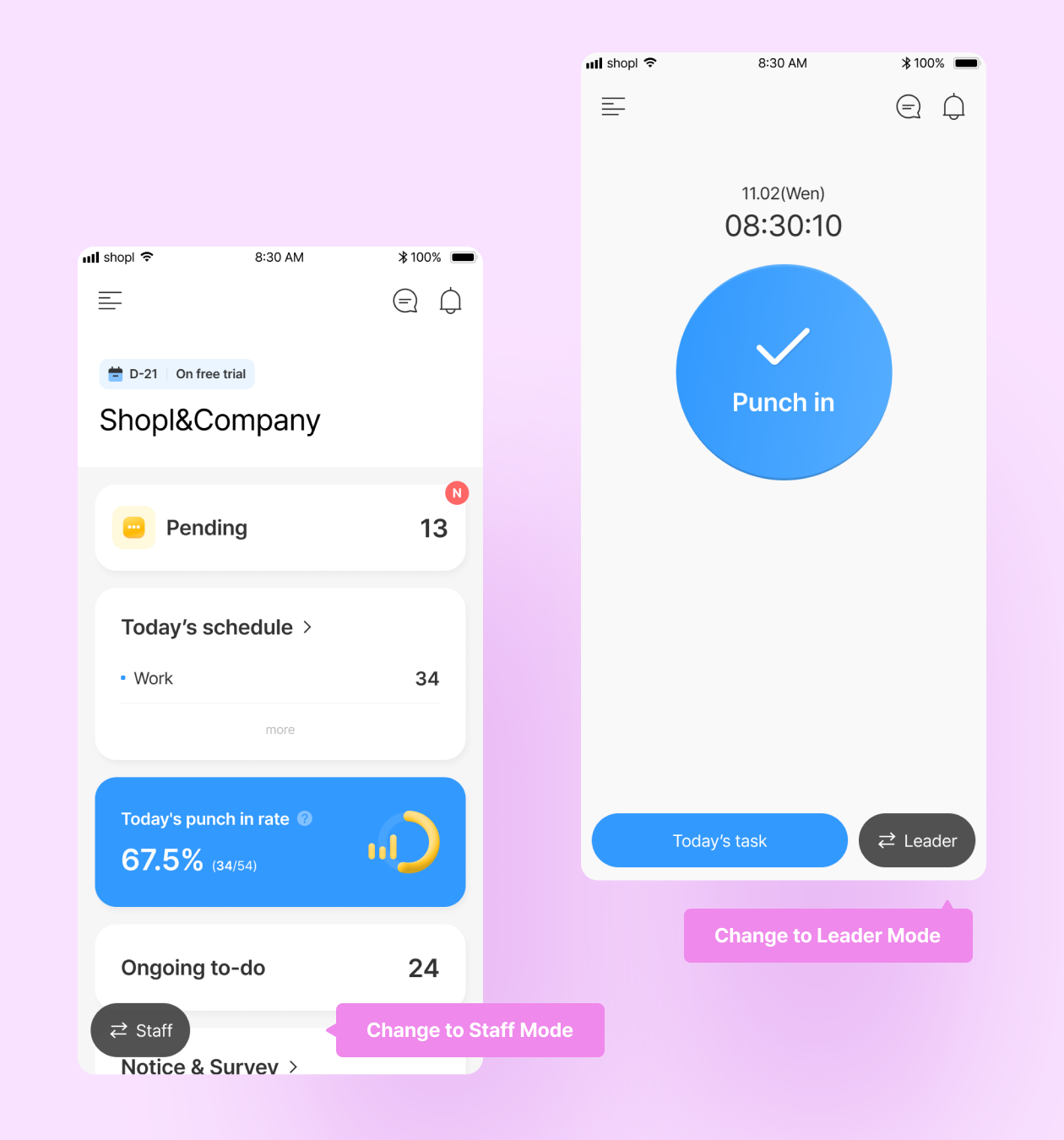
New look on Leader Mode home screen
Easy to view the task status The new layout for the Leader Mode main screen became simple and easy to use. It completely has a new look, but you can get used to it easily.
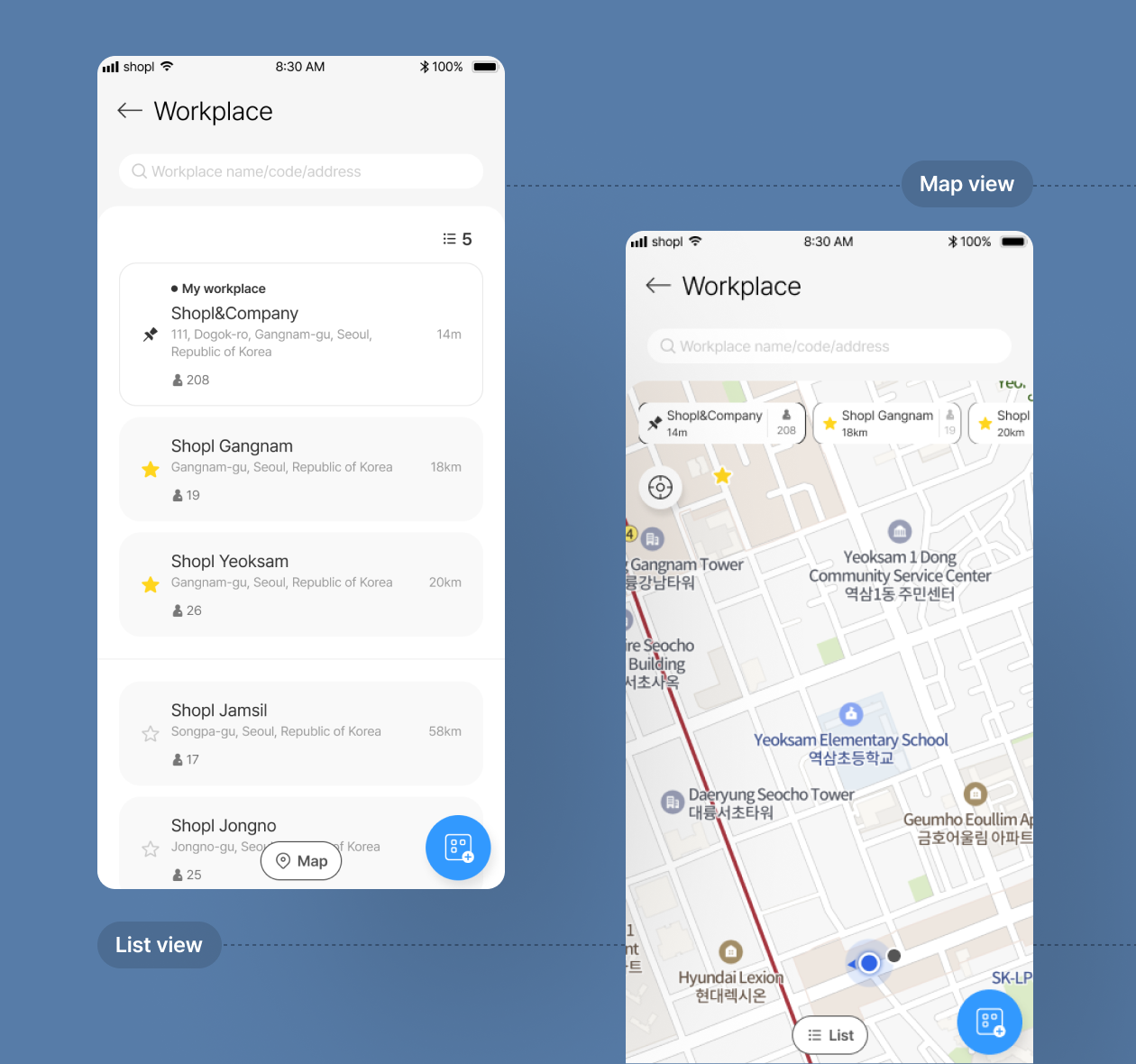
Check maps on the workplace menu
Maps on the Leader Mode home screen have been moved to the workplace menu. You can also add workplaces as favorites easily on the workplace menu.
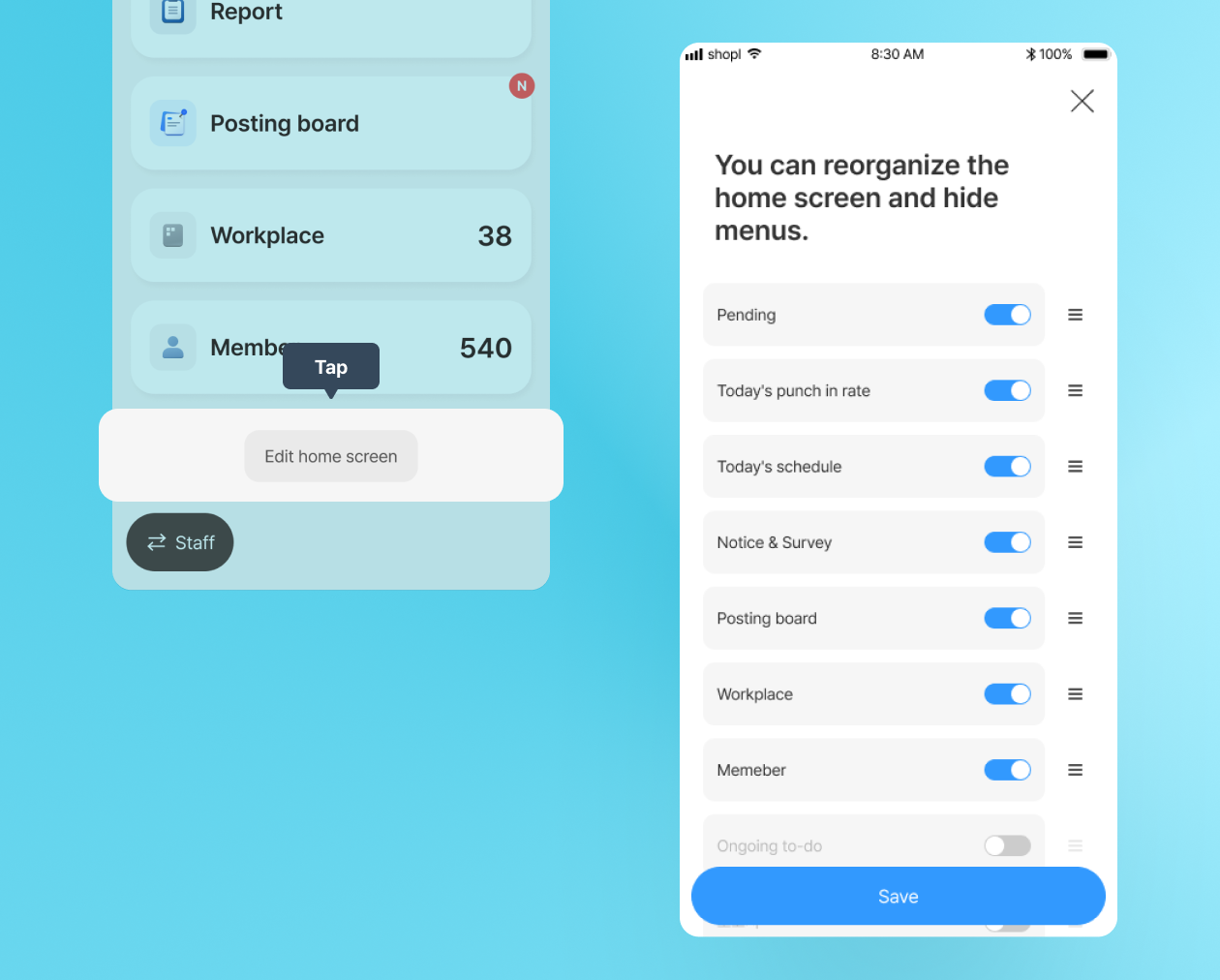
Edit home screen
With this function, you can hide features that are not being used or arrange the order of features from the home screen.
Change to Employee/Leader Mode easily
It is now possible to change to Employee or Leader Mode with just one tap from the home screen.
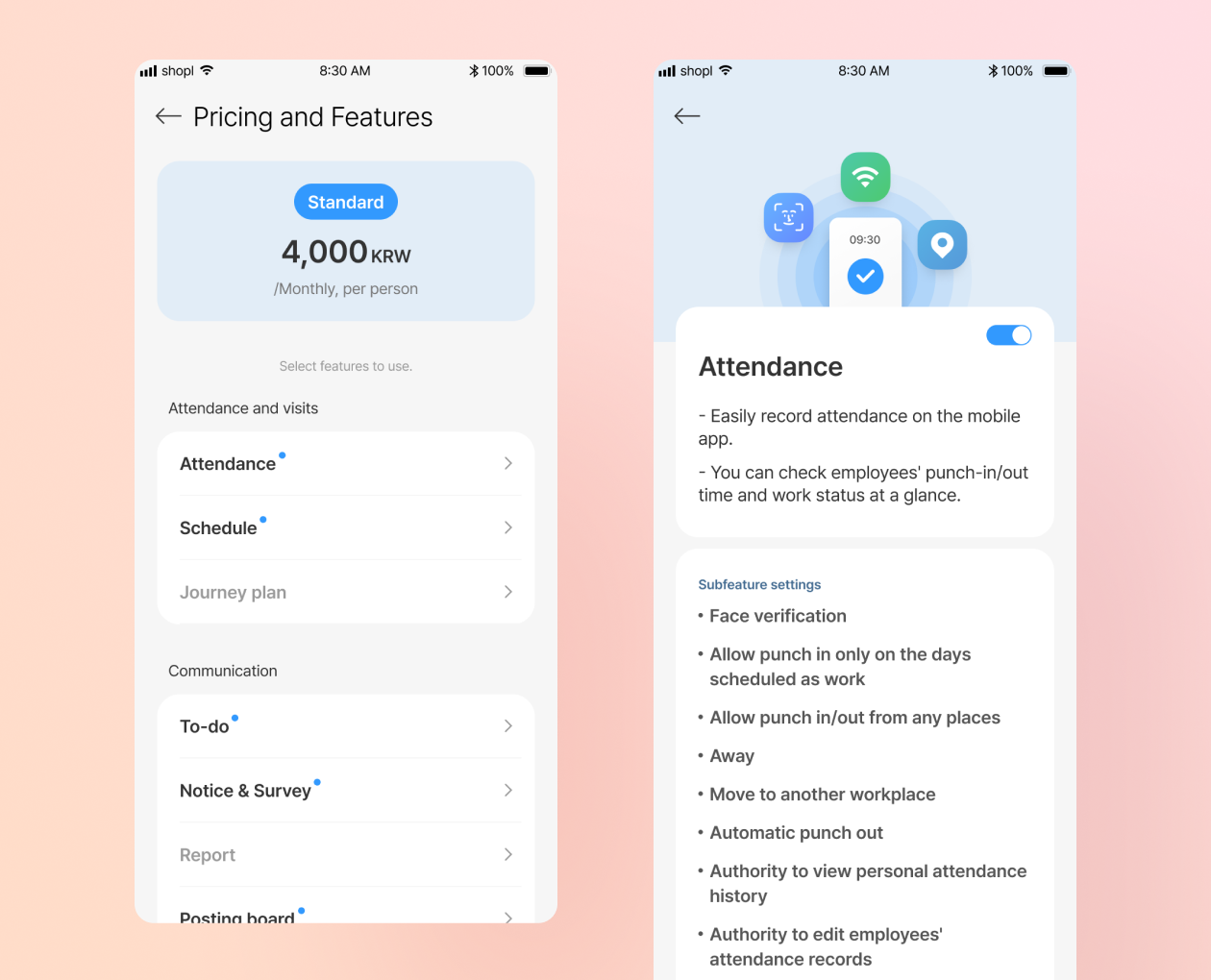
Through the [Payment & Features] menu, you can check which plan and features you are using. Only admins can view this menu.
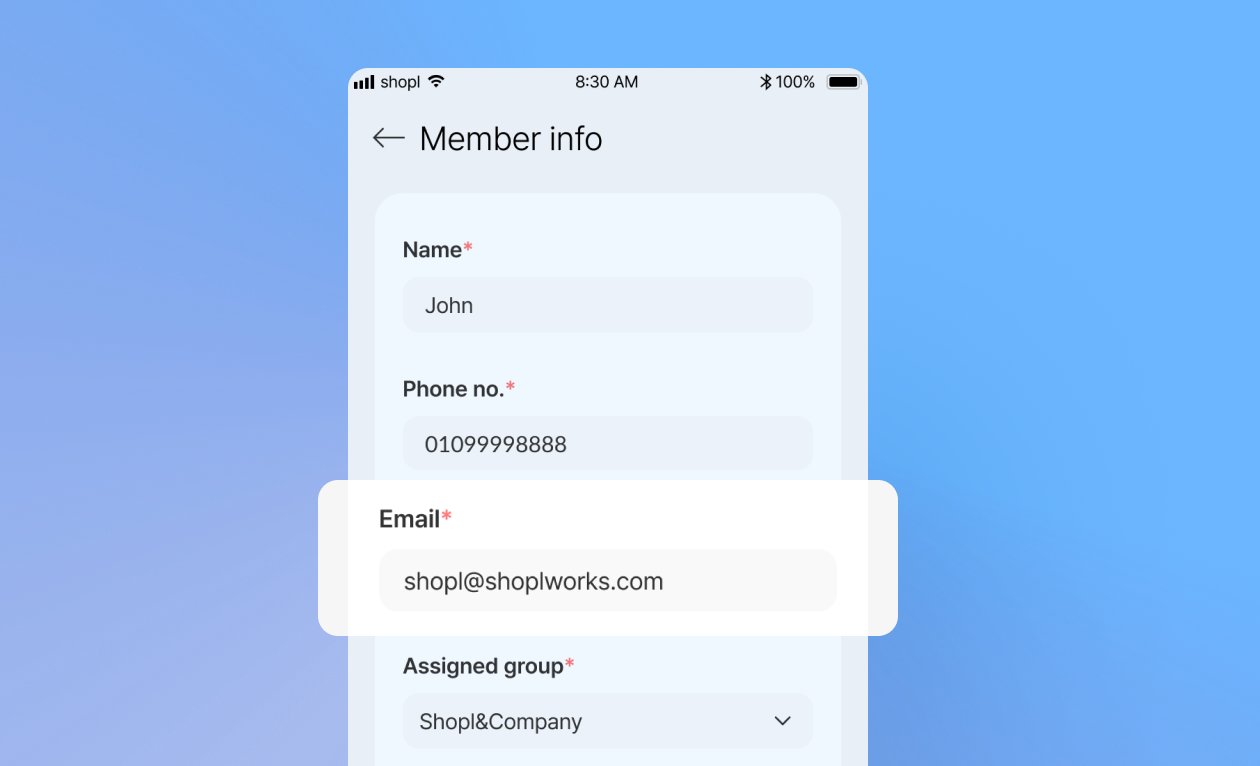
Edit employee's email address
Admins can now edit employee's email address. When admins edit the employee's email address, push and email notifications will be sent to the employee.
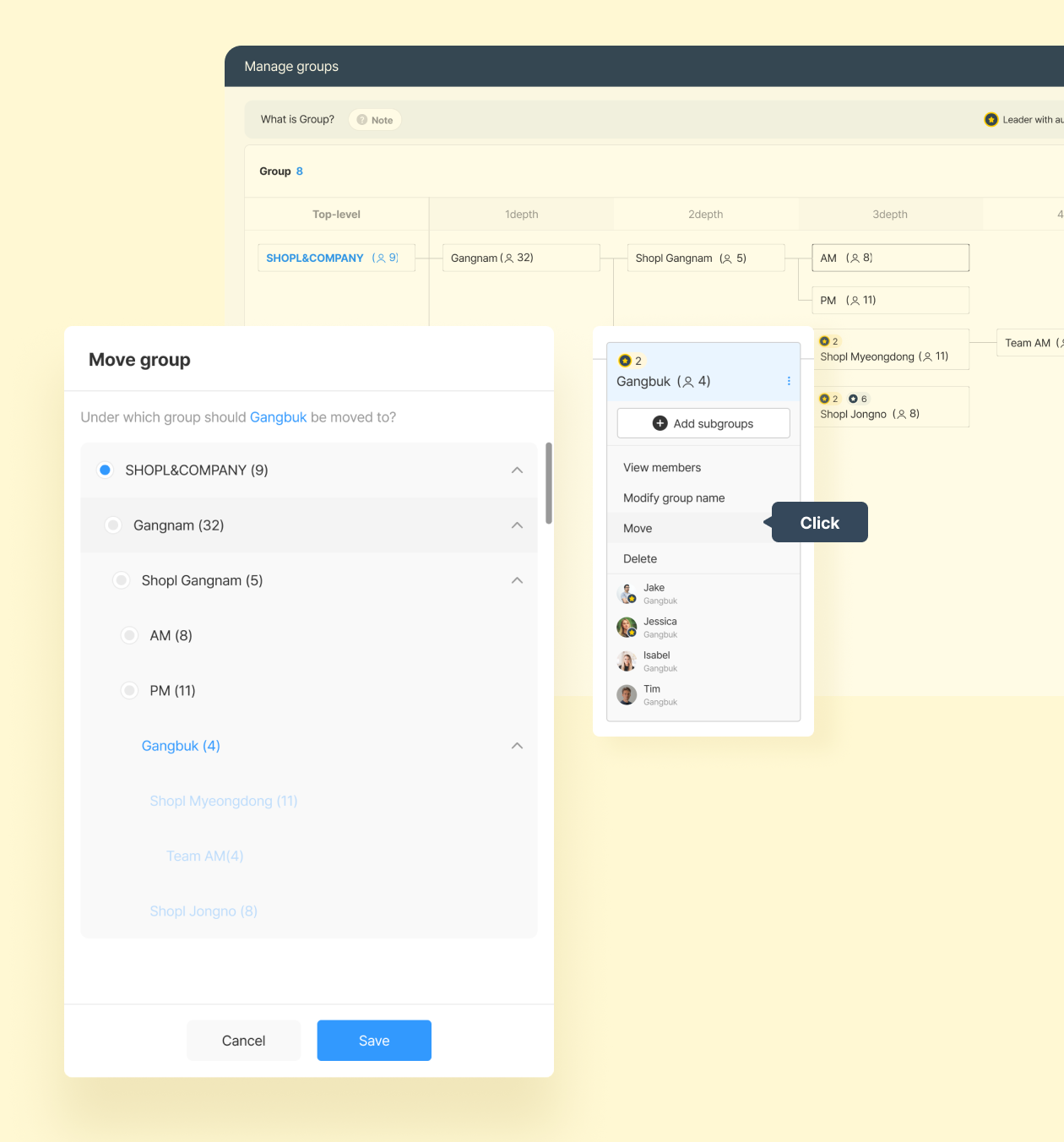
Move groups
Select a group from Dashboard > Group and click the [Move] button. You can easily move the group under another group's sub-group.
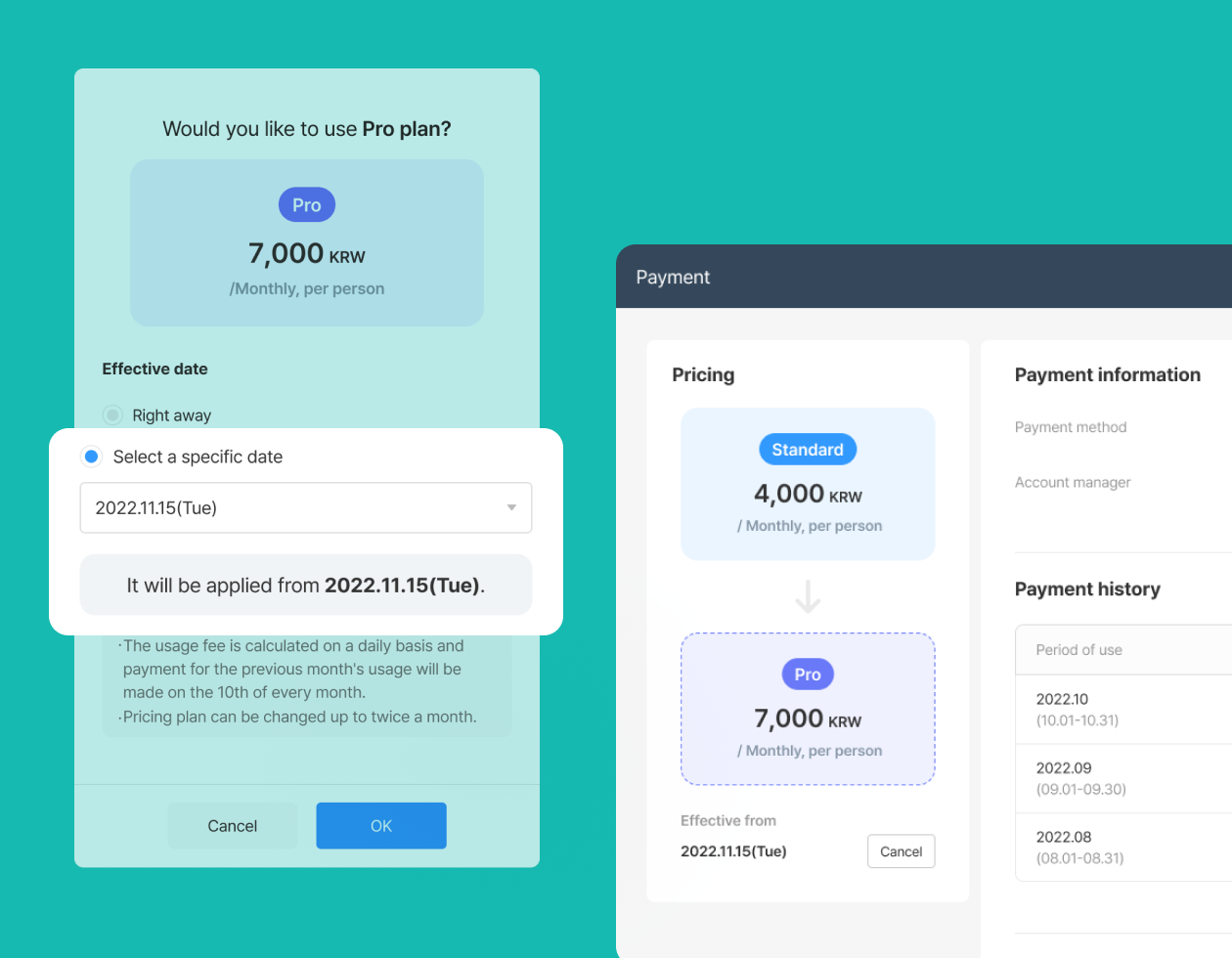
Setting effective date when changing the pricing plan
You can select an effective date to be applied when changing the pricing plan. You can always cancel it anytime before the start date of newly selected plan.
That's it for today's updates!
Stay up to date with the latest releases and features. 😀