We bring you news from Hive! 👋
Greetings!
[2025.05.02] Please read the newsletter from Hive below! |
|
|
☑️ Hive Authentication v4 DB Upgrade |
|
|
The Hive Authentication DB upgrade is scheduled for May 12, 2025, from 3:00 PM to 4:00 PM. During this time, authentication services may be temporarily unavailable.
For more details, please refer to the Hive Console announcements.
|
|
|
☑️ New Targeting Feature in Hive Billing |
|
|
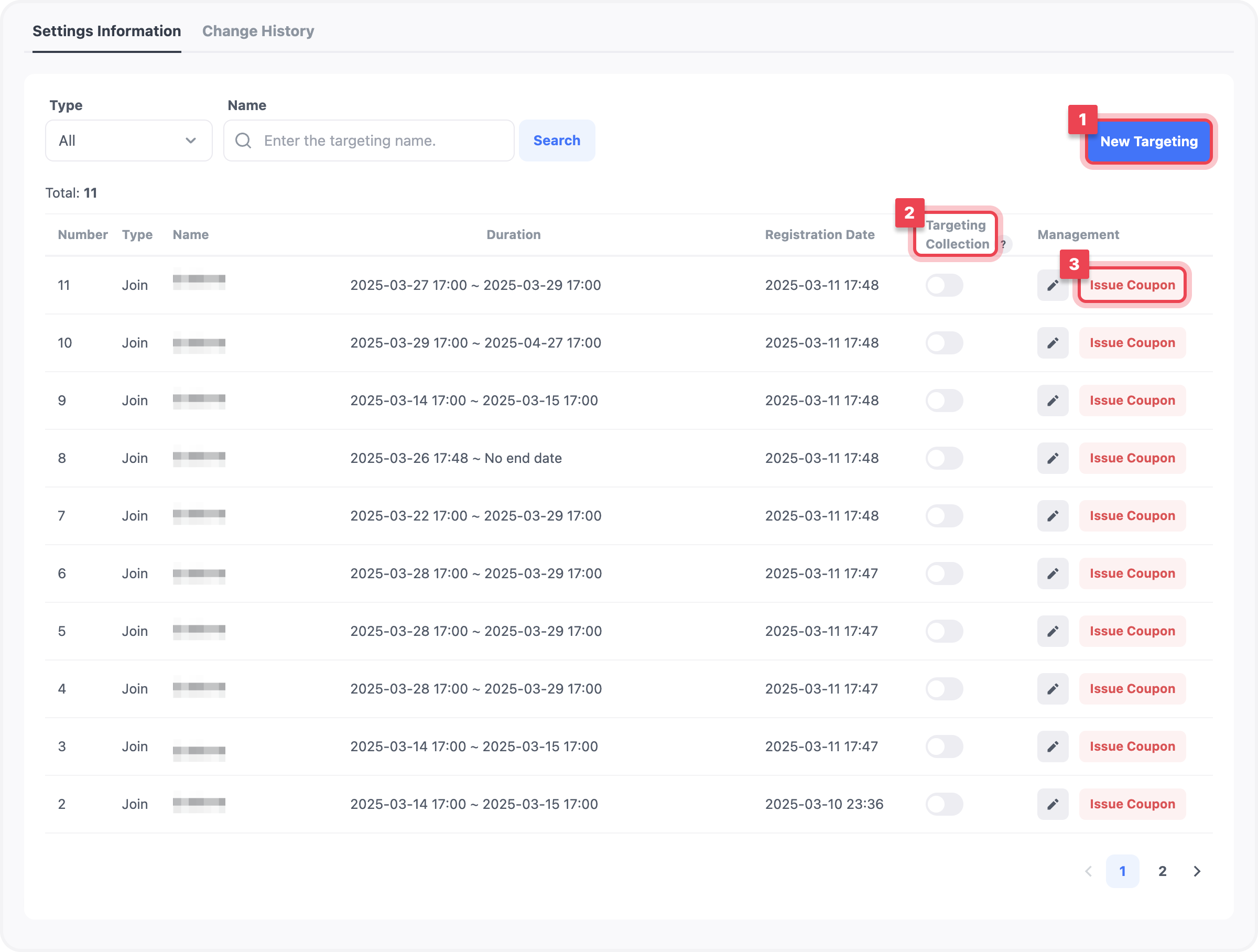
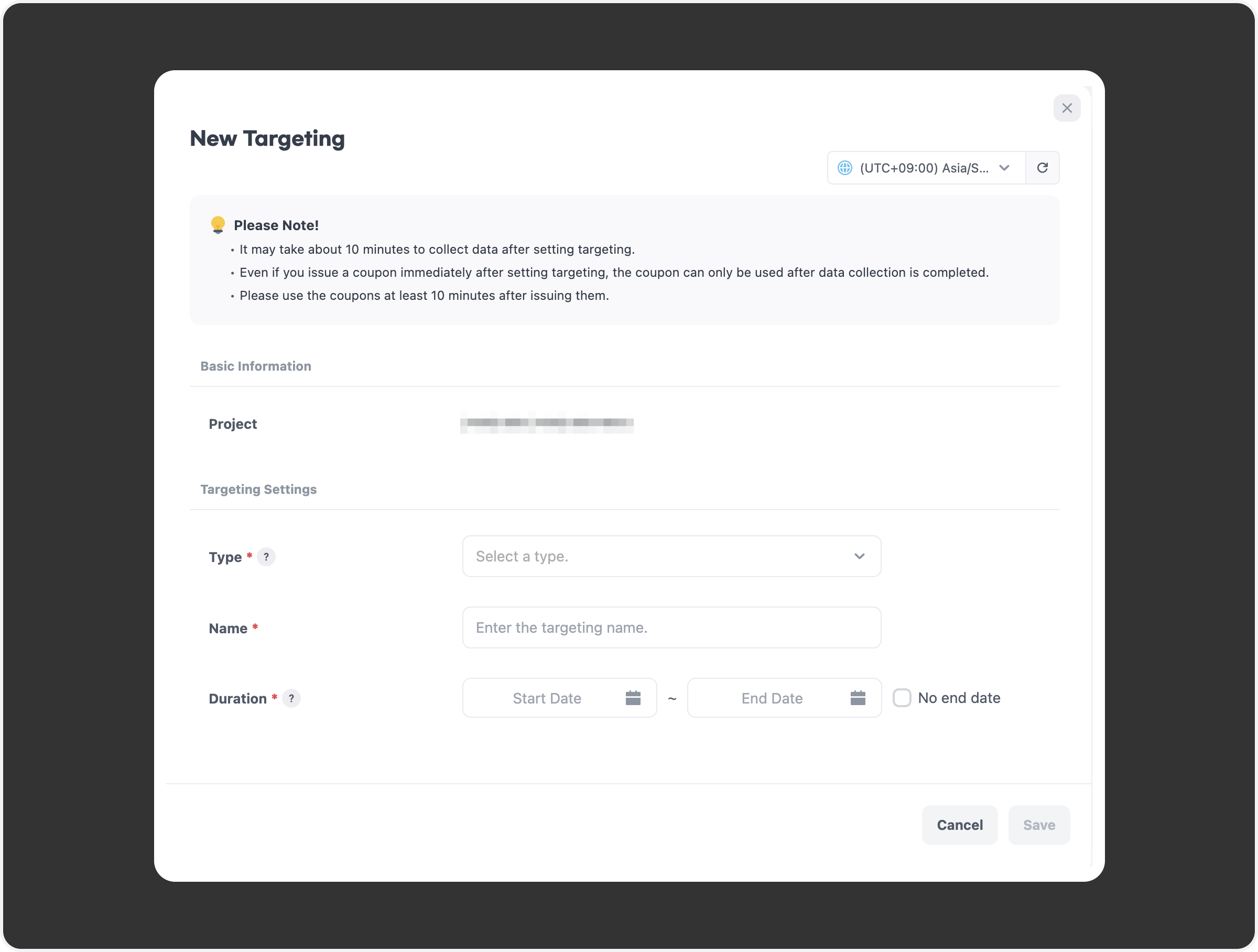
A new targeting feature has been added to Hive Console Billing. You can now collect data based on user-defined conditions to target specific user groups. Targeted users can be issued coupons via Billing > Coupons > Issue Coupon, allowing for diverse marketing and event applications. Targeting rules can be configured via Billing > Coupons > Targeting Settings. |
|
|
[Figure 1] Targeting Settings Info Screen |
|
|
[Figure 2] New Targeting Settings Screen |
|
|
☑️ Airbridge Integration for Hive Community & Web Store |
|
|
Airbridge integration has been added to Hive Community and Web Store. Airbridge is a solution for app marketing and user behavior analytics. You can easily configure the integration by entering the Airbridge App Name and Web SDK Token in the Hive Console. Detailed performance analysis can be reviewed on the Airbridge dashboard post-setup.
For setup instructions, refer to the Hive Console Guide. |
|
|
☑️ Auto-Refresh Added to Hive Community Monitoring |
|
|
An auto-refresh function has been added to the post view feature of the Hive Community Monitoring System. When enabled, newly posted entries are automatically added at defined intervals, eliminating the need to manually click the search button. New posts will be marked with a red dot (e.g., 1234🔴) to distinguish them from existing entries. After reviewing, click “Mark All as Read” to remove the red dots. Default settings including refresh intervals can be modified under the newly added Personal Settings tab.
Refer to the Hive Console Guide for details. |
|
|
☑️ Repayment Required for Refunded Users in Hive Web Store |
|
|
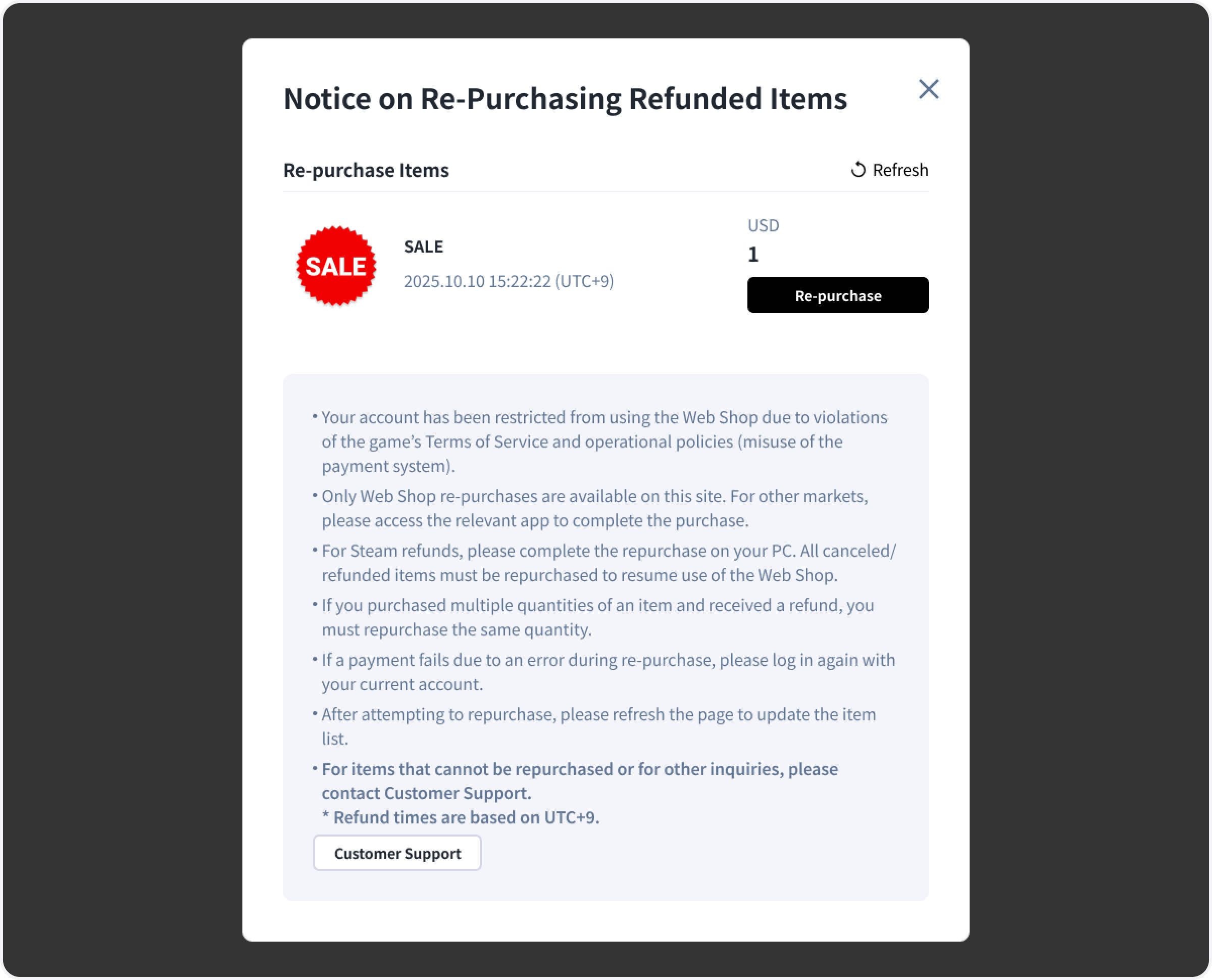
A Repayment for Refunded Users feature has been applied to the Hive Web Store. If a user arbitrarily refunds a purchased item, they will be blocked from entering the game until the same item is repurchased. Upon login to the web store, the refunded items will be displayed, prompting the user to make repayment. If there are refund records from other markets, users must log in from a device running that market’s OS to repay. Purchases in the web store are only available once all market refunds have been resolved. This setting can be enabled via Hive Console > Billing > Payment Settings > Add-on Services.
Refer to the Hive Console Guide for details. |
|
|
[Figure 1] Example of Repayment Enforcement for Refunded Users |
|
|
📌 Looking for more detailed update news? |
|
|
Missed our last newsletter? |
|
|
Com2us Platform131, Gasan digital 1-ro, Geumcheon-gu, Seoul, Koreacs-platform@com2us.com© Com2uS Platform Corp. All Rights Reserved. |
|
|
- This e-mail is a send-only e-mail that is sent without displaying (advertisements).
- Please contact our customer support or email us at (cs-platform@com2us.com) if you have any inquiries.
- If you no longer wish to receive emails, please click here to unsubscribe.
- To view the Hive Platform Privacy Policy, please click here.
|
|
|
|