Shopl Highlights
Upcoming Release: Second Week of March 2024
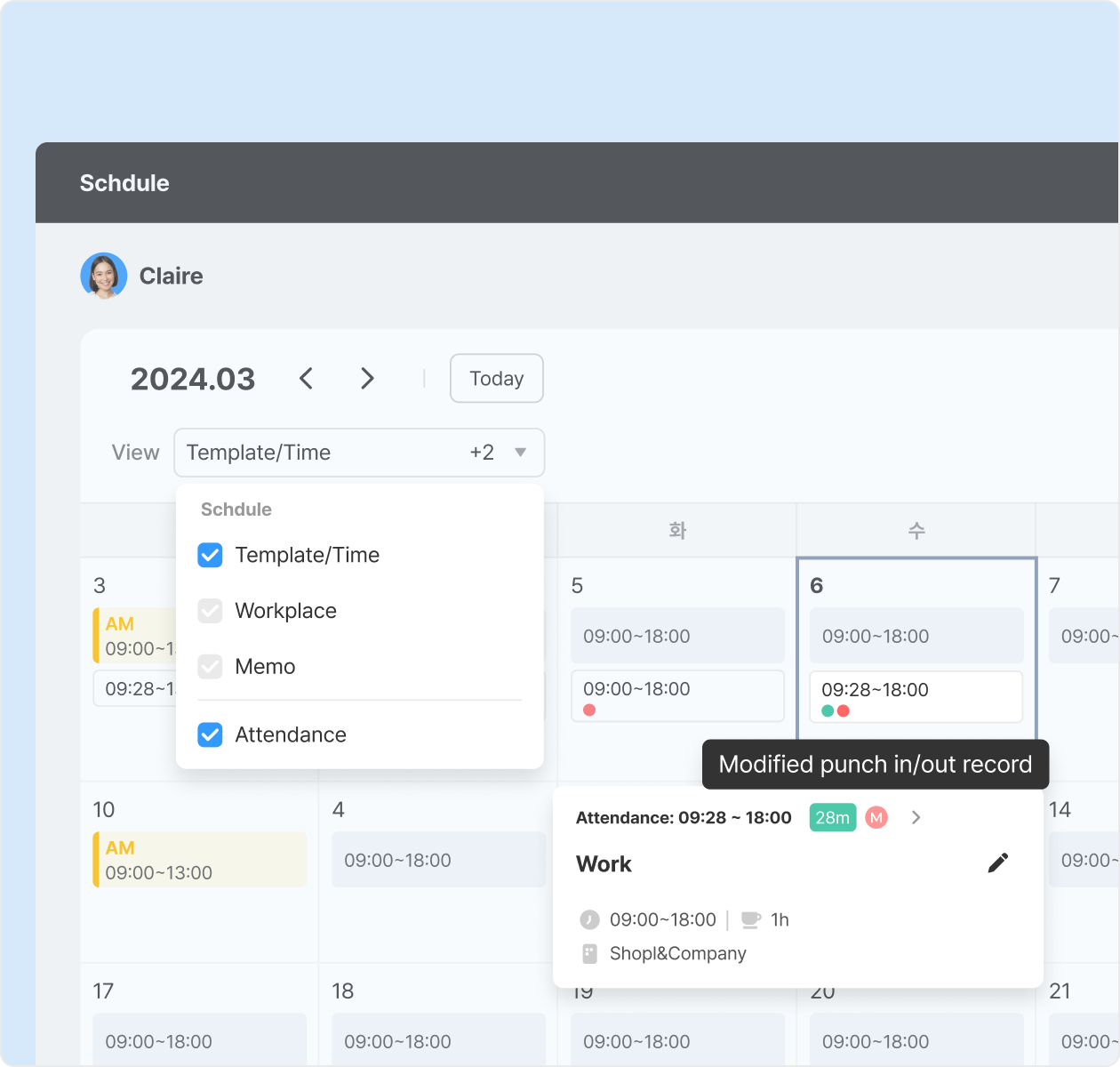
[Schedule] View the attendance records in a specific employee's schedule calendar on the dashboard.

On the dashboard, you can easily see the attendance history alongside an employee's schedule. Tap on days with abnormal attendance records to check details.
* Viewing attendance records is available when using the 'Attendance' feature.
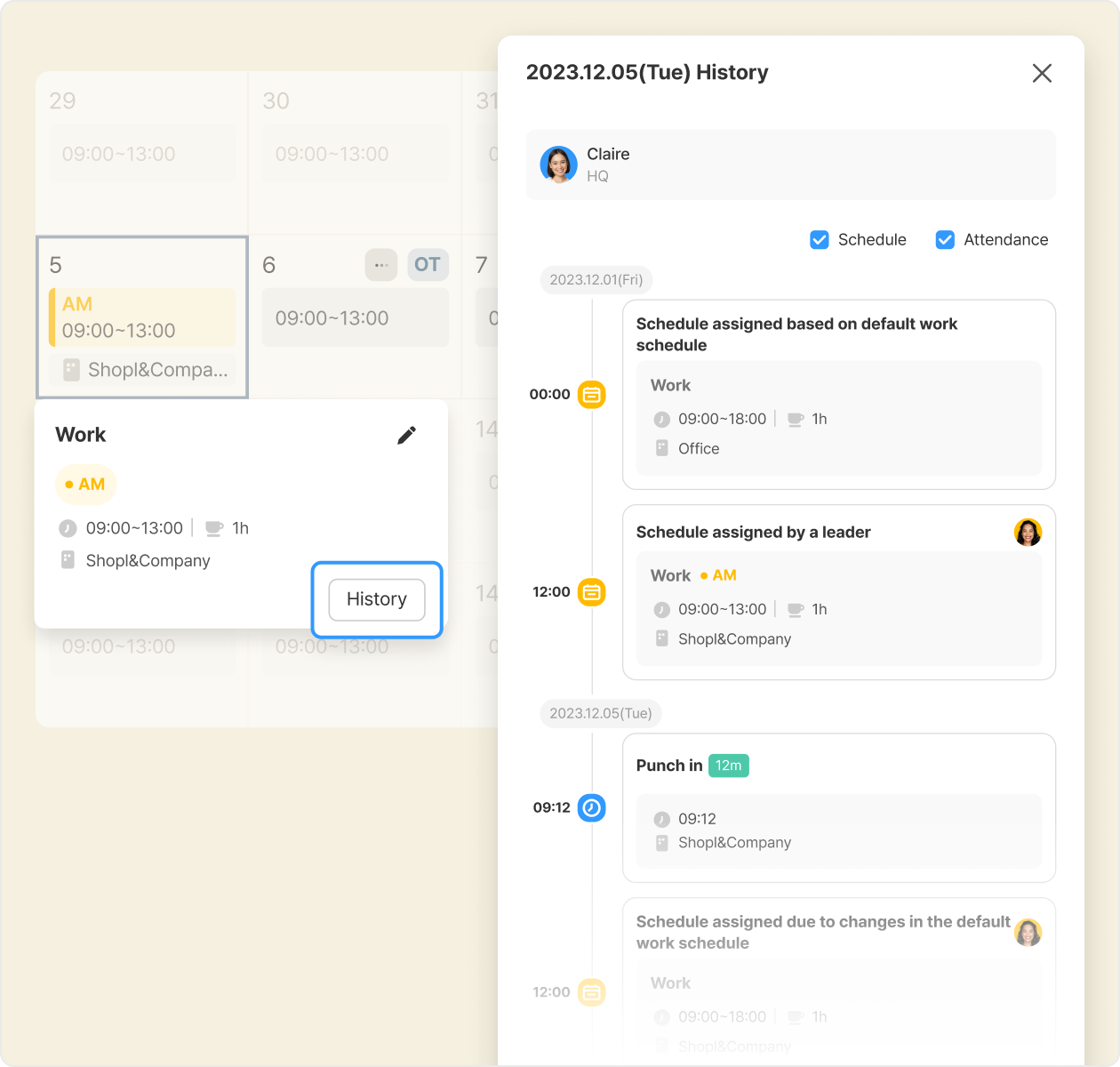
[Schedule] View Schedule/Attendance record change history on the Dashboard (+ Excel download)

You can check the change history of schedule/attendance records for specific dates on the dashboard. This allows you to see who, when, and for what reason schedule/attendance records were modified. You can also download this data in Excel from the [Download data] page.
* Excel download: Dashboard > Download data > Schedule or Attendance > 'Schedule change history' or 'Attendance record change history'
* History is available only for changes made after Feb 2024.
* Viewing attendance record chang history is available when using the 'Attendance' feature.
[Leave] Improvement of approved leave cancellation

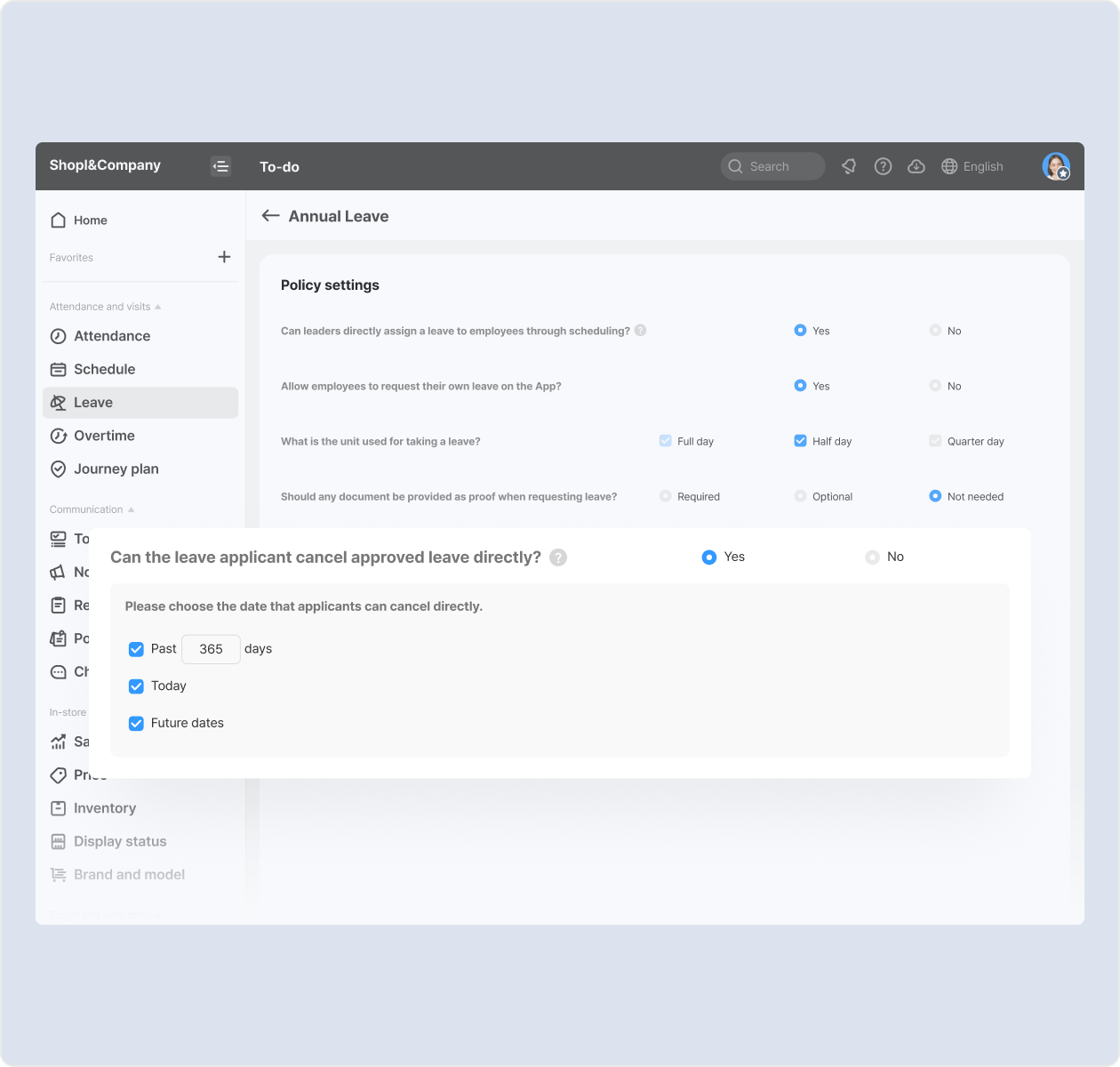
When canceling approved leave, it is now mandatory to provide a reason. We updated the policy to allow final approvers or administrators to cancel an employee's approved leave. Additionally, a new setting option has been added to restrict applicants from directly canceling approved leaves or limit cancellation only for specific dates.
* How to set up: Dashboard > Leave > Settings > Specific leave type > "Can the leave applicant cancel approved leave directly?"
* App update required
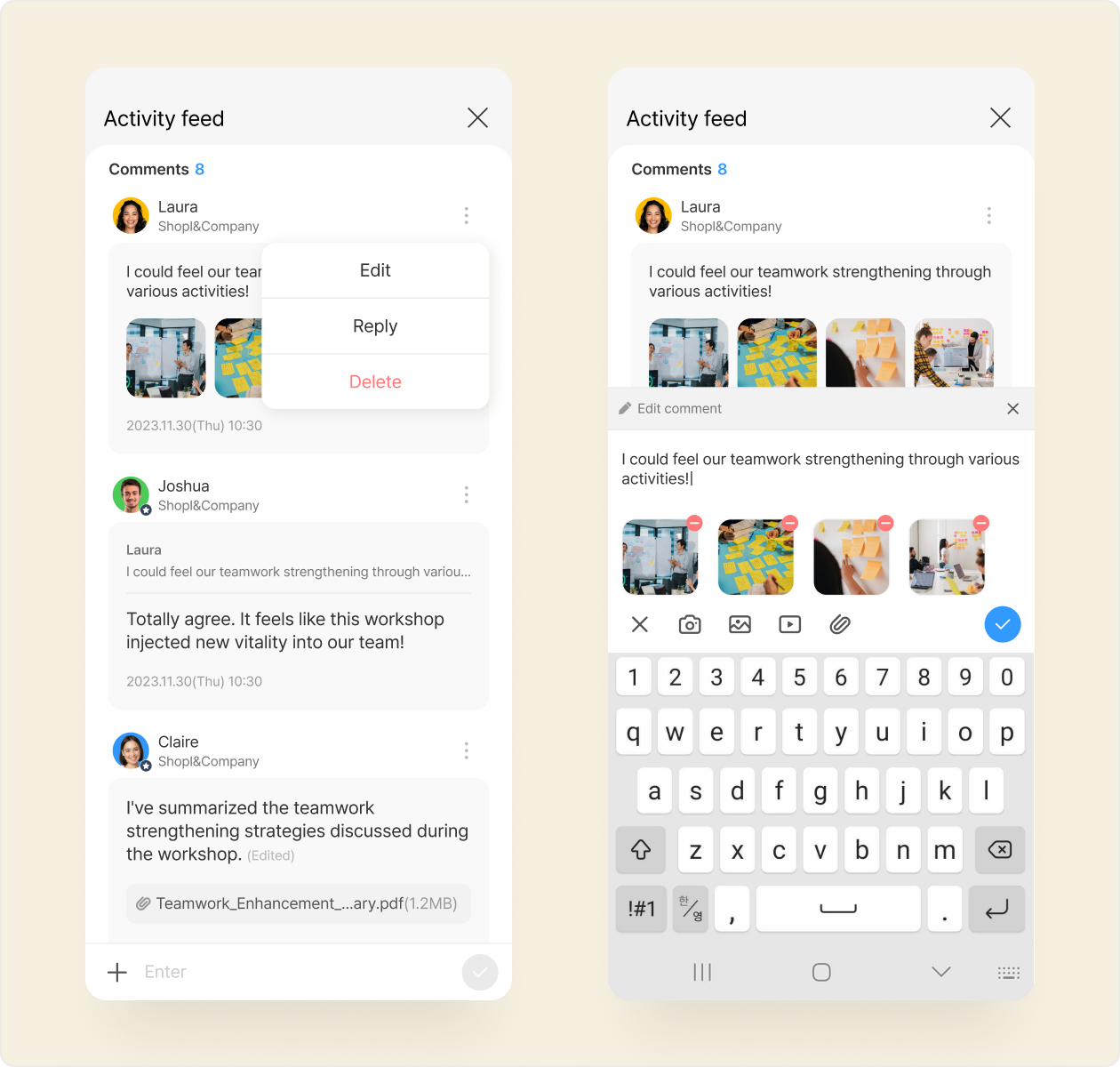
[Posting board/Report/Notice/To-do] Comment feature enhancement

Experience enhanced communication with our improved comment feature! Now, you can write comments of up to 1,000 characters and share more information by attaching photos, documents, and videos. Moreover, with the comment editing and reply functions, communicate more accurately and efficiently.
* App update required
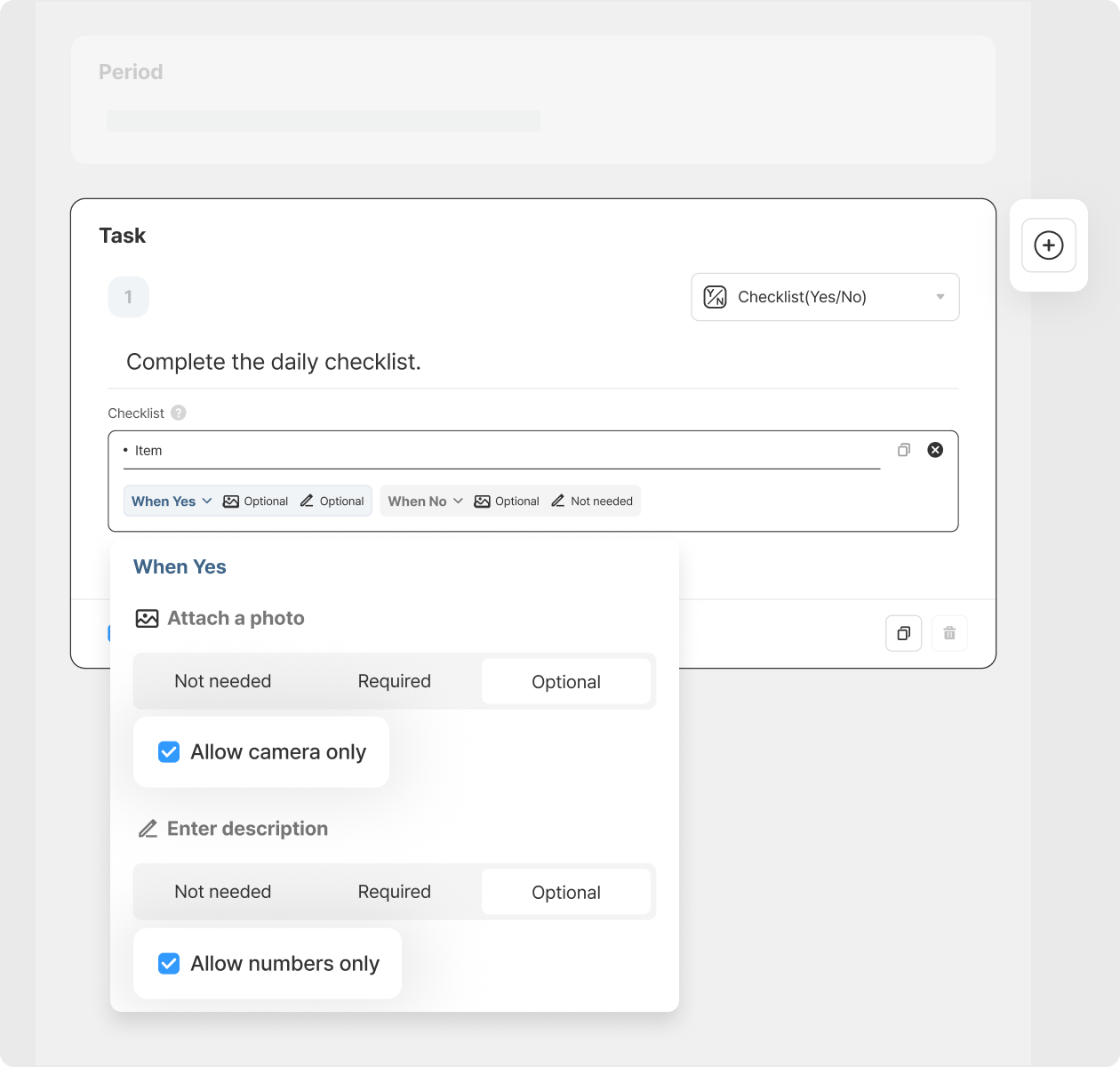
[To-do/Report] Expanded setting options for 'Allow camera only' and 'Allow numbers only'

We improved usability of the 'Checklist (Y/N)' component for [To-Do] and [Report]. You can configure the necessity of attaching photos and entering descriptions based on the response (Yes/No). During this, you have the option to restrict it to 'Allow camera only (unable to load from the album)' or 'Allow numbers only (other text not allowed).'
* App update required
Upcoming Next Update :

  • [Schedule] Usability improvements in the Schedule feature of the App
    • Employee Mode > View statistics of schedule and attendance records
    • Leader Mode > View change history of schedule and attendance records
That's it for the upcoming updates!
Stay up to date with the latest releases and features. 😀
Shopl - Streamline management of teams and tasks
All-in-one solution for
time & attendance, task management
Shopl&Company
support@shoplworks.com
Unsubscribe