Shopl Highlights
Upcoming Release: Last Week of April 2025
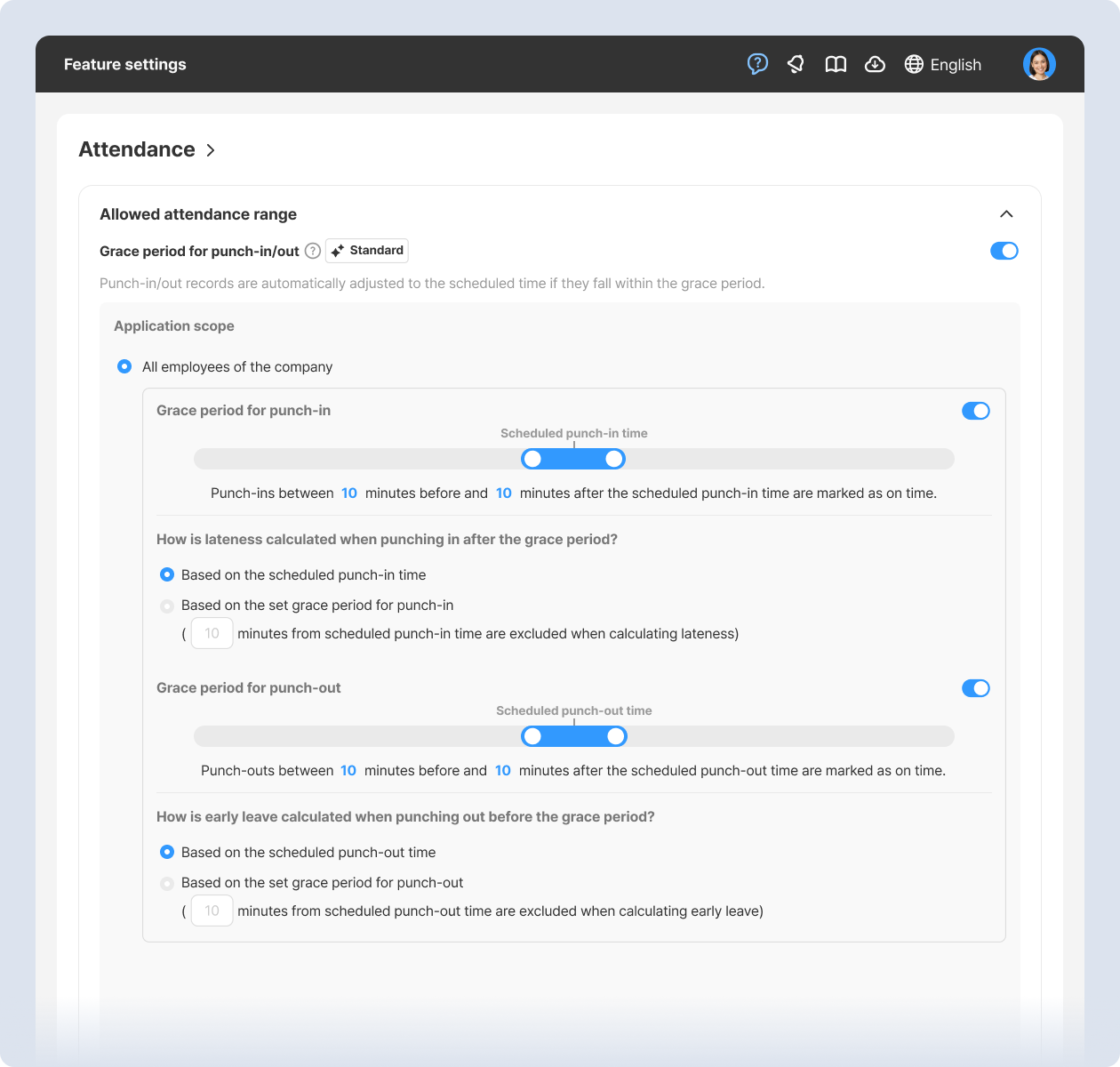
[Attendance] Set grace period for punch-in/out

To flexibly manage punch-in and punch-out records, set a Grace Period. Punch-ins/outs within the defined range will be recorded as On Time based on the work schedule.

Recommended for:
  • Managers who don't want slight delays (like 5 minutes) counted as late
  • Managers who want slight early or late punch-outs (1–2 minutes) still marked as on time

*Enable feature: Dashboard (PC) > Feature settings > Attendance > Allowed attendance range > Grace period for punch-in/out
*App update required
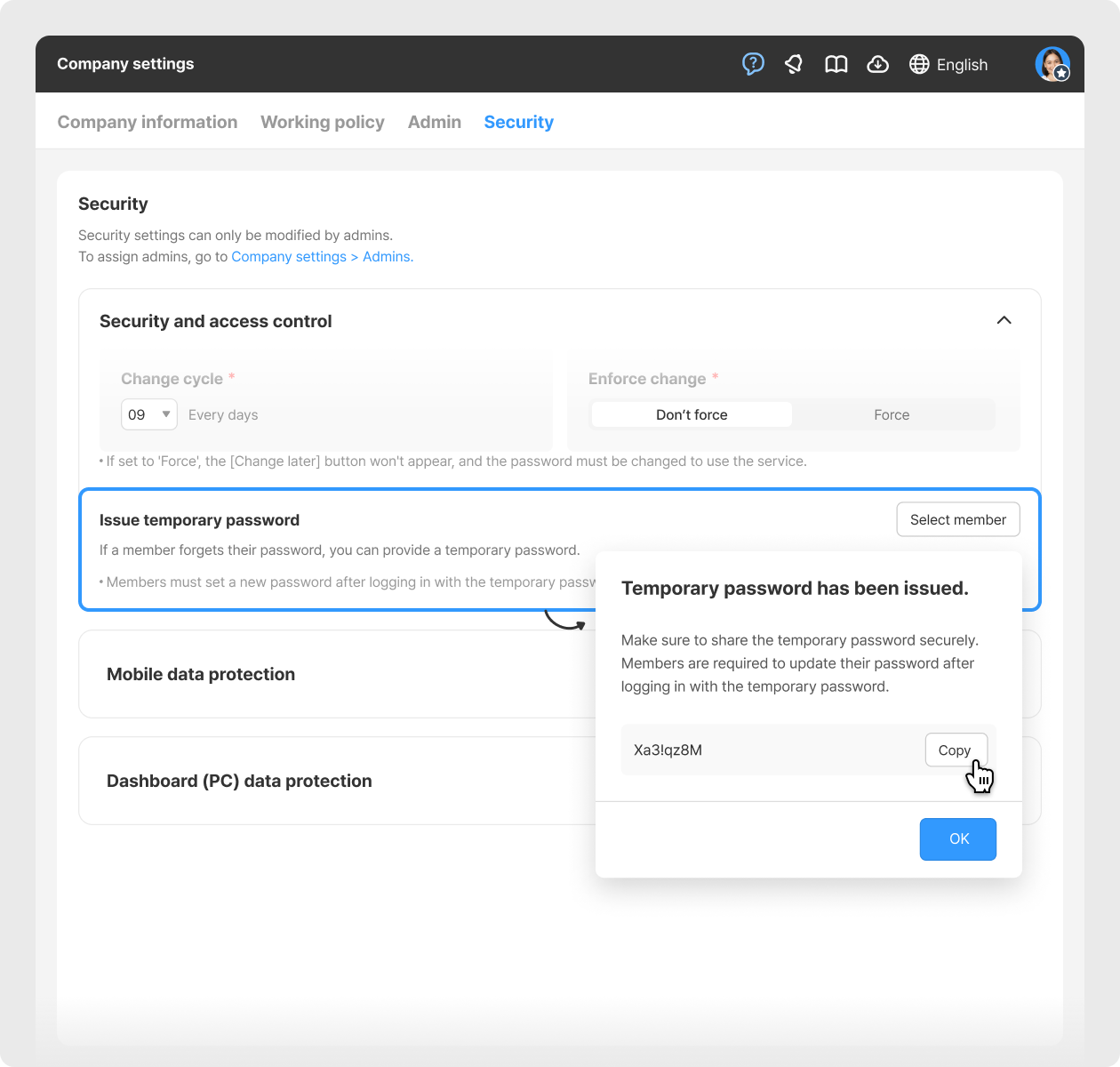
[Settings] Temporary password issuance

Admins can issue a temporary password if a member forgets their password and cannot log in. Members must set a new password after logging in with the temporary one.
*Enable feature: Dashboard (PC) > Company settings > Security > Issue temporary password
*App update required
Other Improvements:

  • [Schedule] Manage day-off types and group templates in app Leader Mode
Upcoming Next Update:

  • [Attendance] Leave notes on punch-in/out records 
  • [Photo Library] View and download photos submitted by employees from To-dos, Surveys, Reports, Posting Boards, etc., all in one place.
That's it for the upcoming updates!
Stay up to date with the latest releases and features. 😀
Shopl - Streamline management of teams and tasks
All-in-one solution for
time & attendance, task management
Shopl&Company
support@shoplworks.com
Unsubscribe