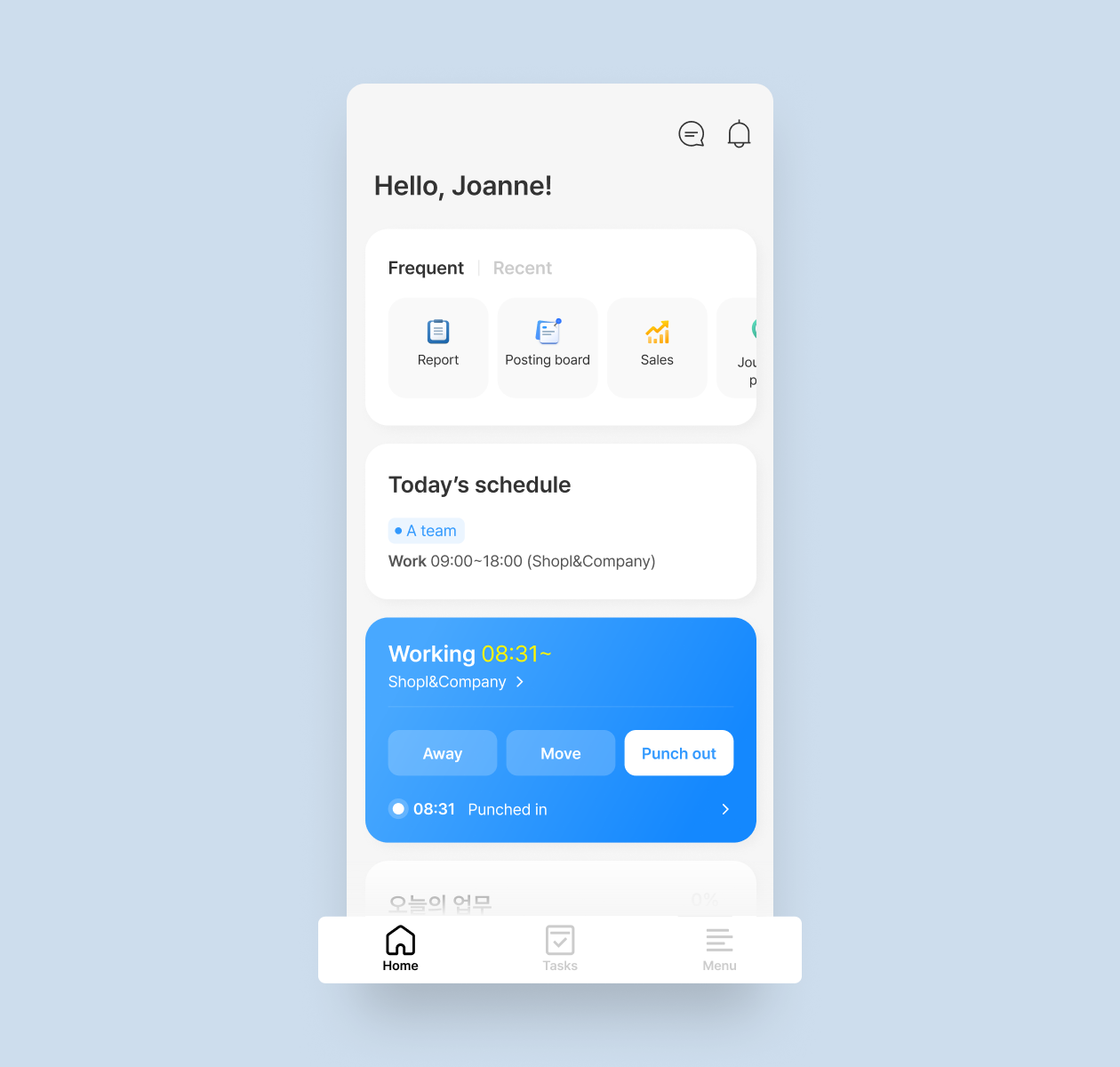
New main screen for the employee mode on the app! Go to frequently or recently used features right away, and check your schedule for the day. The punch in/out button will be on the blue card.
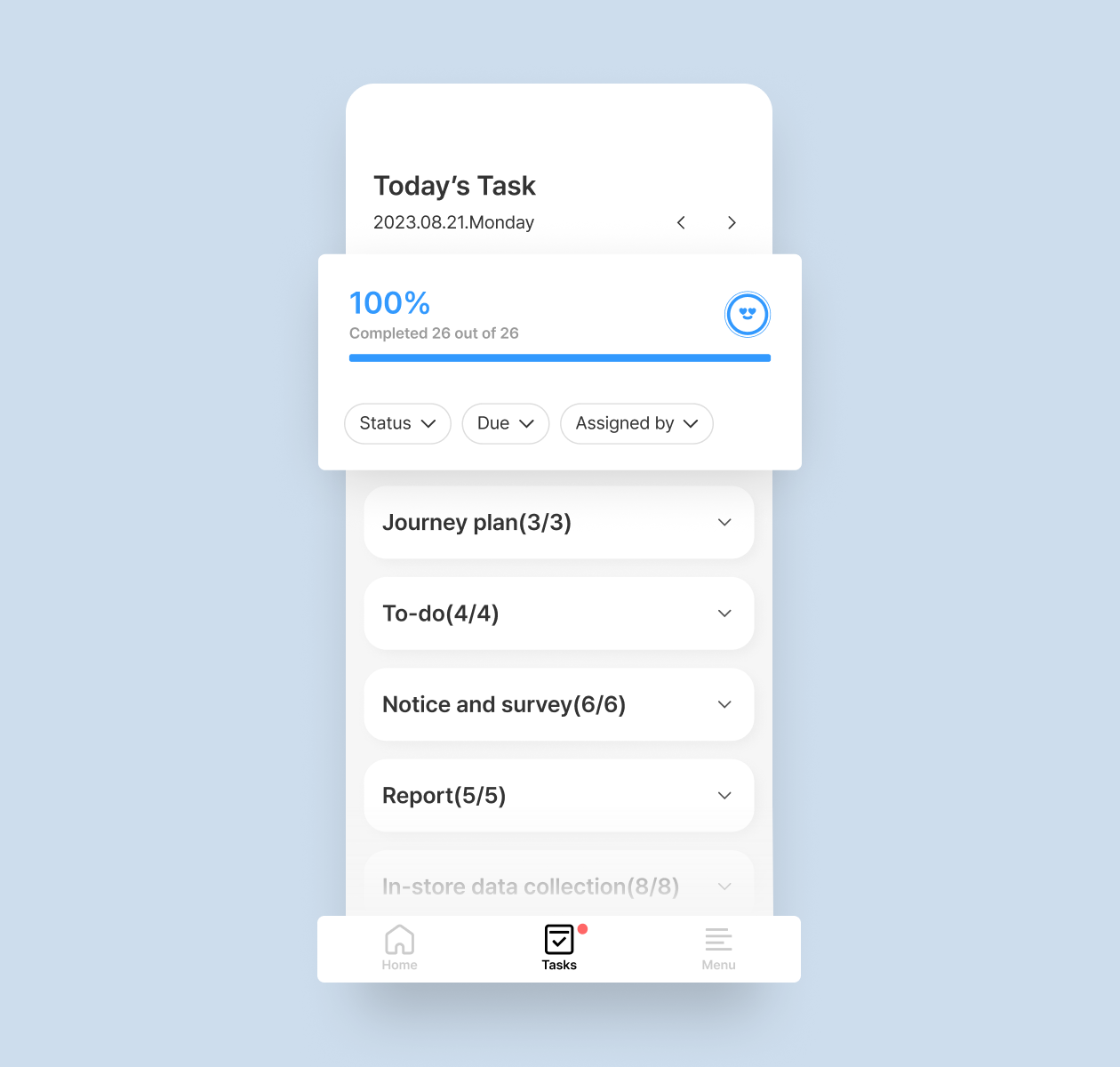
Today's task
Press the 'Tasks' tab at the bottom of the screen and check today's tasks. Easily check the task completion rate and incomplete tasks as well.
Tab menu for Leader Mode
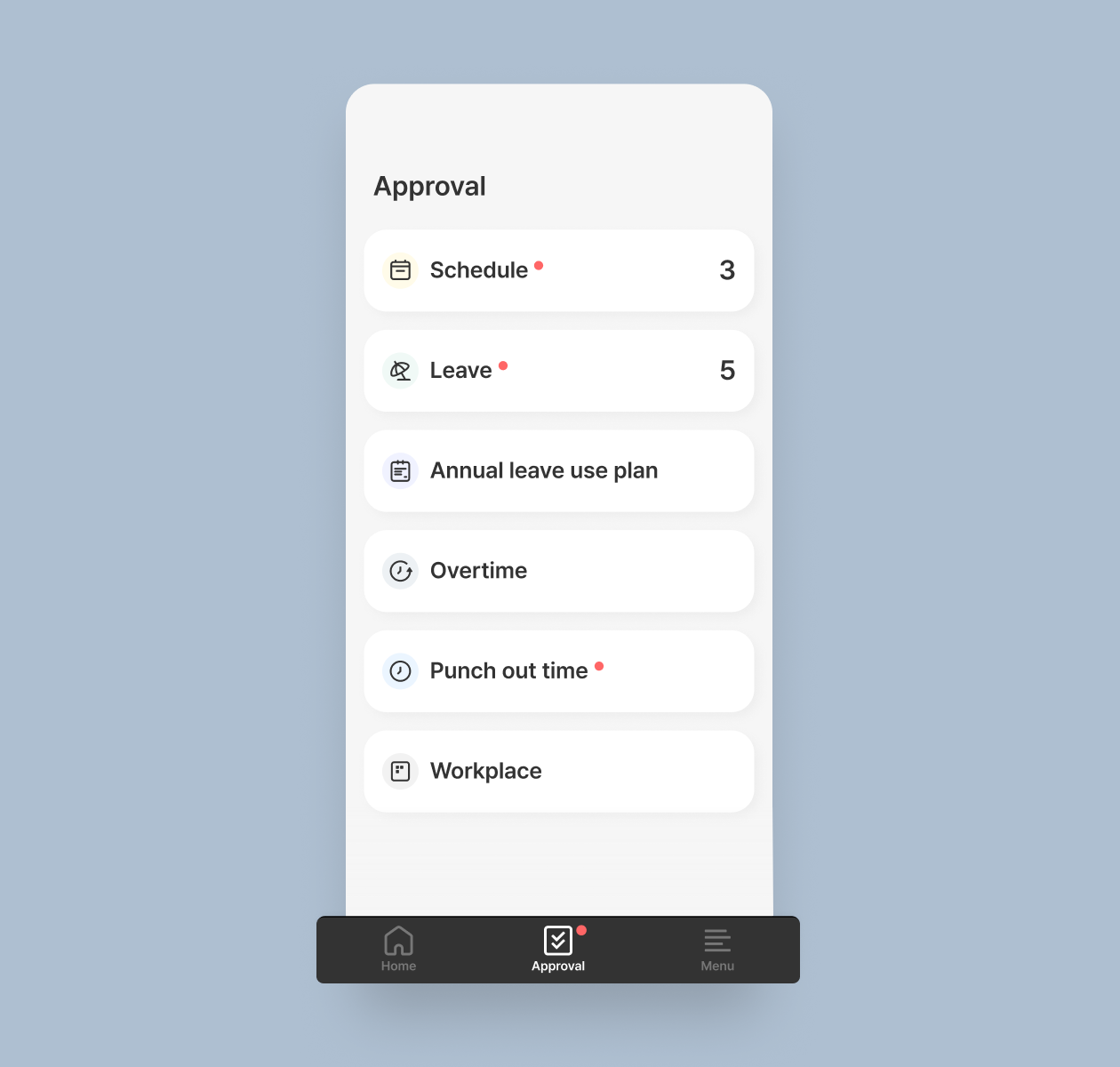
Approval
Through the new tab menu that will be added to the leader mode screen, approve the requests instantly from the 'Approval' tab.
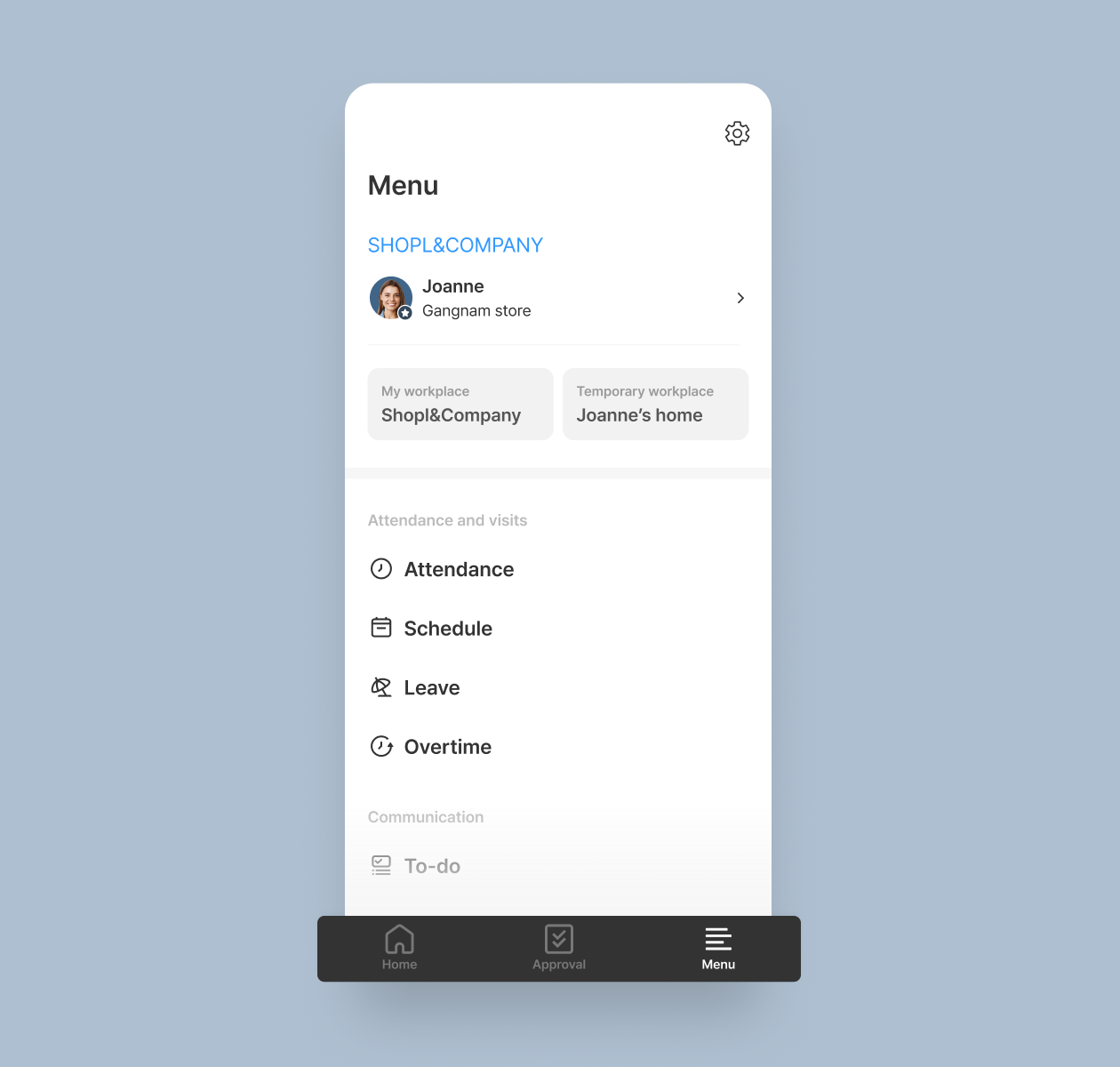
Menu
Also, easily access the full menu by pressing the 'Menu' tab at the bottom of the screen. * Same for the employee mode.
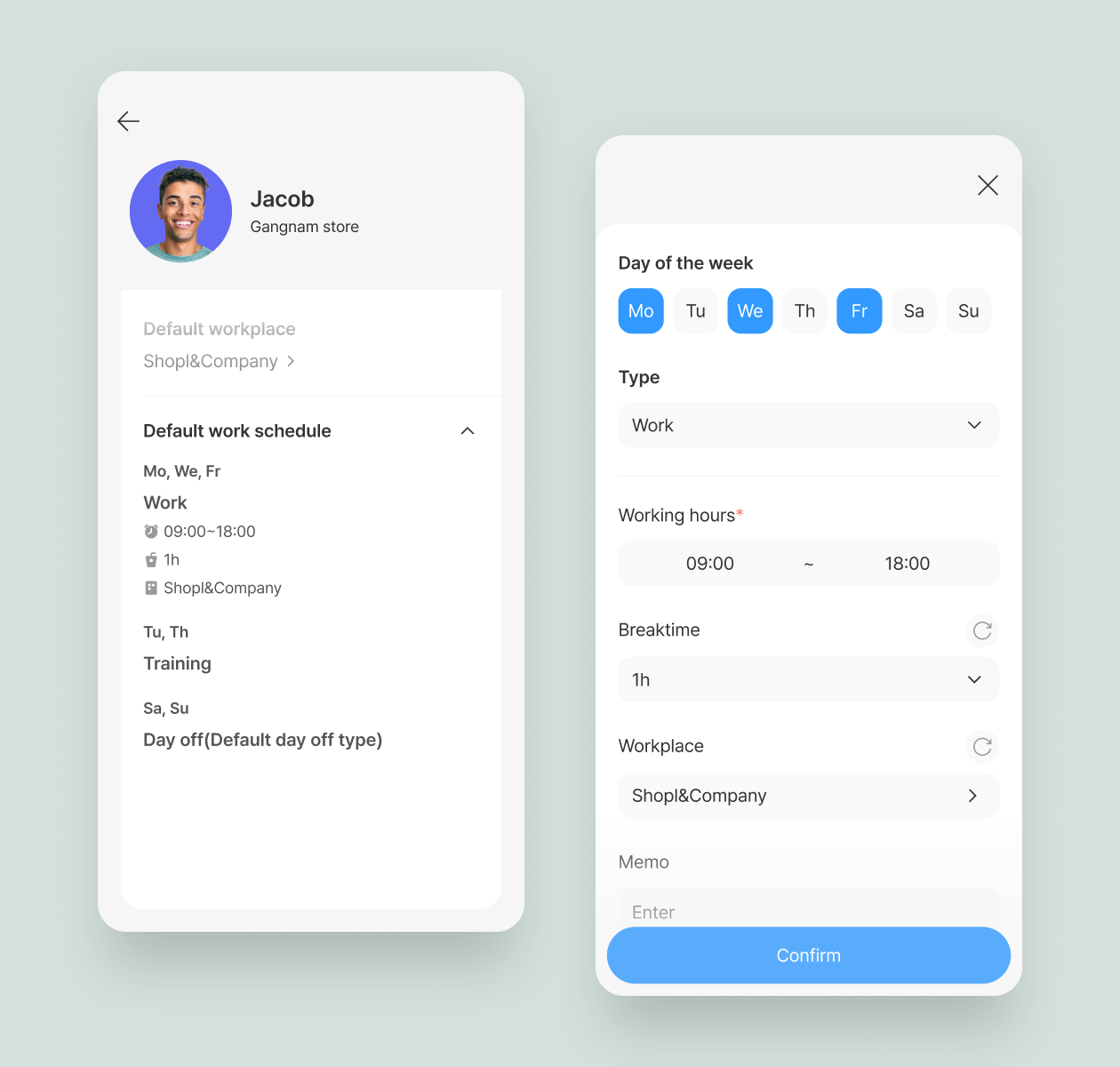
Default work schedule by day of the week
Set default work schedules for each day of the week. This function comes in handy when members have different fixed work schedules by day of the week. * Members > Add a member or Edit member info
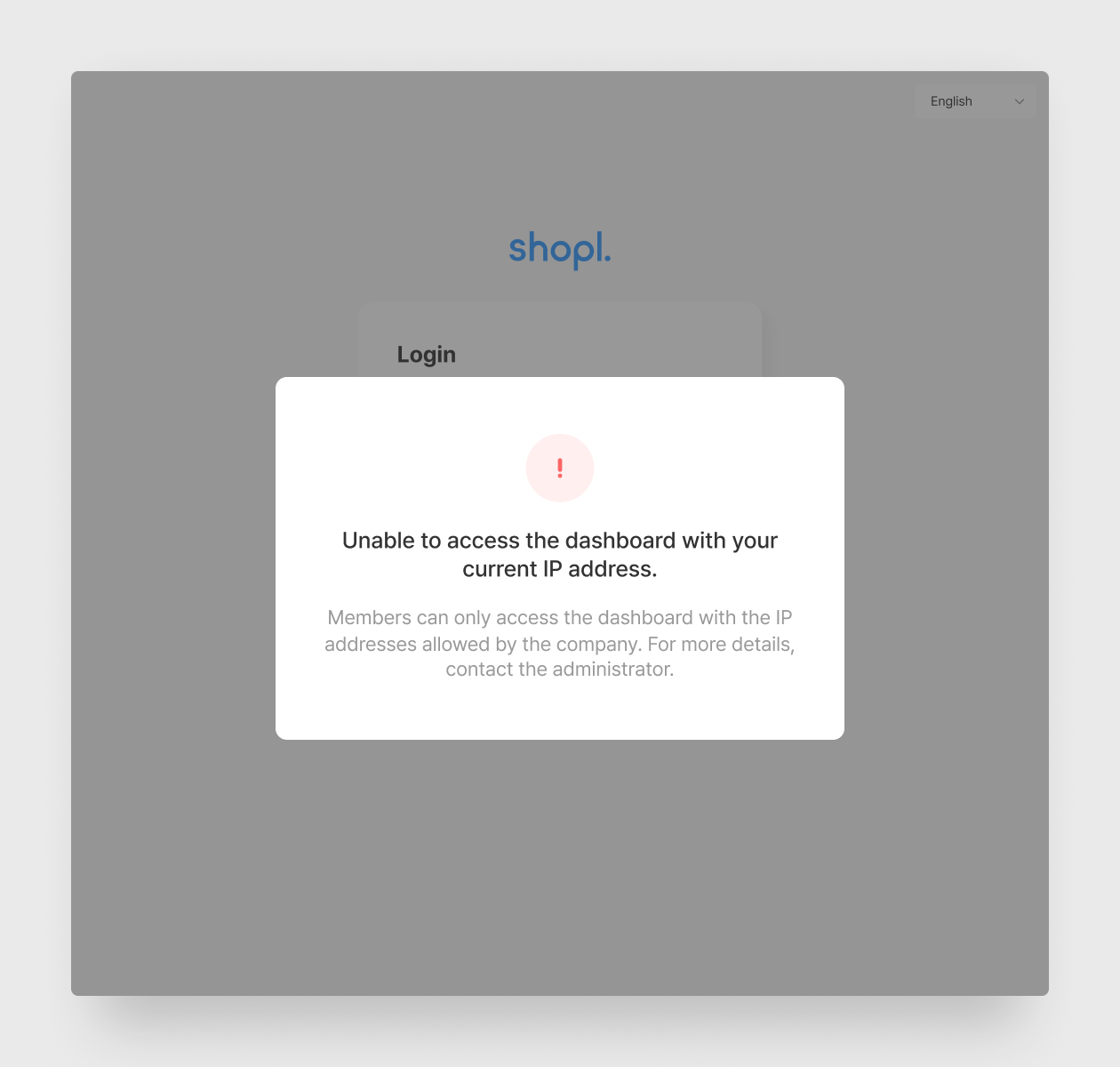
Allow only certain IP addresses to access the dashboard
Restrict the dashboard to be accessible only with allowed IP addresses. Only the members listed as ‘Members without restriction’ will be able to access the dashboard regardless of their IP addresses. * Dashboard > Settings > Security
That's it for the upcoming updates!
Stay up to date with the latest releases and features. 😀
Shopl - Streamline management of teams and tasks
All-in-one solution for time & attendance, task management